


The best gift shop website templates of 2026: for hampers, resin art and personalised gifts.
People shopping for a gift often do not know what they want yet. They know the occasion and the person, and they browse until something feels right. The best gift shop template in 2026 lets them wander like that, then makes a personalised order easy. On SitesPlaced that is the Gifts & Lifestyle Store, laid out like Chumbak’s phone site: big category photos stacked down the home page, “Shop by occasion” tiles, and a “Preview your photo” panel on products that take the buyer’s photo. For home-leaning gifts the Home & Decor Store also works, and for a small range of luxury hampers, the Premium Store. All three are free.
The short answer
Hampers, resin art, personalised mugs and frames, candles, planters, stationery and quirky lifestyle products: Gifts & Lifestyle Store. Gifts that are really home decor, like rugs, lamps and cushion sets: Home & Decor Store. A handful of high-value hampers or handmade pieces on slow, gallery-like pages: Premium Store.
Key takeaway
Gift buyers shop by occasion and by look. The Gifts & Lifestyle Store gives them big photos of every category, occasion tiles such as Birthday and Anniversary, and, on personalised products, a panel where they can see their own photo on the product before buying. The preview stays on their phone; they attach the final photo in the cart, and you download it from the order.
The three templates at a glance
| Gifts & Lifestyle Store | Home & Decor Store | Premium Store | |
|---|---|---|---|
| Best for | Gifts, hampers, personalised and quirky products | Home goods bought as gifts | A few high-value pieces |
| Laid out like | Chumbak’s phone site | Troost’s phone site | Its own warm, gallery-style design |
| Home page | Big category photos stacked down the page, shop by occasion | Photo slider, two-column grid, photo mosaic | Unhurried and photo-first |
| “Preview your photo” on personalised products | Yes, framed right above the buy buttons | Yes | Yes |
| Add from the card, phone buy bar, delivery line | Yes | Yes | No |
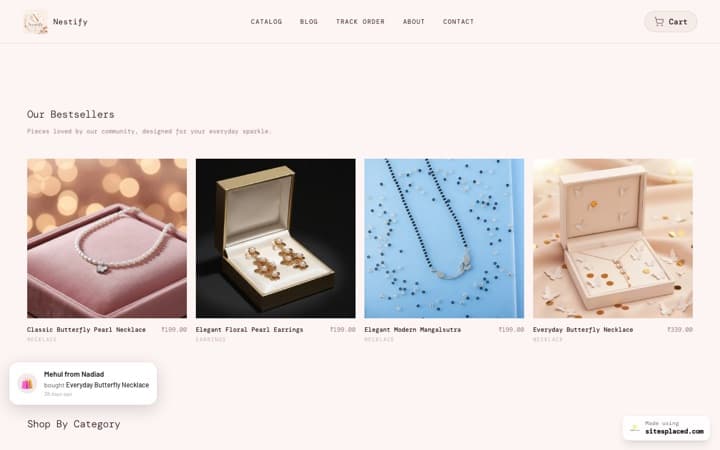
| See it | Gallery · Showcase shop | Gallery · Showcase shop | Gallery · Aura Jewels demo |
Chumbak and Troost are not involved with SitesPlaced. Each template follows the layout of their phone sites; your store uses your own name, photos and products.
1. Gifts & Lifestyle Store: laid out like Chumbak
- A soft coloured offer strip at the very top with small arrows at each end. Add two or more announcement lines and they take turns; the strip stops moving the moment someone taps it.
- A white header with your name in a serif and a square search box that is always on screen. Its hint cycles through your own categories, such as “Search for Mugs”, so it never suggests something you do not sell.
- Full-width banners with your words in a small white box. Until you add one, it shows your first product photo with your shop’s name.
- Big category photos, stacked. This is the heart of the template: each category as a big square photo, one under another, with its name in a white box. The photo is your category picture, or its first product photo, so the page looks finished from day one.
- Rows of simple square cards, two to a phone screen: photo, name, price, the old price struck through and a small “% off” chip when the saving is real.
- “Shop by occasion” tiles on coloured bands, such as Birthday, Anniversary, Housewarming and Thank You. They come from a browse page you set up; with none, the section stays hidden.
- Delivery and payment boxes built from your own settings.
The product page is gift-first: a square photo with a row of thumbnails under it, the name in the serif, the price and saving, the options as square boxes (or small photos, when each design has its own), and the “Preview your photo” panel framed right above a black Add to cart and an outlined Buy now. Your published coupon, the delivery and COD line and the buy bar that stays on screen on phones are on the same page. There is no bottom menu on phones.
Get this layout: the Gifts & Lifestyle Store, free on SitesPlaced. Put products in categories with a picture on each, then make a “Shop by occasion” browse page with categories such as Birthday and Anniversary. A product can sit in its type category and in several occasions at once. Open the showcase shop on your phone to try it.
How personalised gifts work, step by step
If you sell photo mugs, printed cushions, frames or photo lamps, this is the part that matters most. Here is exactly what happens on a SitesPlaced store. It is available on every plan:
- You switch it on for the product. Tick “Customers upload their own photo for this product”, write the instruction the buyer reads, and choose whether the photo is required before checkout.
- You mark the print area. Drag a box over your product photo to show where the buyer’s picture lands. Optional, but it makes the preview convincing.
- The buyer previews it on the product page. They pick a photo and see it on your product straight away. It is only a preview: the file stays on their phone and is not sent anywhere.
- The buyer attaches the final photo in the cart. Each personalised line in the cart has its own upload, so two mugs can carry two different photos. If you turned the note on, they can add one short line too, such as a name to print or a message for the card.
- You download it from the order. The photo and the note travel with the order, so you open it and see exactly what to print.
The full setup is in let buyers personalise a product.
Hampers, resin art and made-to-order gifts
- Hampers: sell each ready-made hamper as its own product with its own photo and price. Small, medium and large can be options with their own prices. What is not available yet is a build-your-own box at a fixed price, such as “any 3 for ₹999”.
- Corporate or custom hampers: list them without a price. The product shows “Price on request” and an Ask for the price button that opens a WhatsApp chat naming the product, so you can quote for 50 pieces in the chat.
- Resin art and other made-to-order pieces: show each colour or finish as an option with its own photo, and set your dispatch line in Settings to something honest like “Made to order, dispatched in 7 days”. It appears under the buy button on every product.
- Festive rush: plan stock and photos a few weeks before Diwali and Rakhi. A 4-week Diwali campaign plan for a small store works for other festivals too.
2. Home & Decor Store and 3. Premium Store
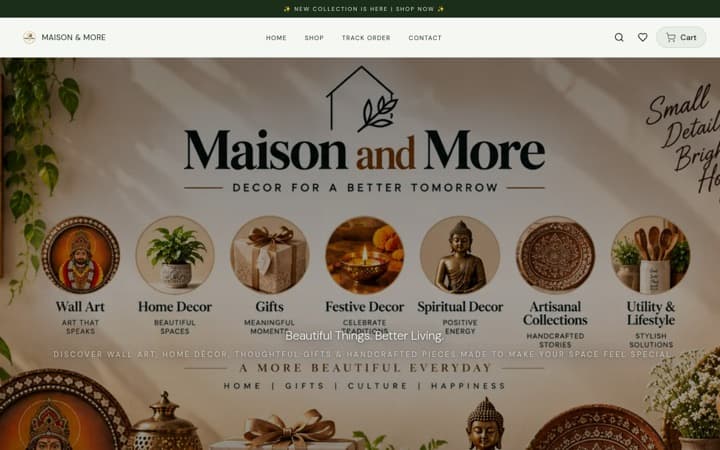
If your gifts are mostly home goods, the Home & Decor Store, laid out like Troost, shows them with big photos, a calm two-column grid and each design as a photo on the product page. It has the same “Preview your photo” panel for personalised products.
Get this layout: the Home & Decor Store, free on SitesPlaced. More in the best home decor website templates. Open the showcase shop on your phone to try it.
For a small range of luxury hampers or handmade pieces, the Premium Store is warm, slow and photo-first. Personalised products get the same photo preview. It is an older design, though, so it has no add to cart from the card, no buy bar on phones, no delivery line and no occasion tiles. For most gift shops, the Gifts & Lifestyle Store is the stronger pick.
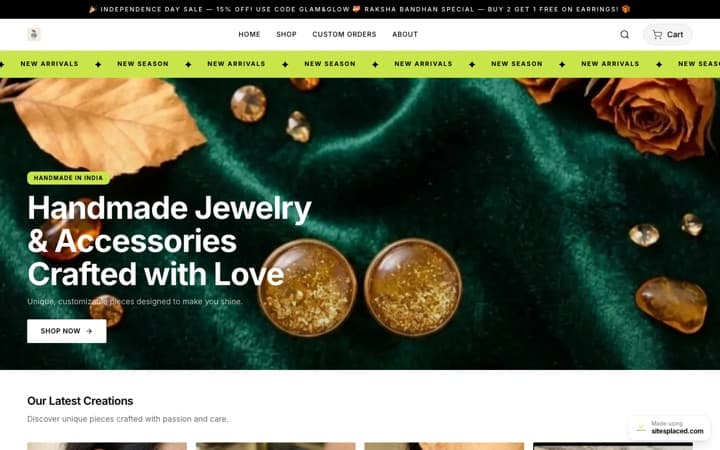
Get this layout: the Premium Store, free on SitesPlaced. The live demo, Aura Jewels, shows it with jewellery. Open the showcase shop on your phone to try it.
Which one should you pick?
| If you sell | Pick | Why |
|---|---|---|
| Photo mugs, frames, printed cushions | Gifts & Lifestyle Store | The photo preview sits right above the buy buttons |
| Resin art, candles, stationery, planters | Gifts & Lifestyle Store | Big category photos; finishes as photos on the product page |
| Festive and occasion hampers | Gifts & Lifestyle Store | Shop by occasion tiles; hamper sizes as options |
| Home decor bought as gifts | Home & Decor Store | Photo-led grid and mosaic |
| A handful of luxury hampers | Premium Store | Slow, gallery-like pages |
A store’s template is fixed once it is created, though colours, fonts, text and sections stay editable. How to choose an online store template in 2026 covers the choice in general.
What is free, and what is paid
| Feature | Plan |
|---|---|
| All three templates | Free |
| Personalised products with a photo upload, a preview and a note | Free |
| Options with their own prices and stock | Free |
| Shop by occasion tiles (Gifts & Lifestyle); “Price on request” with an Ask button (Gifts & Lifestyle, Home & Decor) | Free |
| Add to cart from the card, phone buy bar, delivery line (Gifts & Lifestyle, Home & Decor) | Free |
| Coupon codes (all three); showing a chosen code on product pages (Gifts & Lifestyle, Home & Decor) | Free |
| UPI, cards, COD and WhatsApp checkout at 0% commission | Free |
| Your own domain and no SitesPlaced badge | Starter, ₹199/month |
| Product reviews and stars on cards | Growth, ₹499/month |
| Buy X Get Y offers and cart suggestions | Growth, ₹499/month |
| Build-your-own box at a fixed price (“any 3 for ₹999”) | Not available yet |
Full details on the pricing page.
More template guides
All genres side by side: the best ecommerce website templates in India for 2026. If you sell from Instagram first, read how to increase Instagram store sales in 2026 and can I sell handmade items on Instagram. For packing fragile gifts, see how to ship orders from home.
FAQs
What is the best website template for a gift shop?
The Gifts & Lifestyle Store on SitesPlaced. It is laid out like Chumbak’s phone site, with big category photos stacked down the home page, “Shop by occasion” tiles and a “Preview your photo” panel on personalised products. It is free, with UPI, COD and WhatsApp checkout at 0% commission.
Can customers upload their own photo for a personalised gift?
Yes, on every plan. On the product page they can preview their photo on your product; the preview stays on their phone. They attach the final photo in the cart, one per item, and can add a short note if you allow it. You see the photo and the note on the order and download the full-size image.
How do I sell hampers on my website?
Add each ready-made hamper as its own product with its own photo and price, with sizes as options if you have them. For custom or corporate hampers, leave the price empty: the product shows “Price on request” and an Ask for the price button that opens WhatsApp. A build-your-own box at a fixed price is not available yet.
Can buyers shop by occasion, like Birthday or Anniversary?
Yes. Create categories for your occasions, put products in them alongside their type category, and gather the occasions in a browse page called, for example, Shop by occasion. The Gifts & Lifestyle Store shows it as coloured tiles on the home page.
How do I sell made-to-order resin art online?
Add each piece with its colours or finishes as options, each with its own photo, and set a truthful dispatch line such as “Made to order, dispatched in 7 days”. It shows under the buy button. For commissions, list a product without a price so buyers can ask on WhatsApp.
Is Shopify or Etsy better for a gift shop?
Both have strengths: Shopify has a large app store and Etsy brings shoppers already searching for handmade gifts, at a fee per sale. For a small Indian gift seller who sells through Instagram and WhatsApp, SitesPlaced is the better base: the Chumbak-style layout, personalised photo uploads and UPI, COD and WhatsApp checkout are free, at 0% commission.
Open a gift shop people love to browse.
Pick the Gifts & Lifestyle Store, add your categories and occasions, switch on photo uploads for personalised products, and publish free at 0% commission.
Open my store free →