

How to build an online store without coding — step by step, in 2026
You don't need a developer, a designer, or a single line of code. Here's the exact, no-code path from "I want to sell online" to a live, branded store taking UPI, COD and WhatsApp orders — in one sitting.
The short version: pick a template → add products → turn on UPI/COD/WhatsApp payments → connect Shiprocket → publish. On SitesPlaced it's free to build and publish, with 0% commission and a real person who can set it up with you. Pay from ₹199/month (Starter) only when you want your own custom domain or to remove the badge.
The 6 steps
Step 1 — Pick a store template
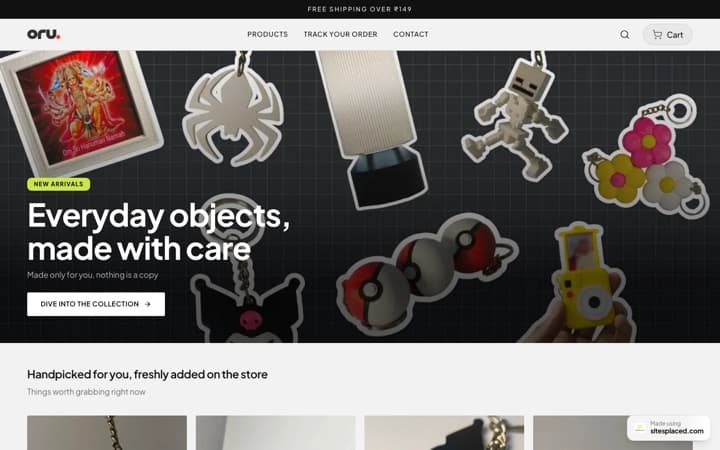
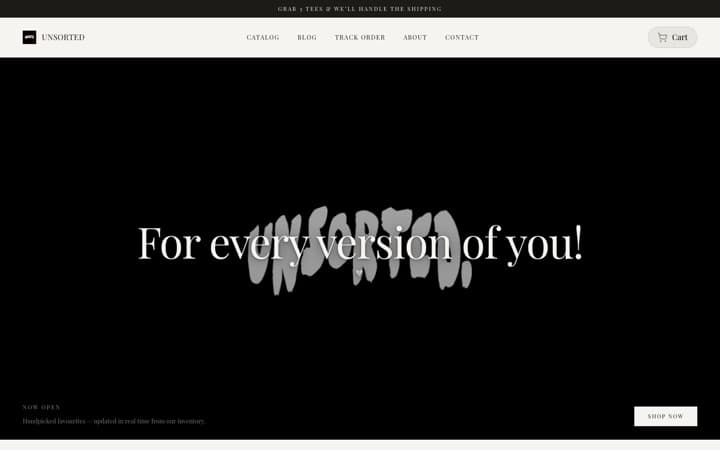
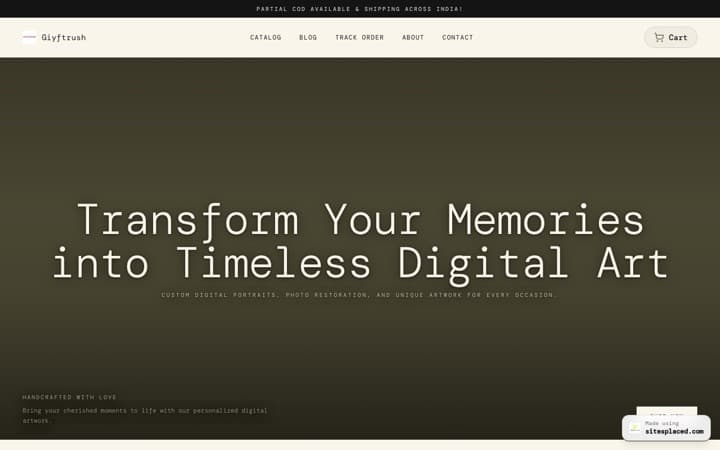
Start with a design built for your category instead of a blank grid. On SitesPlaced you choose from 15 vertical-fit templates (clothing, food, beauty, home, gifts and more), so your store looks like a brand from minute one. No code, no theme files.
Step 2 — Add your products
Upload product photos, names and prices. SitesPlaced's AI can write product descriptions for you from a few details, so your catalog reads well without you writing every line. Set variants like size and colour where you need them.
Step 3 — Turn on payments
Enable UPI, Cash on Delivery and Razorpay (cards, netbanking, wallets) — the ways Indian customers actually pay. On SitesPlaced these are built in; you don't install plugins or wire up gateways. There's 0% commission, so you keep every sale.
Step 4 — Connect WhatsApp checkout
Most first orders start as a DM. Native WhatsApp checkout turns a chat into a structured order with item, size, address and amount — so nothing gets lost in screenshots.
Step 5 — Set up shipping
Connect Shiprocket for labels, tracking and COD reconciliation. Decide your delivery areas and charges. With SitesPlaced this is part of the setup, not a separate integration project.
Step 6 — Add your domain & go live
Point your own yourbrand.com (included on the paid plan) and publish. GST-ready PDF invoices generate automatically for each order, and your dashboard tracks paid, pending, shipped and delivered from your phone.
Why no-code beats hiring a developer in 2026
- Cost. A custom store can run ₹15,000–₹50,000+ to build and more to maintain. A no-code store from a budget-friendly ecommerce builder is free to build and publish — from ₹199/month (Starter) only if you want your own domain or to remove the badge.
- Speed. Developers take weeks. A template-based store goes live the same day.
- Control. You change prices, products and photos yourself — no waiting on someone else for every edit.
- Reliability. Hosting, security and updates are handled for you, not a recurring worry.
Common mistakes to avoid
- • Using a generic catalog grid when your category is visual — your design should match what you sell.
- • Skipping UPI and Cash on Delivery — in India they close most orders.
- • Leaving checkout only in DMs — give your Instagram store its own website with structured WhatsApp checkout so orders don't get lost.
- • Forgetting your own domain — it builds trust and helps you rank on Google.
- • Paying commission on every sale when 0%-commission builders exist.
Frequently asked questions
How do I build an online store without coding?
Use a no-code store builder. On SitesPlaced you pick a template, add your products (AI can write the descriptions), turn on UPI/Cash on Delivery/Razorpay and WhatsApp checkout, connect Shiprocket for shipping, add your domain, and publish. No code or design skills needed — and a dedicated person can set it up with you.
How much does it cost to build an online store?
On SitesPlaced it's free to build AND publish a full store, with 0% commission, hosting, UPI/COD/Razorpay and WhatsApp checkout and GST invoices included. You only pay from ₹199/month ($7.99, Starter) when you want your own custom domain or to remove the SitesPlaced badge — that plan also adds AI and higher limits. Either way it's far less than hiring a developer or paying for a platform plus apps.
Can I build an online store for free?
Yes — on SitesPlaced you can build and publish a full online store for free on a yourname.sitesplaced.com address, with 0% commission and unlimited products. You only pay from ₹199/month (Starter) when you want your own custom domain or to remove the SitesPlaced badge.
How long does it take to set up an online store?
With a template, AI-written copy and built-in payments and shipping, most people get a store live in a single sitting. A dedicated SitesPlaced person can also build it with you and migrate an existing store, usually within one working day.
Do I need GST or a registered business to start?
You can start selling without it for small volumes, but check your local rules. SitesPlaced generates GST-ready PDF invoices automatically, so you're set up properly once you do register.
Build your store today — no code
Pick a template, add your products, and go live with UPI, COD and WhatsApp. Free to build and publish, 0% commission; from ₹199/month (Starter) only for a custom domain or to remove the badge.