


The best furniture and mattress website templates of 2026: sell big-ticket items with a call one tap away.
Nobody buys a mattress or a sofa the way they buy a T-shirt. They check the size, ask about delivery, assembly, the trial or the warranty, and often want to talk to someone first. The best template for selling big-ticket furniture online in 2026 keeps that conversation one tap away. On SitesPlaced that is the Furniture & Mattress Store, laid out like The Sleep Company’s phone site: Call and WhatsApp buttons in the header, on every product page and in the phone menu, shop by room, and every size with its own price. For lamps, rugs and smaller pieces, the Home & Decor Store fits better. Both are free.
The short answer
Mattresses, sofas, beds, recliners, study tables, office chairs and dining sets: Furniture & Mattress Store. Rugs, cushions, lamps, planters, mirrors and small side pieces that people buy without a phone call: Home & Decor Store.
Key takeaway
A big-ticket buyer who cannot ask a question leaves. The Furniture & Mattress Store puts Call and WhatsApp on every page, lists each size with its own price, and turns your real promises (trial, warranty, installation) into numbered cards. Nothing is promised on your behalf.
Why big-ticket buyers need a phone button
In a showroom, the questions before a ₹30,000 order get answered across the counter. Online, they are just as specific: will a queen size fit my room, can you deliver to the third floor, do you assemble it, what if it sags in a year? A product page cannot answer every one of those, but you can, in two minutes on WhatsApp.
So a furniture website has two jobs: let the confident buyer pay on the spot, and turn the hesitant buyer’s question into a conversation with you instead of a closed tab.
The two templates at a glance
| Furniture & Mattress Store | Home & Decor Store | |
|---|---|---|
| Best for | Mattresses, sofas, beds, chairs, tables | Rugs, cushions, lamps, smaller home goods |
| Laid out like | The Sleep Company’s phone site | Troost’s phone site |
| Call and WhatsApp | In the header, on every product page, in a “talk to us” block and in the phone menu | Your contact page |
| Shop by | Room (Sleep, Sit, Work), over round category tiles | Square category tiles and a photo mosaic |
| Product card | One large card per product, “Starting from” price and a “4 sizes” chip | Two-column grid, “From” price when sizes differ |
| Sizes on the product page | Stacked rows, each with its own price | Buttons, or photos for designs |
| See it | Gallery · Showcase shop | Gallery · Showcase shop |
The Sleep Company and Troost are not involved with SitesPlaced. Each template follows the layout of their phone sites; your store uses your own name, photos and products.
1. Furniture & Mattress Store: laid out like The Sleep Company
- Call and WhatsApp in the header, beside search and the cart. Both dial your store’s own number; a store without one shows neither, never a button that goes nowhere.
- Shop by room. Room words at the top, such as All, Sleep, Sit and Work, over a row of round category tiles that changes as the shopper taps. The words come from browse pages you set up.
- A rounded banner with an optional dark strip for your sale line. Until you add one, it shows your first product photo with your shop’s name.
- One large card per product on phones: the photo, the name, a “Starting from” price, a chip saying how many sizes it comes in, and a View product button. Stars appear once you have real reviews.
- Numbered “why us” cards, such as “01 · 100-night trial” and “02 · Free installation”. Each card is one of the trust badges you set in Settings, so every promise is one you made. No badges, no cards.
- Your own questions and answers, folding open on tap. None are written for you, because an answer about the trial or assembly is your promise.
- A “talk to us” block near the bottom: a deep-coloured card with your contact note and big Call and WhatsApp buttons.
- A bottom menu on phones with Home, Shop, Call and WhatsApp. A store without a number gets Cart in their place.
On the product page, sizes are stacked full-width rows, “Queen · 78 x 60 in” on the left and that size’s own price on the right, because a mattress buyer compares sizes by price. Under the buttons sits a card with Call and WhatsApp for the buyer who wants to ask first. The phone buy bar, the delivery and COD line and any coupon you choose to show are on the same page.
Get this layout: the Furniture & Mattress Store, free on SitesPlaced. Add your WhatsApp number in Settings and every Call and WhatsApp button appears; set up browse pages called Sleep, Sit and Work for the room words. Open the showcase shop on your phone to try it.
2. Home & Decor Store: for smaller pieces
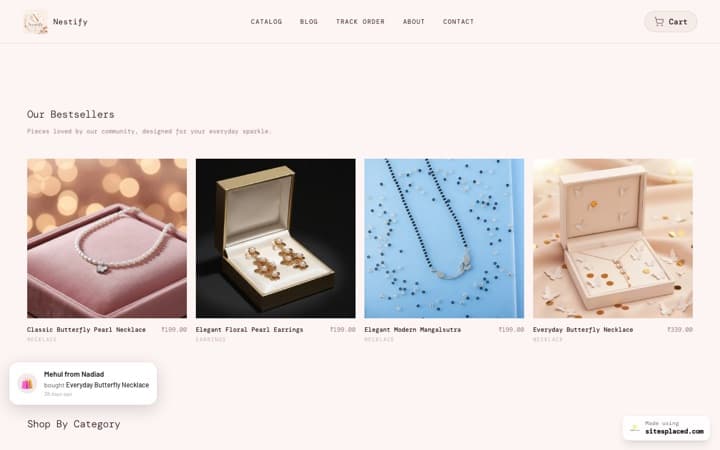
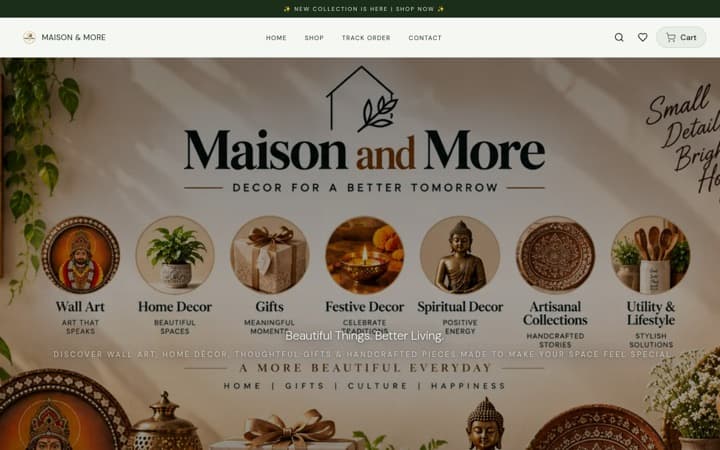
If most orders are small and nobody needs to call before buying, such as lamps, rugs, cushions and wall decor, the Home & Decor Store suits you better: laid out like Troost, with big photos, a two-column grid, a photo mosaic and each design shown as a photo.
Get this layout: the Home & Decor Store, free on SitesPlaced. The full breakdown is in the best home decor website templates. Open the showcase shop on your phone to try it.
Which one should you pick?
| If you sell | Pick | Why |
|---|---|---|
| Mattresses and pillows in several sizes | Furniture & Mattress Store | Each size as a row with its own price; “4 sizes” on the card |
| Sofas, recliners and beds | Furniture & Mattress Store | Call and WhatsApp on every page for the questions before a big order |
| Study tables, office chairs and bookshelves | Furniture & Mattress Store | Shop by room: a Work tab next to Sleep and Sit |
| Made-to-measure or custom furniture | Furniture & Mattress Store | “Price on request” with an Ask for the price button that opens WhatsApp |
| Lamps, rugs, cushions, planters, mirrors | Home & Decor Store | Photo-led, designs as photos, no call needed |
A store’s template is fixed once it is created, so decide by what most of your orders are. How to choose an online store template in 2026 walks through the choice in general.
How to set up sizes with their own prices
- One product per model. “Orthopaedic memory foam mattress” is one product. Single, Double, Queen and King are values of an option called Size.
- Write the size the way buyers measure. “Queen · 78 x 60 in” reads better than “Q”. The product page shows the whole value on each row.
- Price and stock each size. Each size carries its own price and stock. Set a size to zero and it shows as sold out while the rest stay buyable. See selling sizes and options.
- Add an MRP only when the saving is real. The struck MRP and the “% off” are worked out from the prices you enter, never decorated on.
- Group categories into rooms. Create categories like Mattresses, Sofas, Beds and Chairs, then browse pages called Sleep, Sit and Work. A category can sit in two rooms, as chairs often do. See browse pages.
Promises you make, not ones we invent
Trial nights, warranty years and free installation often decide which mattress a buyer picks, and they are promises you have to keep. The template never writes them for you: you add them as trust badges once, and they appear as the numbered cards on the home page and on your product pages.
Write only what you can deliver in your worst week
A 100-night trial is a strong line only if you can really take a mattress back after 99 nights.
Taking payment on a big order
- UPI, cards and net banking go to your own Razorpay, PhonePe or Cashfree account, at 0% SitesPlaced commission. See UPI and COD on your store.
- Cash on delivery is your choice. You can switch COD off at checkout, or add a COD charge, and the delivery line then tells buyers how much they save by paying online. More in how to reduce RTO and fake COD orders.
- WhatsApp orders land in the same dashboard as paid ones. See a WhatsApp order system for small businesses.
What is free, and what is paid
| Feature | Plan |
|---|---|
| The Furniture & Mattress and Home & Decor templates | Free |
| Call and WhatsApp buttons in the header, on product pages and in the phone menu | Free |
| Sizes with their own prices and stock, “Price on request” | Free |
| Phone buy bar, delivery and COD line, coupon shown on the product page | Free |
| UPI, cards, COD and WhatsApp checkout at 0% commission | Free |
| Your own domain and no SitesPlaced badge | Starter, ₹199/month |
| Product reviews and stars on cards | Growth, ₹499/month |
| Sales boosters, including the floating WhatsApp chat bubble and Buy X Get Y | Growth, ₹499/month |
The template’s own Call and WhatsApp buttons are free; the floating chat bubble is a separate booster. Full details on the pricing page.
More template guides
All genres side by side: the best ecommerce website templates in India for 2026. What the top D2C stores put on the page: the best-converting sales websites of 2026. And if a store gets visits but no orders, read why your online store is not getting sales.
FAQs
What is the best website template for a furniture or mattress business?
The Furniture & Mattress Store on SitesPlaced. It is laid out like The Sleep Company’s phone site, with Call and WhatsApp buttons in the header, on every product page and in the phone menu, shop by room, one large card per product and every size listed with its own price. It is free, with UPI, COD and WhatsApp checkout at 0% commission.
Can I sell furniture online in India without a showroom?
Yes. You can take orders on your own website and close the hesitant buyers on a call or on WhatsApp. The Furniture & Mattress Store keeps both one tap away on every page, and the order itself is paid online, by COD or through WhatsApp checkout.
How do I add a Call and WhatsApp button to my furniture website?
On the Furniture & Mattress Store, add your WhatsApp number in Settings. The Call and WhatsApp buttons then appear in the header, on every product page, in the “talk to us” block and in the phone menu, all dialling that number. Without a number, the buttons do not appear.
How do I show a different price for each mattress size?
Add one product with a Size option, such as Single, Double, Queen and King, and give each size its own price and stock. The card shows “Starting from” the lowest price with the number of sizes, and the product page lists each size as a row with its own price.
Should I take cash on delivery for expensive furniture?
That is your decision. You can switch COD off at checkout, or add a COD charge so buyers see how much they save by paying online. Some sellers of big-ticket items take payment online only; others keep COD and call to confirm each order before dispatch.
Where do the trial and warranty cards come from?
From the trust badges you set in Settings. The template shows each badge as a numbered card, and shows nothing if you have not set any. It never writes a trial period or warranty for you.
Is Shopify better for a mattress brand?
Shopify is a strong platform, usually run with paid themes and apps. For a small Indian furniture or mattress seller, SitesPlaced is the better start: the Sleep Company-style layout with Call and WhatsApp buttons, sizes with their own prices and UPI, COD and WhatsApp checkout are free at 0% commission.
Sell big-ticket pieces with a call one tap away.
Pick the Furniture & Mattress Store, add your WhatsApp number and your sizes, and publish free with UPI, COD and WhatsApp checkout at 0% commission.
Open my store free →