


Best WhatsApp store builders in India (2026): catalogue link vs a real store
“WhatsApp store” means three different things, and the tools that sell them are not interchangeable. This post explains the three, what each can and cannot do, and ranks seven builders on how well they turn a chat into an order you can run a business on.
Our pick for selling on WhatsApp in India is SitesPlaced, because it is a real store that ends in a WhatsApp chat rather than a catalogue that starts one. The buyer builds a cart, gets the delivery charge worked out, fills in their address and sends the whole order to your WhatsApp as a formatted message. The order is saved in your dashboard with an ID before the chat opens. All of that, with unlimited products, stock counts, invoices and 0% commission, is on the ₹0 plan, and a “WhatsApp is the only way to order” switch removes every other checkout option if chat is how you sell.
It is not the pick if all you want is a product list inside the WhatsApp Business app for people already chatting with you; the app’s own catalogue does that for free. Nor if you need customers a marketplace already has. And we have verified the flow for Indian sellers; sellers elsewhere should check the integrations page first.
TL;DR
- • Three routes: the WhatsApp Business catalogue (a list in the app), a link-in-bio catalogue page (a list on the web), or a real store with WhatsApp checkout (a cart that ends in your chat). Only the third keeps stock, works out delivery and saves the order.
- • Best overall: SitesPlaced. Free store, order saved before the chat opens, a formatted message with every item and the total, WhatsApp-only mode on every template, invoices and couriers.
- • Best paid WhatsApp-first tool: WSTORES, ₹399/month Basic with WhatsApp checkout, UPI, cards and COD as of August 2026; invoices and shipping on Pro.
- • Best if you want it set up for you: StoreBase, with managed setup and WhatsApp orders as a pre-formatted message.
- • Best catalogue links: Bikayi or dm2buy, if a product list with chat ordering is genuinely all you need.
The three ways to sell on WhatsApp
Every WhatsApp seller in India uses one of these, and most builders sell you one of them under the same name. Knowing which one you are buying is most of the decision.
1. The WhatsApp Business catalogue
The WhatsApp Business app has a catalogue built in: a list of products with a photo, a price and a description, shown inside a chat with you. It costs nothing and does one job well, showing products to someone who has already messaged you. It is not a store: no stock count that stops two buyers taking the last piece, no delivery charge worked out for the buyer, no payment inside it, no invoice, and the record of the order is the chat. When the order comes, you type it out, work out delivery, send your UPI ID and wait for a screenshot. WhatsApp changes what the catalogue does from time to time, so check its own help for what it includes today.
2. A catalogue page you link in your bio
The second route is a web page that lists your products and ends each one with an “Order on WhatsApp” button; dm2buy and Bikayi grew up here. It solves the one problem the app catalogue has, a link you can put in your Instagram bio, on your status and in a broadcast, so someone who has never messaged you can browse first. What it usually does not solve is the order: it still happens in chat, and depending on the tool there may be no stock count, no delivery calculation and no record beyond the messages. Our review of dm2buy found sellers still sending UPI requests by hand and tracking orders in a notebook. Fine at five orders a week; the reason people search for this post at fifty.
3. A real store with WhatsApp checkout
The third route is an ordinary online store, with a cart, stock, delivery rules and payment options, where one way to finish is “send this order to my WhatsApp”. The buyer does the work the seller used to do: picks the variant, sees the delivery charge, applies the coupon, types their address. The store writes the order out as a message and opens the chat, and the seller gets a formatted order in WhatsApp plus a saved order with an ID, a status and an invoice. Payment can be agreed in the chat, or the buyer can pay online or pick cash on delivery on the same cart. This is what SitesPlaced, WSTORES, StoreBase and Dukaan sell.
| Can it… | App catalogue | Link-in-bio page | Store with WhatsApp checkout |
|---|---|---|---|
| Stock count that stops overselling | No | Usually no | Yes |
| Order saved with an ID, status and history | The chat is the record | Depends on the tool | Yes |
| Delivery charge worked out for the buyer | By hand, in chat | Usually no | Yes, in the cart and the message |
| Payment inside the checkout (UPI, cards) | No, arranged in chat | Sometimes | Yes, plus COD and WhatsApp |
| Invoice and a tracking page | No | Rarely | Yes |
| Your own domain and a brand-fit design | No | Sometimes, paid | Yes |
| Cost to start | Free | Free tiers exist | Free on SitesPlaced |
“Usually” and “sometimes” in the link-in-bio column because those tools vary; check the tool’s plan page. The store column describes SitesPlaced; other store builders are covered one by one below.
More on the choice at WhatsApp catalogue link vs store link, and on selling in chat day to day at how to sell on WhatsApp.
How we judged the builders
Seven questions, the same for every tool. For SitesPlaced we answered from our own settings screens and help pages; for the others, only from their plan pages as recorded in our earlier comparisons (August and September 2026). Where a listing did not mention something we say “not listed” or “check plan page” rather than guess.
- Is the order saved before the chat opens? If the message is the only record, a lost chat is a lost order.
- What is in the WhatsApp message? Items with quantity and price, the address, the coupon, delivery and the total, or just “Hi, I want to order”?
- Can WhatsApp be the only way to order? Some sellers do not want a Pay Now button yet. Can the store remove it cleanly?
- Do stock and delivery live in the store? A cart that knows the last piece is gone and what shipping to Guwahati costs saves a dozen messages a day.
- Can the same cart also take payment? UPI on your own gateway account or cash on delivery, next to the WhatsApp option.
- Alerts from your own number. Can the store send an automatic order alert and customer confirmation from your WhatsApp Business number, and on what plan?
- Price and commission. What does it cost to start, and does the builder take a cut of each order?
The ranked list
1. SitesPlaced
Free to build and publish · Starter ₹199/month · Growth ₹499/month · 0% commission
SitesPlaced is a real store first, which is why it wins a WhatsApp comparison. A new store starts with Show WhatsApp checkout ticked under Settings → Checkout, so the cart shows Direct Order and WhatsApp side by side and you pick the default. A buyer who chooses WhatsApp fills in their details and presses Checkout on WhatsApp. The order is saved to your Orders tab first, with an ID, and then WhatsApp opens with a message already written to your number: their details, every item with quantity and price, any coupon, the delivery charge, the total and your store link. You agree payment in the chat. Stock is deducted when the order is placed, and the invoice PDF and Track Order page work like any other order.
If chat is the only way you sell, tick WhatsApp is the only way to order: Direct Order and its payment choices leave the cart and one button remains, on every template. A third option, Take every order on WhatsApp, removes the cart altogether so each Buy or Book button opens a short chat such as “Hi, I’d like to order: Rose Quartz Bracelet” with the price and a link; today it acts only on the Astrology & Consultation Store template, built for consultants who book by chat, and the setting says so.
Two WhatsApp things are paid. The floating WhatsApp chat bubble, a round button on every page for questions before buying, is part of Growth at ₹499/month under Settings → Sales boosters. And WhatsApp Business API alerts, also Growth, send a new-order alert to you and a confirmation to the customer from your own verified business number through Meta’s official API, with credentials you generate yourself in Meta’s dashboard. Meta bills you per message in its cheapest “utility” category; SitesPlaced adds nothing. No other builder in this list published own-number API alerts.
The rest of the store is free too: unlimited products and orders, cash on delivery with an optional COD charge, UPI through your own Razorpay, PhonePe or Cashfree account, coupons, a flat delivery charge with free delivery above an amount, Shiprocket and Shipmozo, PDF invoices, order limits against fake COD, and an importer that pulls products from your Instagram or an existing site. Paid plans make store pages answer about 4× faster, which matters when a status sends forty people to one product at once. Your number goes in Settings → Store details once, and every WhatsApp button uses it.
- Good at: the order saved before the chat; a complete formatted message; WhatsApp-only mode on every template; stock, delivery and payment in the same cart; own-number API alerts; ₹0 to start with 0% commission.
- Not good at: the bubble and API alerts cost ₹499/month; “Take every order on WhatsApp” is one template only; no marketplace traffic; free address is yourbrand.sitesplaced.site with a small badge; verified for Indian sellers only.
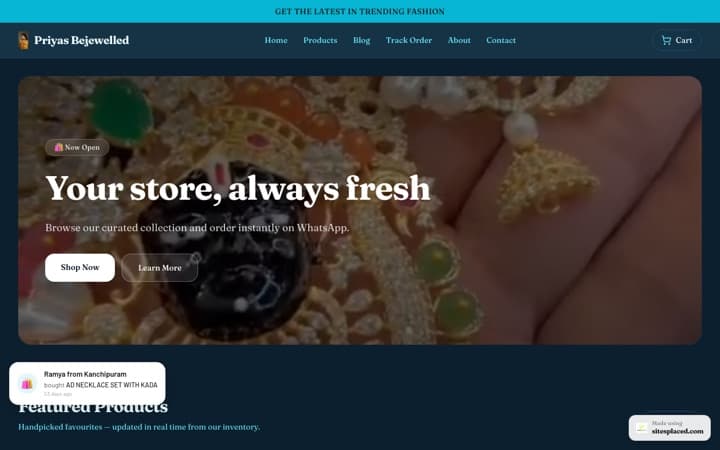
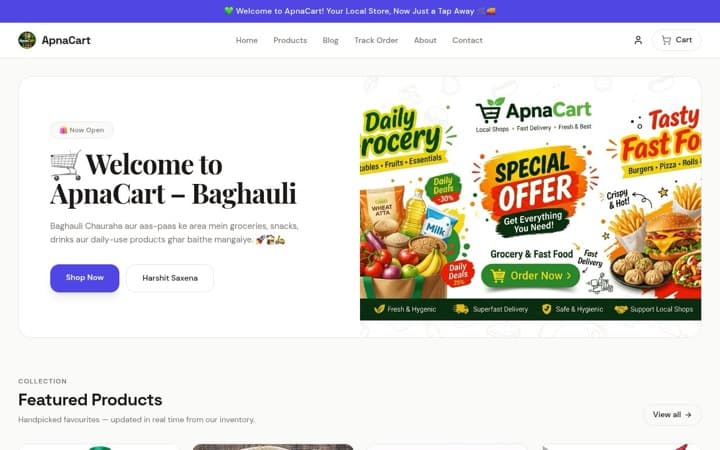
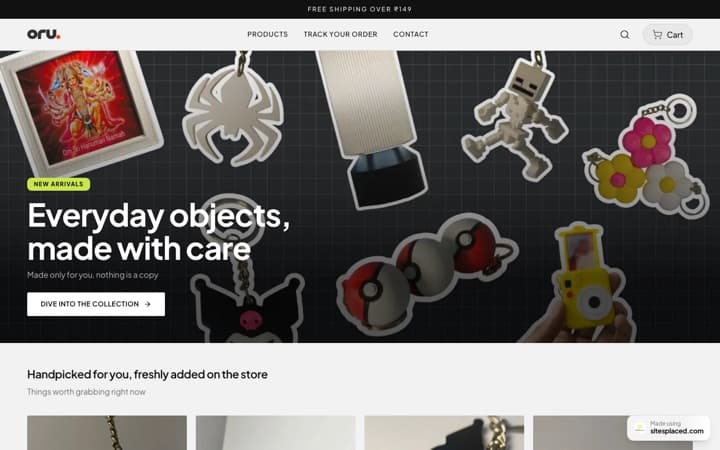
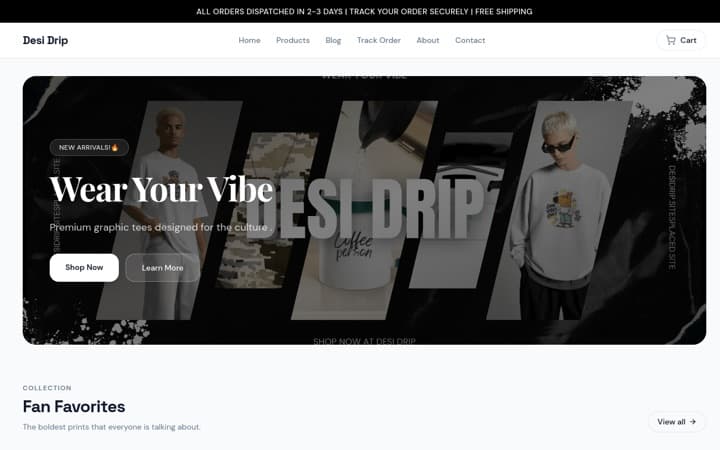
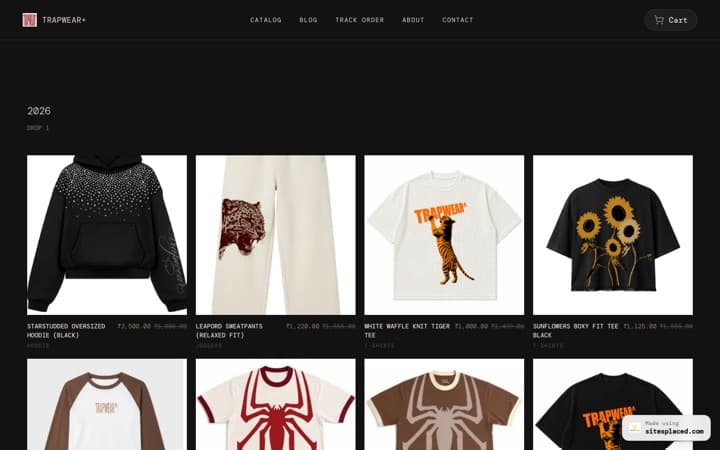
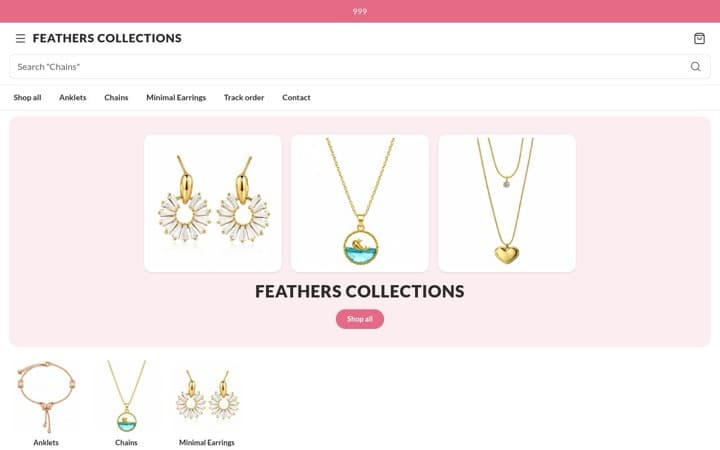
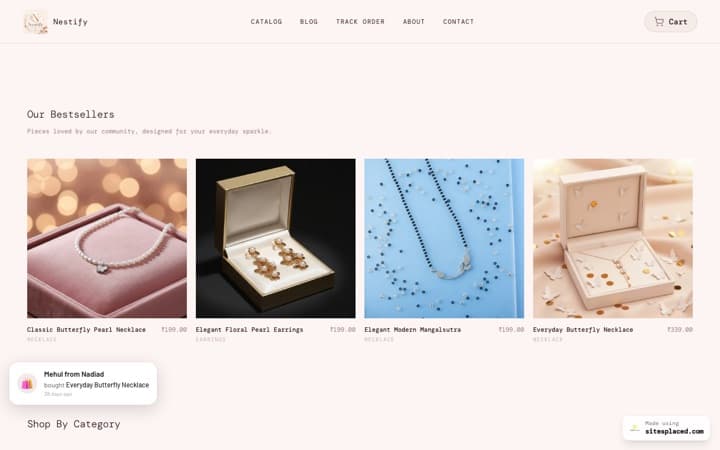
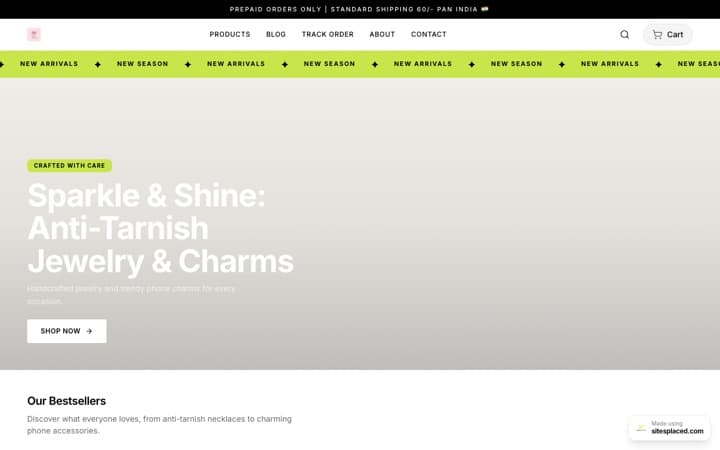
Set-up guides: add WhatsApp checkout and connect the WhatsApp Business API. Real stores using it are on the live stores showcase.
2. WSTORES
Basic ₹399/month · Pro ₹499/month · 7-day trial with a UPI AutoPay mandate (as listed in August 2026)
WSTORES is the most complete of the paid WhatsApp-first builders. As listed in August 2026, its ₹399/month Basic plan includes unlimited products, WhatsApp checkout, UPI, cards and cash on delivery, plus a store management app. It also lists three things SitesPlaced does not: staff logins, a Google Sheets sync and a QR code. For a shop with two or three people answering WhatsApp, staff logins alone can justify the price.
The trade-offs are in our WSTORES pricing explainer: no free plan, a 7-day trial that asks for a UPI AutoPay mandate before you see the product with billing from day 8, and shipping, invoices, product badges and a custom domain on the ₹499/month Pro plan. We did not find a WhatsApp-only mode or own-number API alerts in the listing; check their current plan page. Prices change; check their pricing page.
- Good at: WhatsApp checkout, UPI, cards and COD on the entry plan; staff logins; Sheets sync; a merchant app.
- Not good at: no free plan; mandate before trial; invoices and shipping on Pro; API alerts not listed.
3. StoreBase
Managed store setup; WhatsApp ordering through a pre-formatted message (as listed in August 2026)
StoreBase is the one builder here that does the setup for you: managed store setup, lifetime free support, 217+ page widgets and seven layout presets (as listed in August 2026), WhatsApp ordering through a pre-formatted message, and coupons including buy-one-get-one and tiered discounts.
The pre-formatted message puts StoreBase in the “real store” column rather than the catalogue-link column. What we could not confirm from the listing is whether the order is saved in a dashboard before the chat opens, whether WhatsApp can be the only ordering method, and what it costs; check their pricing page. It ranks third on the managed setup and the formatted message.
- Good at: someone else builds it; formatted WhatsApp orders; a big widget library; support.
- Not good at: order record, WhatsApp-only mode, price and API alerts unverified by us.
4. Dukaan
Free tier plus paid plans; advanced features and custom domains on higher tiers (as of September 2026)
Dukaan is the fastest path from “I want to sell” to a working store with checkout and shipping, with Razorpay, WhatsApp and Shiprocket wired up sensibly. It is a real store, so it clears the catalogue-versus-store bar, and for a seller who wants the minimum number of decisions and does not mind a generic storefront, it is a reasonable choice.
It sits fourth because we have not recorded what its WhatsApp message contains, whether WhatsApp can be the only ordering method, or what the free tier includes, and its advanced features and custom domain sit on higher paid tiers; check their current plan page. Our SitesPlaced vs Dukaan comparison is the fuller read. Prices change; check their pricing page.
- Good at: speed of setup; Razorpay, WhatsApp and Shiprocket in one place.
- Not good at: a generic storefront; WhatsApp message contents and WhatsApp-only mode unverified; domain and advanced features on higher tiers.
5. Bikayi
Single catalogue page; paid plans from around ₹999/month, custom domain on higher tiers (as of September 2026)
Bikayi is one of India’s earliest WhatsApp store builders and is honest about what it is: a digital catalogue with WhatsApp ordering. You edit products and one shop theme, the same theme whatever you sell, and share the link. For a seller who treats the storefront purely as a list of products and prices, it gets the job done with the least setup friction.
It ranks below the store builders because it is route two, not route three: the chat does the order. Our SitesPlaced vs Bikayi review recorded paid plans from around ₹999/month with a custom domain on higher tiers, a lot for a catalogue when a full store is free elsewhere. Prices change; check their pricing page.
- Good at: the simplest possible catalogue with chat ordering; quick to fill.
- Not good at: one theme for every business; the order lives in the chat; paid from around ₹999/month.
6. dm2buy
Link-in-bio catalogue; free and paid tiers with feature limits and add-on charges (as of September 2026)
dm2buy is a catalogue link for your Instagram bio, and for testing a product idea or a hobby brand it is the fastest path to “I have a link to share”. For a seller happy to keep sending UPI requests by hand and tracking orders in a notebook, it is enough.
It ranks sixth for the same reason as Bikayi, plus one: once orders cross a threshold the workflow gaps cost real hours, because nothing in a catalogue link keeps stock, works out delivery or records the order. Our SitesPlaced vs dm2buy comparison covers the switch and the free migration. Prices change; check their pricing page.
- Good at: a shareable catalogue link in minutes; testing demand.
- Not good at: stock, delivery, order records and payment all by hand; add-on charges on paid tiers.
7. The WhatsApp Business catalogue on its own
Free · inside the WhatsApp Business app
We include the app’s own catalogue because most sellers already have it, and for one job it beats every builder here: showing products to a person already talking to you. It is free and it lives where the conversation is. It ranks last as a “store builder” because it is not one: no link for someone who has not messaged you, no stock count, no delivery calculation, no payment inside it and no record but the chat. The moment you want a link in your bio or on a poster, you are in route two or three and the question becomes which builder.
- Good at: replies to people already in chat; free; zero setup beyond the app.
- Not good at: being a shop. No link, stock, delivery, payment, invoice or order record.
Comparison table
| Builder | What it is | Price | Order saved? | WhatsApp message | WhatsApp-only mode | Own-number alerts |
|---|---|---|---|---|---|---|
| SitesPlaced | Real store with WhatsApp checkout | ₹0 · Starter ₹199/mo · Growth ₹499/mo | Saved before the chat opens | Items, address, coupon, delivery, total, store link | Yes, every template | Growth, own number |
| WSTORES | WhatsApp-first store | ₹399/mo Basic · ₹499/mo Pro (Aug 2026) | Yes | WhatsApp checkout on Basic | Check plan page | Not listed |
| StoreBase | Managed store setup | Check pricing page | Check plan page | Pre-formatted WhatsApp message | Check plan page | Not listed |
| Dukaan | Catalogue-first store with checkout | Free tier + paid | Yes | WhatsApp wired in | Check plan page | Not listed |
| Bikayi | Single catalogue page | Paid from around ₹999/mo (Sep 2026) | Check plan page | Catalogue-led chat | n/a | Not listed |
| dm2buy | Link-in-bio catalogue | Free + paid tiers, add-on charges | Chat-led | Catalogue link | n/a | Not listed |
| WhatsApp Business catalogue | Product list inside the app | Free | The chat | The buyer types it | n/a | n/a |
“Not listed” and “check plan page” mean the plan page we recorded in August or September 2026 did not mention it; the feature may exist. Competitor prices are as recorded then and change; check each pricing page. SitesPlaced figures are the published rate as of 30 September 2026.
Which one for whom
- You close every sale in chat and want to stop typing orders out: SitesPlaced with WhatsApp checkout on, or WhatsApp-only mode if you do not want a Pay Now button yet. Free.
- You want the buyer to choose, chat or pay now: SitesPlaced with a gateway on your own account and cash on delivery next to the WhatsApp option. Our COD and UPI comparison goes deeper on the payment side.
- You have staff answering WhatsApp and want logins for them: WSTORES, budgeting for Pro if you need invoices and shipping.
- You want someone to build the store for you: StoreBase’s managed setup, or SitesPlaced’s Starter plan, which includes a dedicated setup person at ₹199/month.
- You are testing one product this month: a catalogue link, or just the app catalogue and a wa.me link from the free WhatsApp link generator. Move when the notebook stops working.
- You need buyers a marketplace already has: none of these. WhatsApp reaches people who know you; a marketplace reaches strangers. Many sellers run both.
Free WhatsApp tools that need no store
Whatever route you pick, two free tools need no account: the WhatsApp link generator makes a wa.me click-to-chat link with an opening message already typed, and the WhatsApp QR code generator turns it into a printable QR for packaging or a counter. For the step-by-step walkthrough see a WhatsApp order system for a small business and online store with WhatsApp ordering.
Frequently asked questions
What is the best free WhatsApp store builder in India?
SitesPlaced, on our test. Its ₹0 plan gives you a real store where the buyer builds a cart, fills in their address and sends the order to your WhatsApp as a formatted message, and the order is saved in your dashboard before the chat opens. Unlimited products, 0% commission, cash on delivery, UPI through your own gateway, invoices and couriers are on the same free plan. The free address is yourbrand.sitesplaced.site with a small badge; your own domain is ₹199/month.
WhatsApp catalogue or a website: which should I use?
Use the WhatsApp Business catalogue to show products to people already chatting with you. Use a real store link when you want people who are not yet chatting to browse, pick and order on their own, and when you need stock counts, delivery charges, a saved order and an invoice. Most sellers keep both: the catalogue for replies, the store link everywhere else. A store with WhatsApp checkout still closes the sale in chat; you just stop typing the order out by hand.
What does a WhatsApp checkout message actually contain?
On SitesPlaced, the buyer fills in their name, phone and address on the cart page and presses Checkout on WhatsApp. The order is saved to your Orders tab first, then WhatsApp opens on their phone with a message already written to your number: their details, every item with quantity and price, any coupon, the delivery charge, the total and a link to your store. You agree payment in the chat.
Can I make WhatsApp the only way to order on my store?
Yes. On SitesPlaced, tick WhatsApp is the only way to order under Settings → Checkout. The Direct Order option and its payment choices (pay online, cash on delivery, bank transfer) leave the cart, and one button sends the order to your WhatsApp. Orders are still saved to your Orders tab. A cart with a digital download always checks out as a Direct Order, because a download is released on payment.
Do I need the WhatsApp Business API to sell on WhatsApp?
No. WhatsApp checkout on SitesPlaced uses a plain click-to-chat link to your number, free. The Business API is a separate, optional feature on the Growth plan (₹499/month): it sends an automatic new-order alert to you and an order confirmation to the customer from your own verified business number, using credentials you generate in Meta's dashboard. Meta charges per message to your account; SitesPlaced adds nothing.
Does the WhatsApp chat bubble cost extra?
On SitesPlaced the floating WhatsApp bubble, a round button in the corner of every store page for questions before buying, is part of the Growth plan at ₹499/month, under Settings → Sales boosters. It is not an ordering method. WhatsApp checkout itself, the WhatsApp-only mode and the WhatsApp button on every order in your dashboard are all free.
How do I get a WhatsApp order link or QR code for my bio or packaging?
Two free SitesPlaced tools need no account. The WhatsApp link generator makes a wa.me click-to-chat link with an opening message already typed, for your Instagram bio, a story or a broadcast. The WhatsApp QR code generator turns the same link into a printable QR for packaging, a counter or a poster.
Verdict
Decide the route before the builder. If you only need to show products to people already chatting with you, the WhatsApp Business catalogue is free and you are done. If you need a link and are past a handful of orders a week, you need a real store that ends in your chat, not a catalogue that starts one. On that test SitesPlaced is the builder to start on: the order is saved before the chat opens, the message carries every item and the total, WhatsApp can be the only way to order on any template, and stock, delivery, payment, invoices and couriers are on the same ₹0 plan with 0% commission. Starter at ₹199/month adds your own domain, removes the badge and makes pages answer about 4× faster; Growth at ₹499/month adds the chat bubble and alerts from your own number. The code FREE7 gives 7 days free on either with autopay; cancel before the first charge and pay nothing.
Pick WSTORES if staff logins and a Sheets sync are worth ₹399 a month, StoreBase if you want the store built for you, Bikayi or dm2buy if a catalogue link is honestly all you need this month. And if the customers you want are on a marketplace, go there first and keep a store for the margin on the orders that come to you directly.
Turn your WhatsApp into a store that saves the order
A real store with WhatsApp checkout, a WhatsApp-only mode, stock, delivery charges, invoices and couriers, free with 0% commission. Pay only when you want your own domain, the chat bubble or alerts from your own number.
Related reading
- Online store with WhatsApp ordering
- How to sell on WhatsApp
- WhatsApp catalogue link vs store link
- A WhatsApp order system for a small business in India
- How to add WhatsApp checkout to your store
- How to connect the WhatsApp Business API
- Best online store builders with COD and UPI (2026)
- Eight Indian online store builders compared (2026)
- Link-in-bio store vs a website for Instagram sellers