
The website builder app where AI does the building
Most website builder apps shrink a desktop editor onto a phone screen and call it mobile. SitesPlaced flips it: you describe your business — or paste your Instagram — and a finished website is generated for you. The native Android app is live on Google Play.
By Manan Agrawal, Founder · Updated August 8, 2026
The SitesPlaced app is live on Google Play — and you can build from any phone either way. Describe your business or import your Instagram, get a complete site, publish free in minutes. The native Android app adds a touch-first editor, camera product uploads and push notifications for orders; the mobile web builder does the same job in any phone browser.
Why most website builder apps disappoint
Drag-and-drop was designed for a mouse and a 27-inch monitor. Squeeze that canvas onto a 6-inch screen and every task gets harder: elements snap to the wrong place, text boxes overlap, and you spend more time un-breaking the layout than building it. That's why most people who download a website builder app abandon the site halfway.
The fix isn't a better canvas — it's removing the canvas. On SitesPlaced you type what you do in plain English, or point the importer at your Instagram profile, and the AI generates the whole site: design system, sections, copy, image slots. On a phone, reviewing a finished site is easy; assembling one never was.
How SitesPlaced compares as an app
| What matters on a phone | SitesPlaced | Wix app | Site123-style apps |
|---|---|---|---|
| Who does the building | AI — you describe, it designs | You, on a shrunken canvas | You, widget by widget |
| Start from your Instagram | Yes — profile becomes a site | No | No |
| Works without installing an app | Yes — mobile web builder too | App required | App required |
| Online store included | Yes — UPI, COD, WhatsApp | Paid plan | Paid plan / ads |
| Free to publish | Yes (small badge) | Free tier shows ads | Trial or ads |
| Native app | Available now — free on Google Play | Yes | Yes |
Indicative comparison for building a first website entirely from a phone, July 2026.
From phone to published in 3 steps
Describe it — or paste your Instagram
Open the builder on your phone and type a sentence about your business, or drop in your Instagram handle. The AI generates a complete site with your bio, photos and copy.
Review and personalise
Everything is a simple form — tap a text box to change words, tap an image to swap in a photo from your camera roll. No pinch-zooming a canvas, nothing to misalign.
Publish free
One tap and you're live on username.sitesplaced.com. Add a custom domain later if you want one — building and publishing cost nothing.
What the native app adds
The SitesPlaced app — free on Google Play (Android now, iOS coming) — takes the same AI builder and makes it feel native: a touch-first section editor with live preview, product uploads straight from your camera, order management on the go, and a push notification the second someone buys. Same account as the web, so anything you built in the browser is already waiting when you sign in.
Want the full feature list? See the SitesPlaced mobile app page — or grab it now:
Get it on Google PlayReal sites people built — many from a phone
Students, sellers and businesses who started with a sentence or an Instagram handle. All of these are live right now.
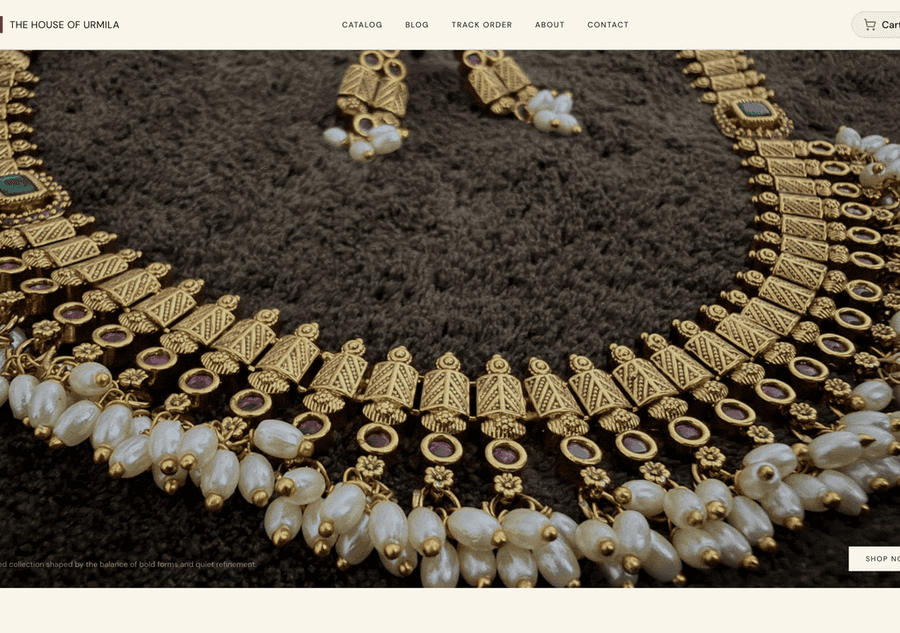
The House of Urmila
A handcrafted jewellery label running its full catalogue on its own domain — UPI & COD checkout built in.
Visit live site
Surroor House
An oversized-tee label running its full catalogue on its own domain — trending designs, sizes and COD checkout.
Visit live site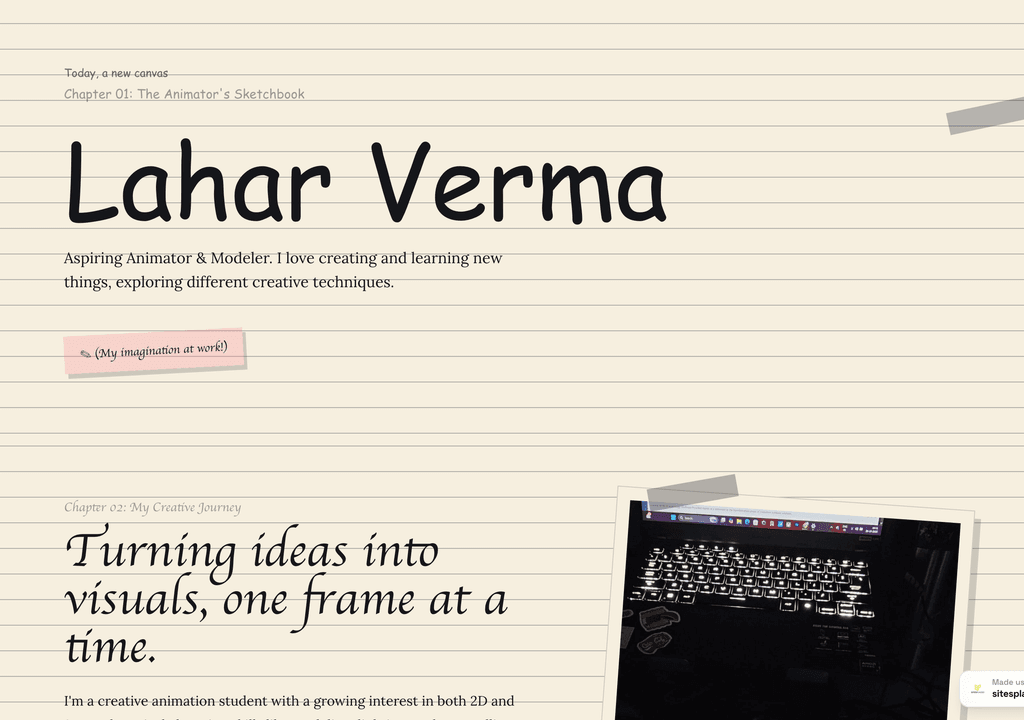
Lahar Verma
An aspiring animator's sketchbook-style portfolio — projects and creative journey, chapter by chapter.
Visit live siteBuild your website from your phone — free
Describe your business or paste your Instagram handle in your phone's browser. In a few minutes you'll have a finished website you can publish free — and it'll already be there when you sign in to the app from Google Play.
Start building free →No card required. Works in any mobile browser; the Android app is free on Google Play.
Frequently asked questions
What is the best website builder app in 2026?
The best website builder app is the one that does the building for you. SitesPlaced generates a complete, professionally designed website from a plain-English description or your Instagram profile — you review it, tweak the words and publish free. The native Android app is live on Google Play, and the mobile web builder gives you the same AI builder in any phone browser.
Is there a SitesPlaced app I can download right now?
Yes — the SitesPlaced app is live on Google Play, free to download, with iOS to follow. Don't have an Android phone? Open sitesplaced.com in your browser and the full builder works there too: AI generation, Instagram import, editing and free publishing.
Can an app really build a whole website for me?
Yes. Instead of handing you a blank canvas, SitesPlaced asks what you do (or reads your public Instagram profile) and generates the design, sections, copy and image slots. Your job shifts from assembling a site to reviewing one — which is why it works so well on a phone screen.
Is the website builder app free?
Yes. Building and publishing are free — your site goes live on a username.sitesplaced.com address with a small SitesPlaced badge. You only pay if you want a custom domain or to remove the badge. The app itself is a free download on Google Play.
Will the app be on iPhone too?
Android shipped first because that's where most of our builders are; iOS is coming. iPhone users can use the mobile web builder in Safari today — same account, same sites, same features.
Can I sell products through a site built in the app?
Yes — stores are native, not an add-on. Add products with your phone's camera, take payments by UPI, card, COD or WhatsApp checkout with 0% commission, and get a push notification the moment an order lands.
What happens to sites I built on the web now that the app is out?
Nothing — it's one account. Sites you build in the browser appear in the app the moment you sign in, and edits sync both ways.


