
How to make a website on your phone
No laptop, no code, no app download. Here's the exact 5-step process people use to go from an idea (or an Instagram page) to a live website using nothing but the phone in their hand.
By Manan Agrawal, Founder · Updated August 8, 2026
To make a website on your phone: open sitesplaced.com in your browser, describe your business or paste your Instagram handle, let the AI generate the site, swap in your photos, and tap publish — free. The whole thing takes about five minutes, and the native Android app — now on Google Play — makes it even smoother.
The 5 steps, start to live
Open the builder in your phone's browser
No download needed. Go to sitesplaced.com in Chrome or Safari and tap 'Start free'. Sign in with Google — the whole flow is built for a phone screen.
Describe your site — or paste your Instagram
Type a sentence like 'I bake custom cakes in Jaipur', or paste your Instagram handle and let the importer pull in your bio, photos and products automatically.
Let the AI build the first draft
In under a minute you get a complete website — design, sections, headlines, copy and image slots — not a blank canvas. This is the step that makes phone-building actually work.
Make it yours with taps, not drags
Tap any text to rewrite it, tap any image to swap in a photo from your camera roll. Every edit is a simple form field, so nothing can overlap or break.
Publish free
Tap publish and you're live on username.sitesplaced.com — free, with a small badge. Add a custom domain whenever you're ready; the site keeps working either way.
Why this works when drag-and-drop doesn't
The old advice for building on mobile was “wait until you're at a computer” — because traditional builders hand you a desktop canvas and expect you to arrange boxes with your thumb. The modern approach inverts the work: the AI does the designing and assembling, and you do the judging. Phones are terrible design tools but excellent review tools.
- ✓Your first draft is a finished site, not an empty page — design, sections and copy included.
- ✓Edits are form fields: tap, type, done. There is no layout to break.
- ✓Your photos are already on your phone — swapping images from the camera roll beats uploading to a desktop.
- ✓Publishing is one tap, and it's free — see the website builder app comparison for how this stacks up against canvas apps.
The Instagram shortcut, proven
If your business already lives on Instagram, you may not need to 'build' at all. We pointed the importer at these public profiles from a phone — each card is the actual site it generated.
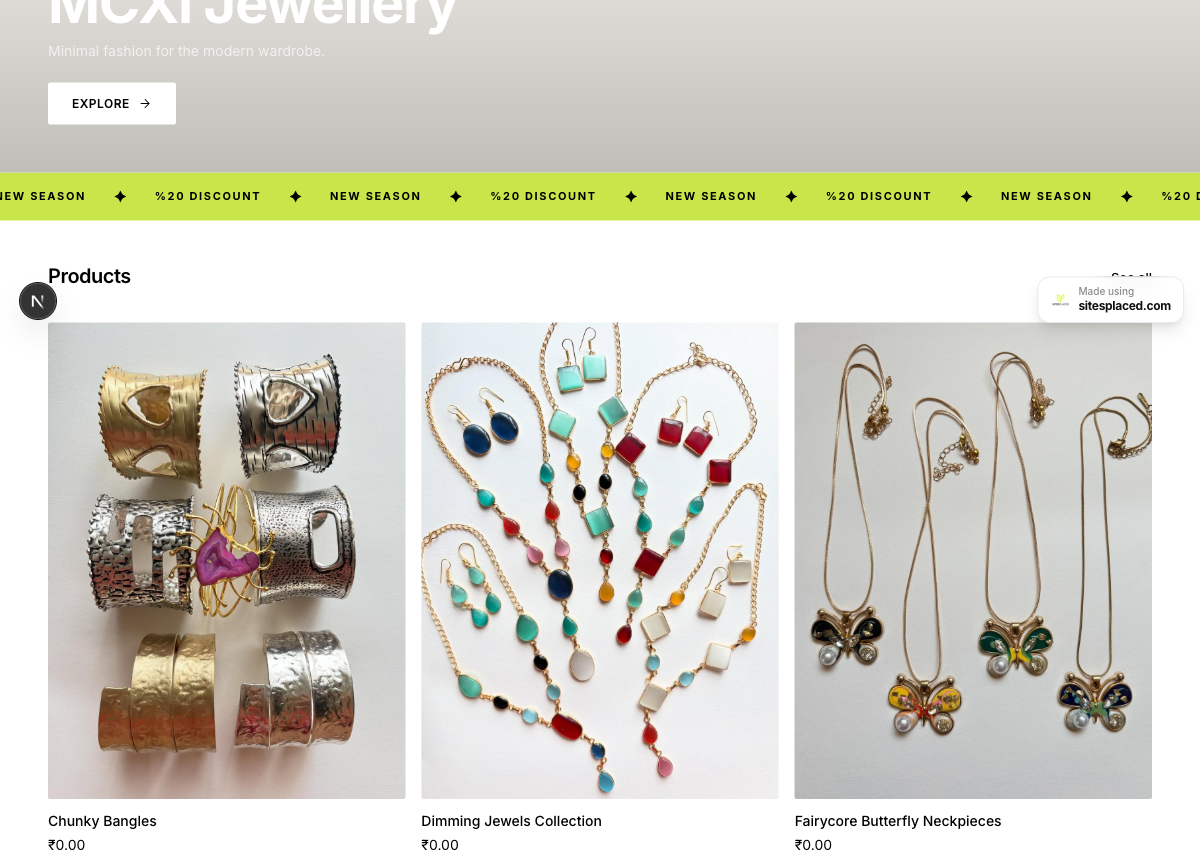
Bio, brand theme and 10 products pulled straight from her Instagram posts — a checkout-ready store.
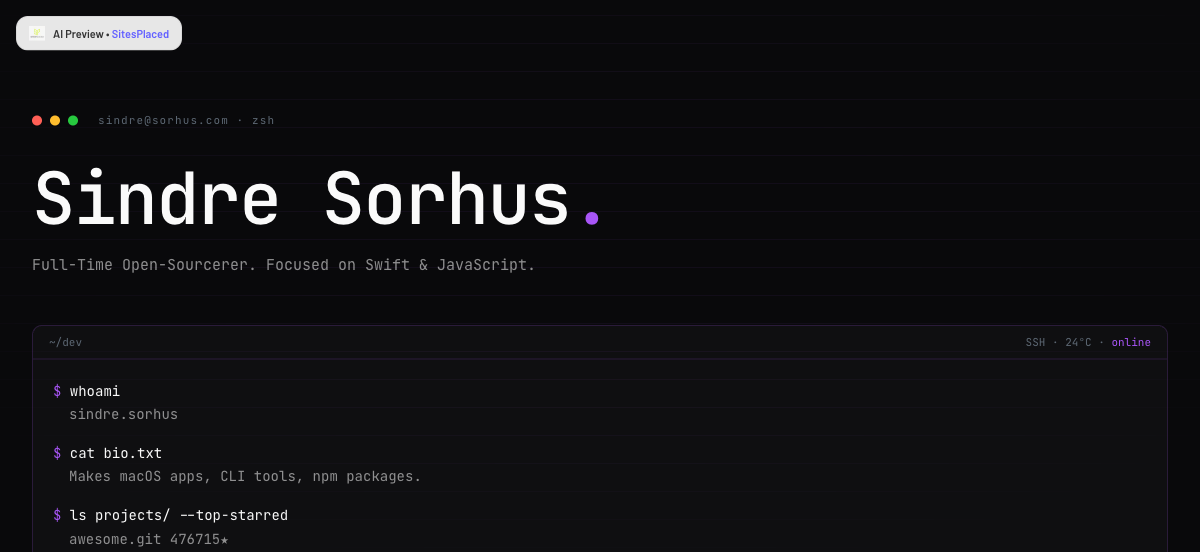
Bio, stack and top-starred repos turned into a terminal-style developer portfolio.
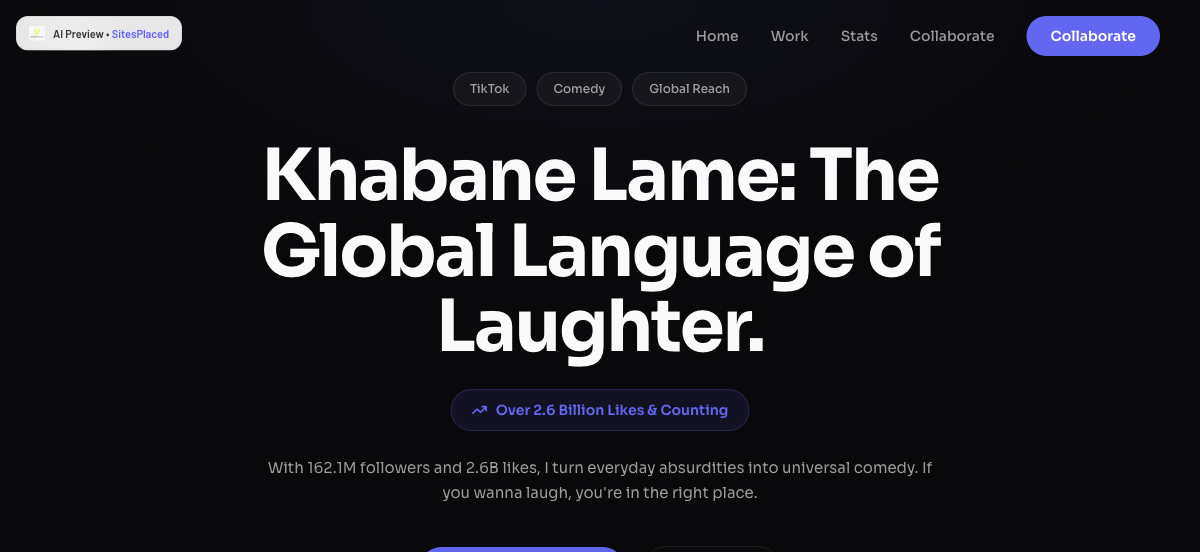
Bio, follower stats and video themes turned into a bold creator landing page.
Now on Google Play: the native app
Everything in this guide works in a mobile browser — and the SitesPlaced app is now live on Google Play(Android; iOS coming soon) with a touch-first editor, camera product uploads, order management and push notifications the moment someone buys. It's the same account — a site you publish from your browser this afternoon is already sitting in the app. See what's in the app →
Get it on Google PlayTry it right now — you're already on your phone
Describe your business or paste your Instagram handle. Five minutes from now you can have a real website, published free, built entirely from the device you're reading this on.
Make my website free →No card required. Live on username.sitesplaced.com in minutes.
Frequently asked questions
Can you really make a whole website on a phone?
Yes — if the builder generates the site for you. Assembling a drag-and-drop layout on a 6-inch screen is miserable, but reviewing a finished site is easy. SitesPlaced builds the design, sections and copy from your description or Instagram profile, so your phone is only used for the parts phones are good at: typing short text and picking photos.
Do I need to download an app first?
No. The builder runs in your phone's browser — Chrome, Safari, anything. If you're on Android, the native SitesPlaced app is live on Google Play (iOS coming) with a touch-first editor and push notifications, and your account carries over automatically.
Is it free to make a website on my phone?
Yes. Building and publishing are free — your site goes live on a username.sitesplaced.com address with a small SitesPlaced badge. You only ever pay for optional extras like a custom domain or removing the badge.
How long does it take?
Most people go from nothing to a published site in one sitting — typically 5 to 15 minutes. If you import an existing Instagram profile, the first draft is usually ready in about 30 seconds.
What if all my content is on Instagram?
That's the fastest path. Paste your handle and the importer turns your public profile into a ready site or store — bio, photos, products and captions pulled in automatically. You just review, adjust and publish.
Can I sell things from a website made on my phone?
Yes. Stores are built in: add products with your camera, and take orders with UPI, cards, cash on delivery or WhatsApp checkout — 0% commission. See our guide to the online store app for India for the full picture.
Will my phone-made site look bad on a laptop?
No — you're editing content, not pixels. The design system handles layout for every screen size, so a site built entirely on your phone looks just as sharp on a desktop monitor.


