
An architecture portfolio website that reads like your sheets
Plans, sections, renders and built photographs — architecture work needs a project-sheet structure, not a photo-dump grid. Here is how to build an architecture portfolio website that presents your projects the way a jury would want to read them.
By Manan Agrawal, Founder · Updated July 26, 2026
The best architecture portfolio website is structured like project sheets: one page per project, brief first, drawings in order.SitesPlaced gives you that structure with automatic optimisation for heavy plans and renders, AI-drafted project text, and publishing in minutes — free to build and publish for everyone. And “minutes” is measured, not marketing: in our data from 469 real builds, 72% of the sites live today were published within 10 minutes of starting. Pay ₹199/month only for a custom domain or to remove the badge (architecture students remove it forever with a one-time ₹99), with Behance and PDFs as supplements.
Real portfolios, live right now
Real freelancers, designers and creators built and published these on SitesPlaced — open any of them in a new tab.

Steve Corbin Jr.
A social-media specialist's portfolio that turns a decade of earned attention into inbound clients.
Visit live site
J. Riley Brewington
A content specialist showcasing multi-platform growth, testimonials and a clear booking path.
Visit live site
Romy Le Roux Knibbs
A brand & communications designer's portfolio — case studies in a polished, gradient-led layout.
Visit live siteWhat an architecture portfolio website needs
Six elements separate a portfolio that reads like a jury submission from a photo dump. Every section of this guide maps to one of them:
Project sheets
One page per project: hero image, a 100-word brief (site, programme, area, year, your role), then drawings in order — the structure juries and hiring architects already know how to read.
Drawings and renders, both
Plans, sections and details prove authorship; renders prove image-making. Reviewers hire for the first and enjoy the second — show both, each labelled honestly.
Site photographs
Built work photographed on site outranks any render. Even one construction or as-built photo per project changes how seriously the whole portfolio is read.
Process documentation
Sketches, massing models, iterations, discarded options. How you think is the actual hiring question — process material is where you answer it.
Competitions and awards
Entries, placements and publications, clearly labelled as competition or unbuilt work. Judged projects signal rigour even when nothing got built.
About and credits
Education, registration status, software, and honest per-project credit for firm, team and your exact role. Credit clarity is an industry norm reviewers check.
Structure it like project sheets, not a photo grid
Architecture is the one portfolio discipline where a generic image grid actively hurts you. A render next to a site plan next to a model photo, all cropped to identical squares, destroys the narrative of every project. Juries and hiring architects read projects the way you drew them — as sheets, in sequence.
So the unit of an architecture portfolio website is not the image; it is the project page. Each project gets its own page with a consistent rhythm, and your homepage is simply an index of four to eight of those projects. That structure is exactly what a recruiter expects, and it is what the SitesPlaced portfolio templates are built around.
- ✓Hero: your single strongest render or built photograph, full-width
- ✓Brief: site, programme, area, year, and your exact role — 100 words, not 500
- ✓Drawings: plans, sections and details at readable sizes, with zoom on click
- ✓Process: sketches, iterations and model photos that show how you think
- ✓Credits: studio, collaborators and tutors where relevant — honesty reads well
We break the same six-element sheet structure down field by field in the best architecture portfolio websites guide.
Site photographs vs renders: what reviewers actually trust
A render shows intent; a photograph shows consequence. Hiring architects have seen a decade of immaculate visualisations, and they discount them accordingly — a modest photograph of built work, even a construction site, even a single interior detail, carries evidentiary weight no render can match, because it proves the project survived contact with budgets, contractors and clients.
That does not make renders the enemy. For competition work and unbuilt projects they are the only option, and a beautiful render paired with the drawing that generated it reads as design rather than image-making. The practical hierarchy for each project:
- ✓Lead with a built photograph wherever one exists — an imperfect photo outranks a perfect render
- ✓Label every image honestly: built, under construction, competition, or visualisation
- ✓Pair renders with the plans and sections behind them, so the image reads as an outcome of the drawing
- ✓Include one construction photo where you can — site presence is a hiring signal in itself
- ✓If a project is entirely unbuilt, say so plainly; reviewers respect the label and distrust its absence
Competitions, awards and unbuilt work
Most early careers are mostly unbuilt — reviewers know this, and it costs you nothing. Competition entries, academic studios and speculative projects absolutely belong on your portfolio website; what matters is that they are curated and labelled with the same discipline as built work, not swept into an apologetic “other” section.
Give a competition project the full sheet treatment: the brief and constraints, your response, the drawings, and the result stated precisely — “shortlisted from 240 entries” is a real credential, while a vague “award-winning” invites doubt. One well-documented competition entry demonstrates the two things a jury can rarely see in built work: how you perform under a fixed brief and deadline, and what your architecture looks like when no client is compromising it.
Heavy images, fast pages
Architecture portfolios are heavy: A1 sheets exported at print resolution, 8000-pixel renders, scanned sketchbooks. Upload those raw and your site takes fifteen seconds to load on a phone — which is where most people will open it. A practical export rule: 2000–2500px on the long edge for images, and break big sheets into individual drawings rather than uploading one enormous board.
A good builder does the rest for you. SitesPlaced compresses, resizes and lazy-loads every image automatically and serves them from a CDN, so a drawing-dense project page still opens fast. Keep the print-resolution files for your PDF portfolio — the web versions only need to be sharp at screen size.
PDF or website? The debate, settled
Every architect has this argument eventually. The honest answer is that they are different instruments. Applications and interviews still expect a PDF — a tight, curated document a hiring partner can flick through offline, ideally under 15MB. That convention is not going away, and you should keep a sharp PDF cut from your best projects at all times.
But a PDF cannot be googled, ranks for nothing under your name, breaks email size limits the moment it contains real drawings, and dies quietly in a downloads folder. The website is the permanent, linkable half of the pair: it goes in your email signature, résumé header, competition entry forms and Instagram bio; it stays current without being re-exported; and it is what a partner finds when they search your name after reading your application. Run both — the website as your public, always-current portfolio, and a lean PDF generated from the same projects for applications. What a flipbook viewer like Issuu cannot do is be that website: the comparison below shows why.
A free architecture portfolio website for everyone
The economics are simple: everyone publishes free on SitesPlaced. Not a trial, not a watermarked tier — the full builder with premium templates included, live on a username.sitesplaced.com URL with a small “Made using sitesplaced.com” badge. Build your portfolio in third year, keep it updated through thesis, and walk into placement interviews with a link instead of a flash drive. Architecture students remove the badge forever with a one-time ₹99; practices and graduates pay ₹199/month only for a custom domain or to remove the badge.
The Drafting Plate template was designed for exactly this — a Swiss, drawing-board aesthetic for architecture and industrial design students. For a deeper look at the options, read our guide to the best portfolio websites for architecture students.
How fast do portfolios actually ship? Our real data
We measured creation-to-publish timestamps across 469 real websites and stores built on SitesPlaced between February and July 2026. The numbers matter for anyone waiting until the portfolio feels “ready”:
of live sites went from blank account to published within 10 minutes
of live sites were published the same day they were started
real builds analyzed — February to July 2026, snapshot July 4
The distribution is a cliff, not a curve: sites that weren’t published on day one mostly never got published at all. For an architect, the lesson is blunt — don’t wait for all eight projects to be re-photographed and redrawn. Publish with your three strongest sheets and add the rest as they’re ready; curation can improve on a live URL, but an unpublished portfolio helps nobody. Methodology, caveats and the full findings are in the build-time data study.
How to build your architecture portfolio website
Select four to eight projects
Curation is the portfolio. Pick the projects that show range — academic, competition, professional — and leave the rest for interviews.
Pick a template with project-sheet structure
Start from the Drafting Plate or a portfolio template with per-project pages, instead of fighting a generic grid.
Export web-resolution images
2000–2500px on the long edge. Split boards into individual plans, sections and renders so each drawing is readable.
Let AI draft the briefs, then tighten them
AI writes the first pass of each project description from your notes; you cut it to the 100 words that matter.
Publish and put the link everywhere
Go live at yourname.sitesplaced.com or your own domain, then add the link to your résumé, email signature and Instagram bio.
Architecture portfolio options compared
The realistic choices for an architect: a purpose-built site on SitesPlaced, a hand-assembled Squarespace site, a Behance profile, or the traditional PDF portfolio uploaded to a flipbook service like Issuu. Here is how they compare:
| Feature | SitesPlaced | Squarespace | Behance | PDF / Issuu |
|---|---|---|---|---|
| Project-sheet structure | ✓ Per-project pages | DIY from blocks | Profile grid | Fixed PDF spreads |
| Plans, renders & photos together | ✓ Mixed galleries | ✓ (manual layout) | Images only | ✓ (static) |
| Heavy-image performance | ✓ Auto-optimised | ✓ | ✓ (their CDN) | Slow viewer |
| Your own address & branding | ✓ Subdomain or domain | ✓ | ✗ behance.net/you | ✗ issuu.com/you |
| AI drafts project text | ✓ | AI assist (paid plans) | ✗ | ✗ |
| Build & publish free | ✓ Everyone | Trial only | ✓ (profile) | Free tier (ads) |
| Entry price | Free to build & publish (₹199/mo plan) | See official pricing | Free profile | Freemium |
Indicative comparison for an architect’s public portfolio, July 2026. See Squarespace’s pricing page for its current rates.
The strongest setup is a website as your public face with a tight PDF available on request, and Behance as a syndication channel for peer visibility inside the design community — never as your primary address.
Templates that suit architectural work
Open the live demos and clone the closest fit. Drafting Plate is the architecture-specific pick; Glacial Arch suits practices that want editorial restraint, and Jack3D works for visualisation-heavy portfolios. Browse the full portfolio template collection for more.
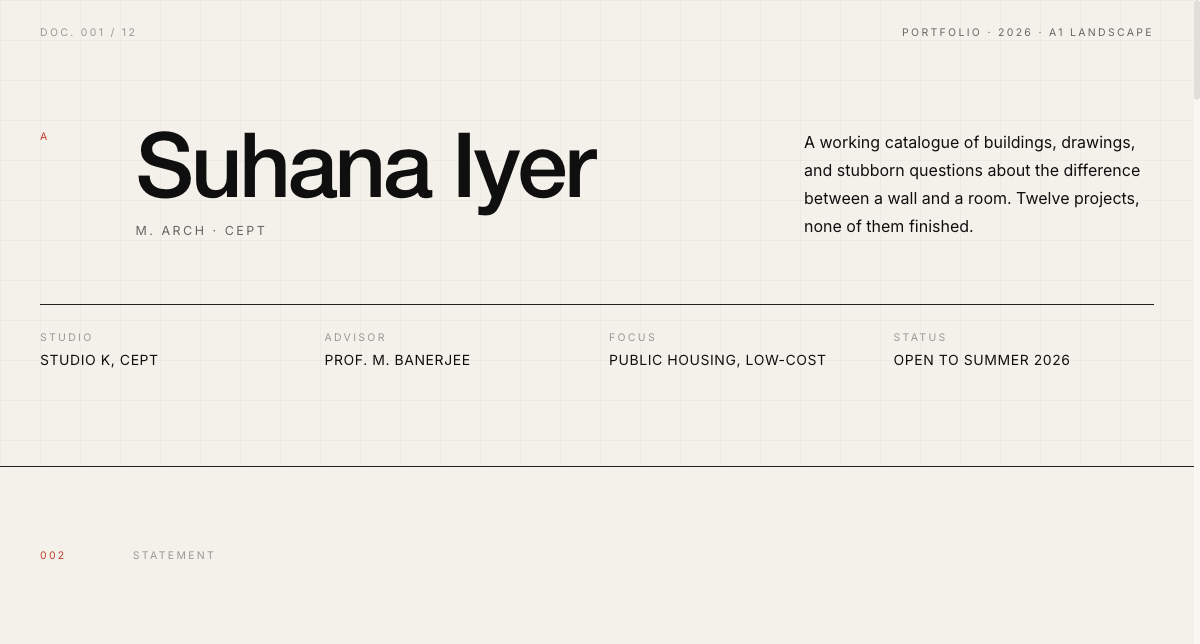 Architecture
Drafting Plate Portfolio
Drafting-plate portfolio for architecture and civil students — plates, plans and scale models.
View live demo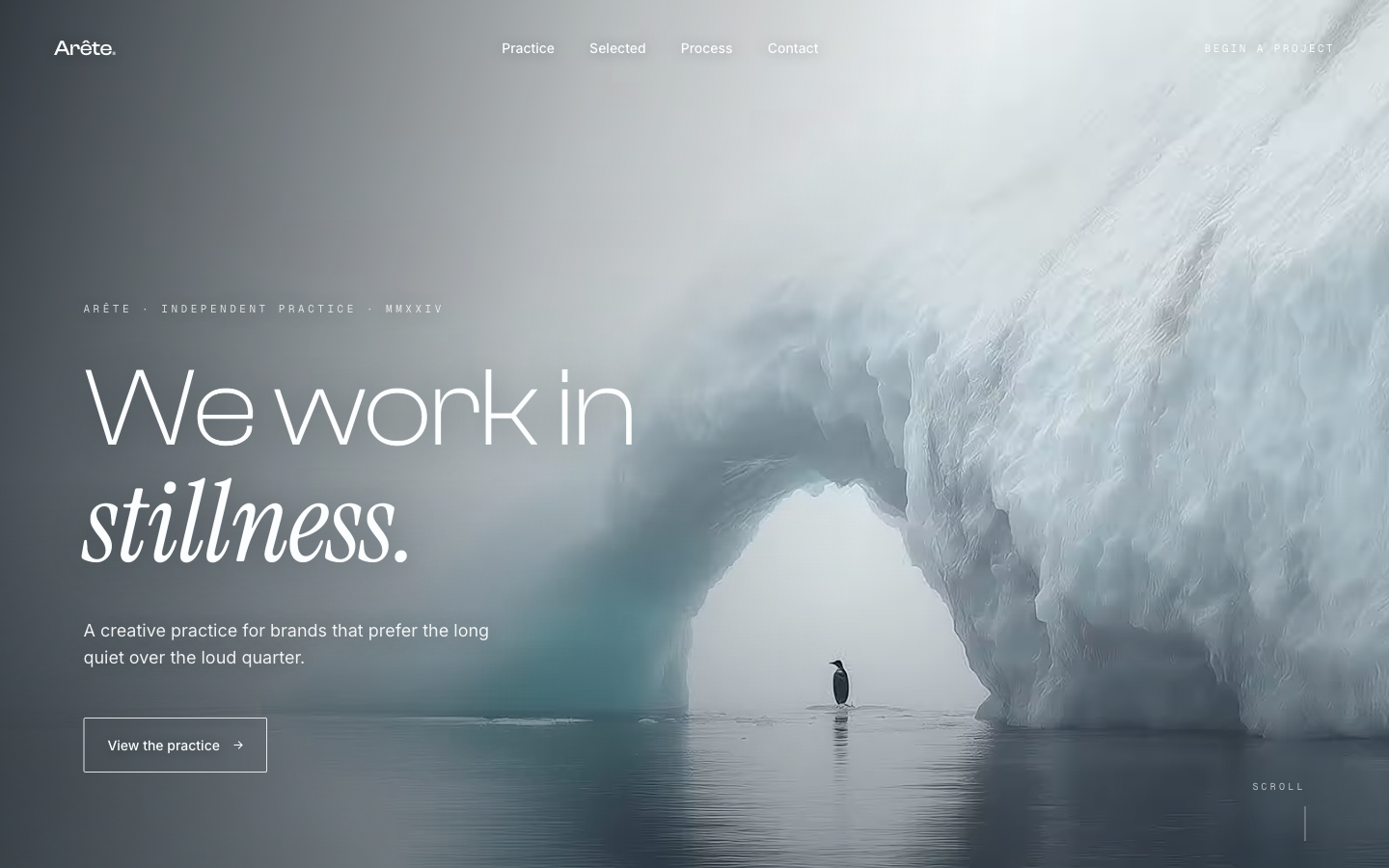 Editorial
Glacial Arch — Editorial
Quiet, editorial landing with refined type and whitespace. For design studios and art directors who want restraint.
View live demo 3D
3DJack3D — 3D Creator
Interactive 3D portfolio for motion, CGI and product visualisation. For 3D artists and creative technologists.
View live demoWhich route is right for you?
Choose SitesPlaced if you…
- • Want project-sheet structure without building it block by block
- • Have heavy drawings and renders and want performance handled
- • Want to publish completely free — students remove the badge forever for a one-time ₹99
- • Want a live link this week, not after a month of tinkering
- • Want a custom domain and the badge removed for ₹199/month
Consider the alternatives if you…
- • Enjoy laying out every page yourself and have the time (Squarespace)
- • Mainly want peer visibility inside the design community (Behance)
- • Only need a document for applications right now (PDF)
- • Already run a practice site you are happy with
Put your projects on a site that respects the drawings
Pick a project-sheet template, upload your plans and renders, let AI draft the briefs, and publish at username.sitesplaced.com in minutes — free for everyone. Pay ₹199/month only for a custom domain or to remove the badge.
Build my architecture portfolio →Frequently asked questions
How do I make an architecture portfolio website?
Structure it like your best project sheets: one page per project with a hero image, a short brief (site, programme, area, year, your role), then plans, sections, renders and photos in order. On SitesPlaced you pick a portfolio template, let AI draft the project descriptions, upload your sheets and publish in minutes — completely free, live on a username.sitesplaced.com URL with a small 'Made using sitesplaced.com' badge. Pay for a plan (₹199/month in India, $7.99/month elsewhere) only when you want a custom domain or to remove the badge.
Is there a free architecture portfolio website?
Yes. Everyone publishes completely free on SitesPlaced, premium templates included, with no card required — your site goes live on a username.sitesplaced.com URL with a small 'Made using sitesplaced.com' badge. A Behance profile is also free but lives on Behance's grid rather than your own address. You pay for a plan (₹199/month in India, $7.99/month elsewhere) only when you want a custom domain or to remove the badge; architecture students remove the badge forever with a one-time ₹99 ($3 outside India) instead.
What is the best architecture portfolio maker?
If you want a finished site fast, SitesPlaced is the most direct architecture portfolio maker: templates with project-sheet structure, automatic image optimisation for heavy drawings and renders, AI-drafted text, and free publishing — a paid plan (₹199/month in India, $7.99/month elsewhere) is only for a custom domain or removing the badge. Squarespace gives you more manual layout control if you have the hours; Behance and PDF portfolios work as supplements, not as your main site.
Should an architect use a website or a PDF portfolio?
Both, for different jobs. A PDF is still expected in applications and interviews. But a website is what gets shared, googled and opened on a phone — and a link in your email signature or Instagram bio travels much further than a 60MB attachment. Keep a tight PDF for applications and a website as your public, always-current portfolio.
What should an architecture portfolio website include?
Four to eight projects maximum, each as its own sheet: hero render or photo, a 100-word brief, drawings (plans, sections, details), then process images or models. Add a short bio with your education and software skills, and a contact section. Curation beats volume — a focused portfolio reads as judgment, which is the skill being assessed.
Should an architecture portfolio show site photographs or renders?
Both, labelled honestly. Built photographs — even construction shots — carry more weight with reviewers than renders, because they prove the project survived contact with budgets, contractors and clients. Lead each project with a built photo where one exists, use renders for unbuilt and competition work, and label every image as built, under construction, competition or visualisation. Reviewers respect the label and notice its absence.
Should I include competition entries and unbuilt work?
Yes — most early-career portfolios are largely unbuilt, and reviewers expect that. Give competition and academic projects the same sheet structure as built work, state results precisely ('shortlisted from 240 entries' reads better than 'award-winning'), and label unbuilt work clearly. A well-curated competition entry demonstrates rigour and range even when nothing was constructed.