
How to create a website for your Instagram store
No coding, no blank page, no agency. Here is the exact path from an Instagram shop run in DMs to a real website that takes payments and ships orders — in six steps you can finish in an afternoon.
By Manan Agrawal, Founder · Updated June 10, 2026
26 live customer stores



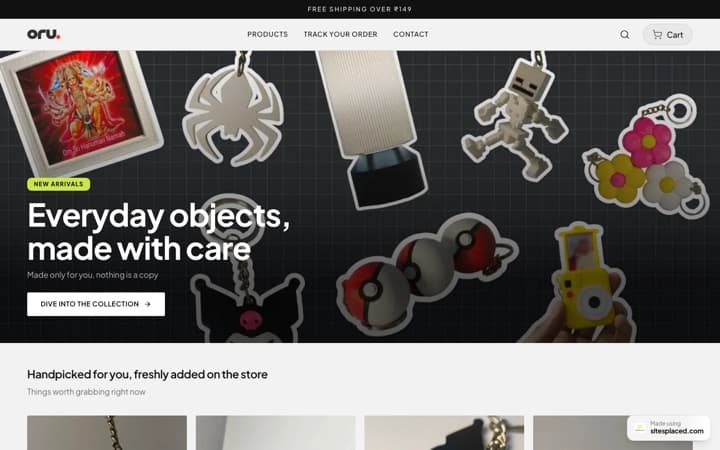




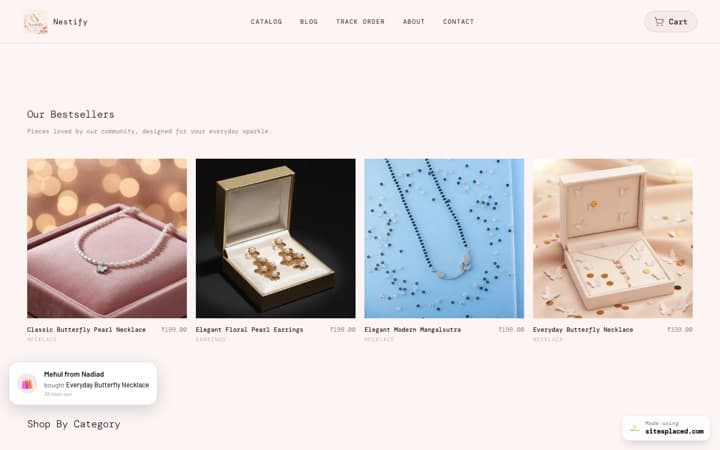
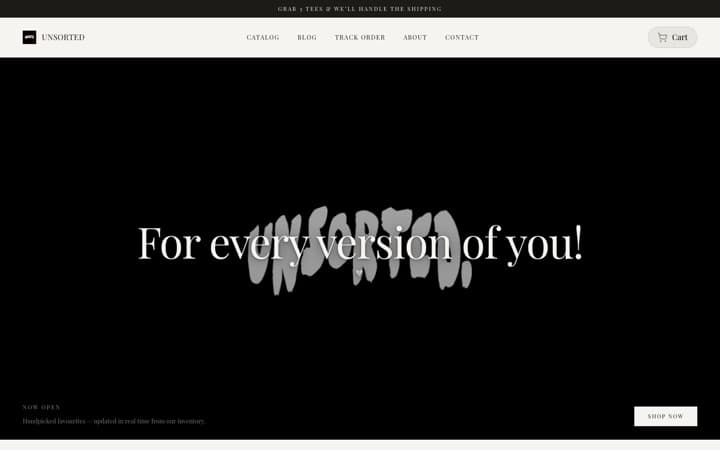


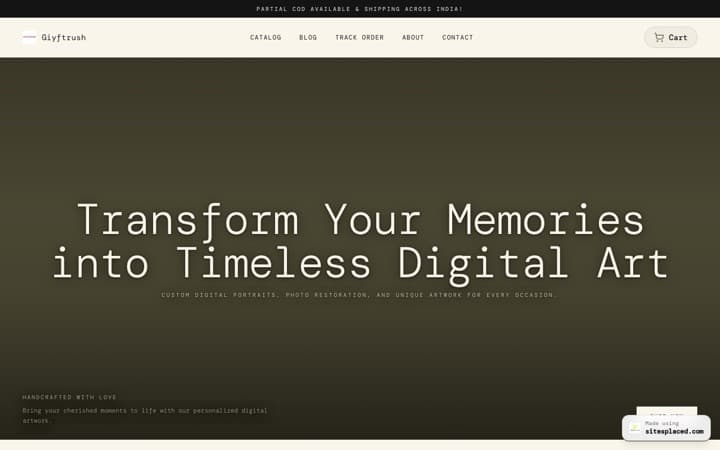
Every store here is live and taking orders · read the SitesPlaced reviews from their owners
Real sellers on SitesPlaced
 sitesplaced.official@thehouseofurmila
The House of Urmila · Jewellery
Testimonial video · July 22, 2026
View on Instagramsitesplaced.official@talkingtails_
The Pet Journal · Pet products
Testimonial video · August 11, 2026
View on Instagramsitesplaced.official@surroor_house
Surroor House · Clothing store
Store launch · August 13, 2026
View on InstagramMore ratings and press coverage — read the SitesPlaced reviews



Syndicated across 207 outlets (2.1M+ potential reach)All coverage
To create a website for your Instagram store, pick a storefront template, add your products, turn on UPI/COD/Razorpay and WhatsApp checkout, connect Shiprocket, point your domain, and publish. On SitesPlaced this is no-code and takes an afternoon — free to build, publish and sell, 0% commission — and a real person helps with setup if you want it. Pay only when you want a custom domain or the badge removed.
Real stores, live on SitesPlaced
Not mockups — real sellers running live stores on SitesPlaced with their own domains, UPI and COD. Open any of them in a new tab.
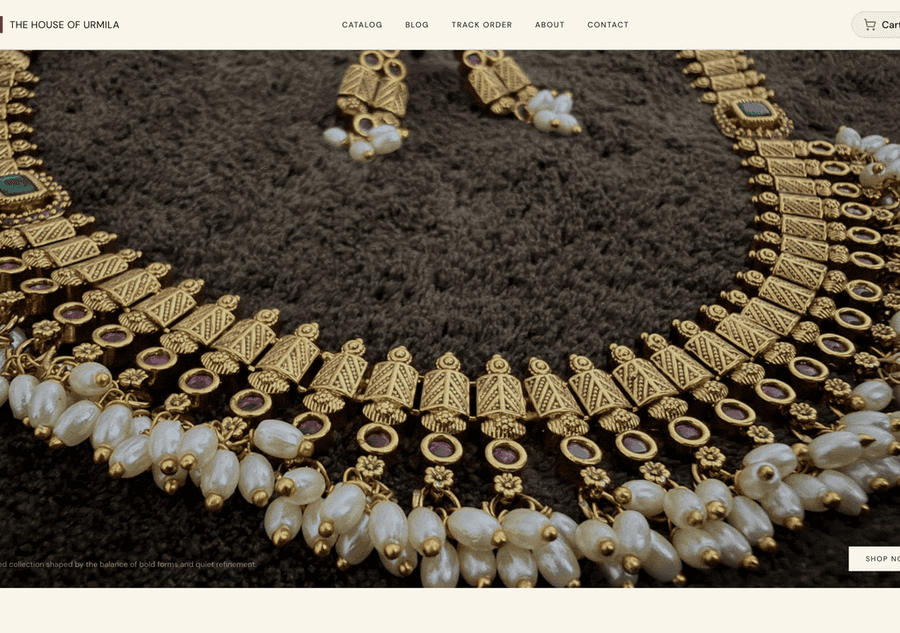
The House of Urmila
A handcrafted jewellery label running its full catalogue on its own domain — UPI & COD checkout built in.
Visit live site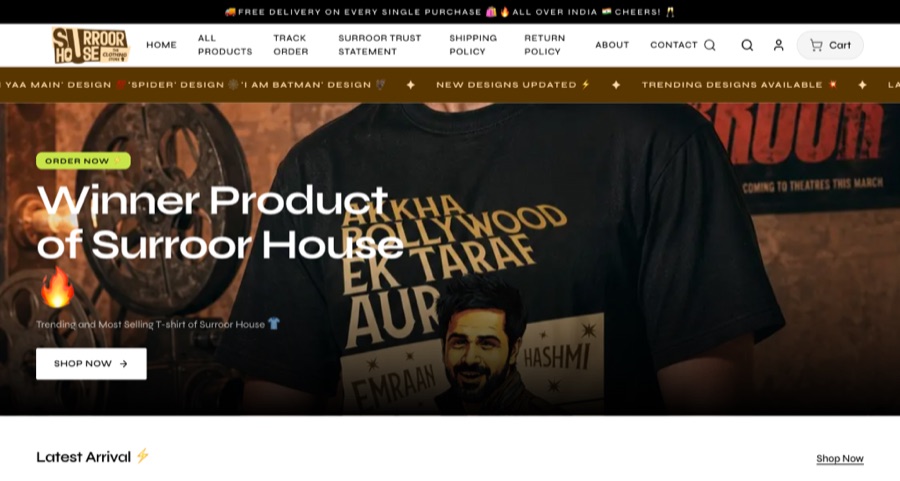
Surroor House
An oversized-tee label running its full catalogue on its own domain — trending designs, sizes and COD checkout.
Visit live site
The Pet Journal
India's first guided journal for pet parents, selling direct from its own domain instead of through DMs.
Visit live siteWhat do you need before you start?
You do not need a developer, a designer or a big budget. You need three things you already have, plus one we help you set up:
- ✓Your product photos (phone photos are fine to start)
- ✓Your prices and variants — sizes, colours, weights or metals
- ✓A rough idea of which products are your hero pieces
- ✓A Razorpay account for payments — we walk you through connecting it
Create your Instagram store website in 6 steps
Pick a storefront template
Start from a finished store, not a blank page. Choose a template that fits your products — jewellery, sarees, beauty, food, fashion. On SitesPlaced every template is mobile-first, because that is where your Instagram traffic comes from.
Add your products and variants
Upload your photos, set prices, and add variants like size, colour, metal or weight — each with its own price and stock. Let the built-in AI write clean product descriptions from a few words so you are not staring at empty fields.
Turn on payments — UPI, COD, Razorpay
Connect Razorpay so customers can pay by UPI or card at checkout, and enable Cash on Delivery where you want it. This is what moves selling out of your DMs: the store collects the money for you.
Set up WhatsApp checkout & shipping
Enable structured WhatsApp checkout so chat-first buyers can still order, and connect Shiprocket so you can book and track deliveries from the same dashboard. Every order also generates a GST-ready invoice automatically.
Connect your custom domain
Point your own domain (yourbrand.com) at the store, or start on a free yourbrand.sitesplaced.com link and add a domain later. A custom domain makes your Instagram business look like a real brand.
Go live and update your Instagram bio
Publish, then swap your bio link to your new store and mention it in stories. From now on, your Reels and posts send people to a shop that takes the order — not a DM you have to manage by hand.
Pick your starting template
The quickest way to a finished store is to start from one. Open these live demos, find the one closest to your products, and clone it — then it is just your photos, prices and brand.
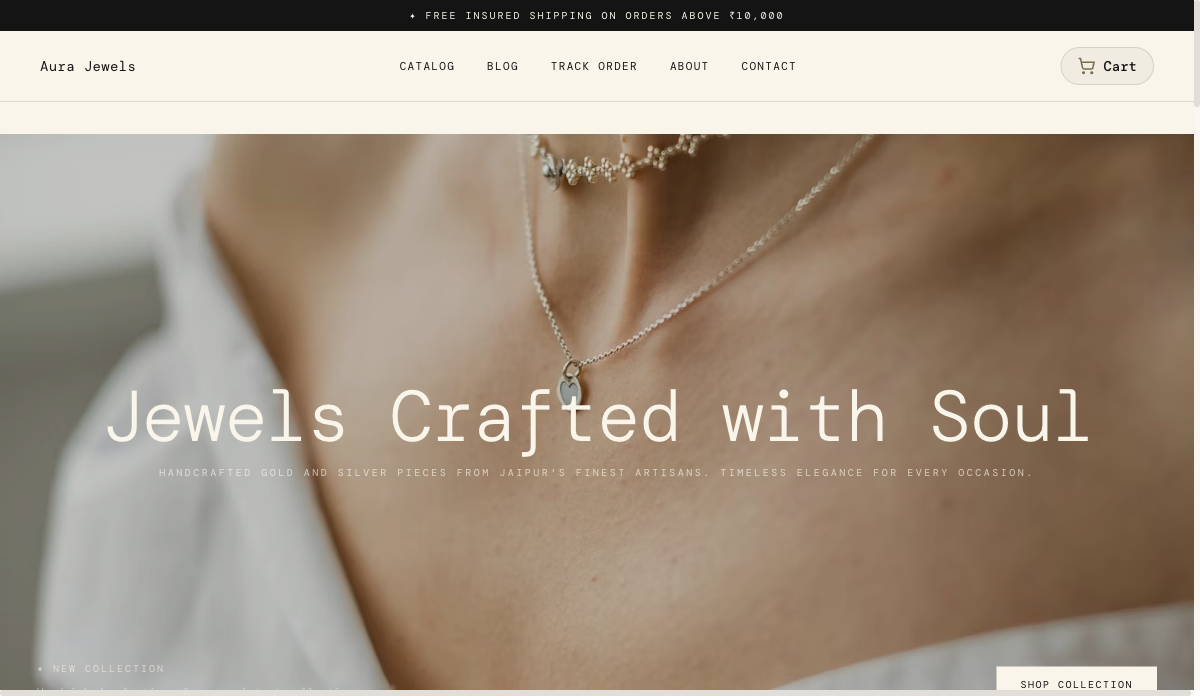 Jewellery
Maison — Luxury Store
Editorial, gallery-grade storefront. Used by the Aura Jewels demo — ideal for jewellery, watches and premium accessories.
View live demo Sarees
Threadlore — Heritage Sarees
Warm, textile-first storefront tuned for sarees, lehengas and handloom — variant swatches, zoom, COD and UPI built in.
View live demo Beauty
Glow Studio — Cosmetics
Bright, conversion-focused beauty storefront with shade selectors and bundles. Built for cosmetics and skincare sellers.
View live demo Skincare
Apothic — Skincare
Calm apothecary aesthetic with ingredient storytelling and routine bundles. For skincare, wellness and self-care brands.
View live demo Gifting
Florine — Florist & Gifting
Soft, seasonal florist storefront with same-day delivery slots and gift notes. For flowers, hampers and gifting.
View live demo Food
FoodCacao Noir — Chocolate
Premium dark-mode storefront for chocolate, bakes and gourmet food, with grams/box variants and festive bundles.
View live demoA few things that make the difference
- ✓Lead with your best three products — most Instagram visitors decide in seconds
- ✓Use clear, well-lit photos and add multiple angles for higher-ticket items
- ✓Keep checkout to as few taps as possible; UPI and COD reduce hesitation
- ✓Add trust details — materials, sizing, returns — right on the product page
- ✓Put your store link in your bio and pin a story that explains how to order
What should you do in your first week after launch?
Going live is the start, not the finish. The first week is when you turn a new store into a habit your customers and your followers recognise. Work through this:
- ✓Swap your Instagram bio link to your store and add a link sticker to a pinned story
- ✓Post a short story showing exactly how to order, in three taps
- ✓Send a WhatsApp message to past customers letting them know where to buy now
- ✓Place a test order yourself to check checkout, invoice and shipping end to end
- ✓Add your three best-sellers to the top of the store so first-time visitors see them first
- ✓Check the store on a phone — that is where almost all of your traffic will open it
After that, keep it simple: post the products, point people to the store, and let the dashboard handle the rest. Most of the work of selling online is removing friction once, not grinding every order by hand forever.
Razorpay, Shiprocket, Shipmozo, WhatsApp API, Meta CAPI: all built in.
Razorpay, cash on delivery, WhatsApp checkout, Shiprocket and Shipmozo are on the free plan. From ₹199/month (Starter): Meta Pixel + Conversions API, your own domain, branding removal, AI and analytics. The ₹499/month Growth plan adds WhatsApp Business API alerts and the 1-click checkouts, bring your own credentials. No app store, no per-integration fees.
Payments
- Free

UPI, cards, net banking and wallets at checkout. SitesPlaced takes 0% commission; Razorpay's standard gateway fee applies.
razorpay.com - Free

StripeNew
Card, Apple Pay and Google Pay from customers worldwide. Connect your own Stripe account with a restricted key — payments land in your Stripe balance and SitesPlaced takes 0% commission.
stripe.com - Free

PayPalNew
Customers pay with their PayPal balance or a card. Connect your own PayPal app — the money lands in your PayPal balance and SitesPlaced takes 0% commission.
paypal.com - Free

PhonePeNew
UPI, cards, net banking and wallets at checkout on your own PhonePe Business account. Money settles straight to you and SitesPlaced takes 0% commission; PhonePe's standard gateway fee applies.
phonepe.com - Free

CashfreeNew
UPI, cards, net banking, wallets and pay-later at checkout on your own Cashfree account. Money settles straight to you and SitesPlaced takes 0% commission; Cashfree's standard gateway fee applies.
cashfree.com - Free
COD at checkout with an optional COD charge you set.
- Free

- ₹499

Sell with ShiprocketNew
1-click checkout by Shiprocket — saved addresses, UPI/cards/COD and RTO scoring, without your own payment gateway. Shiprocket collects and settles to you; SitesPlaced takes 0%, Shiprocket charges 2% per order.
shiprocket.in - ₹499
Razorpay Magic CheckoutNew
1-click checkout on your own Razorpay account — saved addresses, UPI/cards/COD in one step, with COD intelligence and RTO protection. Money settles straight to your Razorpay. Can run alongside Shiprocket checkout.
razorpay.com
Shipping
- Free
Push orders to Shiprocket, get AWB numbers back, and show live tracking on your Track Order page.
shiprocket.in - Free

ShippoNew
USPS, UPS, FedEx, DHL and Royal Mail labels for US, UK and international orders — around 5¢ a label with no monthly fee, billed to your own Shippo account.
goshippo.com - Free

ShipmozoNew
Courier selection, pickup scheduling and tracking status synced back to each order.
shipmozo.com - Free
Rehbar PostNew
Compare courier rates, book the shipment, print the label and track it back — on your own Rehbar Post account.
rehbarpost.com
Fulfilment
- Free

Qikink
Print-on-demand for India — t-shirts, hoodies and mugs printed and shipped domestically from your own Qikink account.
qikink.com - Free

PrintifyNew
Print-on-demand t-shirts, hoodies, mugs and posters. Link a product to your own Printify catalogue and paid orders are sent for printing automatically — Printify bills your account, we take nothing.
printify.com
Messaging
- ₹499
Every new order sends you an alert and the customer a confirmation, from your own WhatsApp Business number via Meta's Cloud API. Bring your own credentials.
business.whatsapp.com
Marketing
- ₹199+

Meta Pixel + Conversions APINew
Your own Pixel on the storefront plus server-side Purchase events from the order record, deduplicated, so Instagram and Facebook ads report real sales. Bring your own credentials.
facebook.com - ₹499

Import the product reviews you already collected in Judge.me on Shopify or WooCommerce onto your product pages, matched by product name. Bring your own API token; SitesPlaced also collects and moderates its own product reviews on every plan.
judge.me - ₹199+
Custom head code
Paste Google Analytics, Clarity or any tag into your live site.
Growth
- ₹199+
yourbrand.com with one-click DNS setup for most Indian registrars.
- Free


Create and edit your store by chatting with your AI assistant.
modelcontextprotocol.io - Free
Bring a catalogue in from Instagram, your existing website, a PDF, dm2buy or Shopexer.
Build your Instagram store website today
Build, publish and sell for free at yourbrand.sitesplaced.com, keep 100% of your sales. Pick a template, add your products, and our team helps you connect payments and shipping. Upgrade from ₹199/month (Starter) only for your own domain and removed branding.
Start building free →Already on a catalogue link? See the DM2Buy alternative for a done-for-you migration.
Frequently asked questions
How do I create a website for my Instagram store without coding?
Use a no-code store builder. On SitesPlaced you pick a template, add products and photos, turn on UPI/COD/Razorpay and WhatsApp checkout, connect Shiprocket, point a custom domain, and publish — no code at all. AI writes your descriptions and a real person helps you set it up.
How long does it take to set up an Instagram store website?
You can build it for free in an afternoon. If you already have a catalogue or a DM2Buy link, our team can recreate your products and get you live — usually within one working day.
What do I need before I start?
Just your product photos, prices and variants, and a Razorpay account for payments (we help you connect it). A custom domain is optional — you can launch on a free subdomain and add your own domain whenever you like.
Can customers still order on WhatsApp?
Yes. SitesPlaced supports structured WhatsApp checkout alongside UPI, COD and Razorpay, and every WhatsApp order is recorded in your dashboard with its payment status, so nothing gets lost in chat.
How much does it cost to run an Instagram store website?
It is free to build, publish and sell on SitesPlaced, with 0% commission on sales — Razorpay (UPI + cards), COD and WhatsApp checkout, inventory and PDF invoices are all included free, and your store goes live at yourbrand.sitesplaced.com. The ₹199/month Starter plan is an optional upgrade for a custom domain, removed SitesPlaced badge, AI copy and higher limits.