
How owning your brand earns the sale
A buyer who’s never heard of you decides in seconds whether you’re a real business or a risk. A yourbrand.com address, your own logo and no platform badge quietly answer ‘can I trust this?’ — and trust is what converts.
By Manan Agrawal, Founder · Updated June 10, 2026
Trust is a conversion lever. The same store at yourbrand.com instead of a long shared subdomain — with your branding instead of a builder’s badge — reads as a legitimate business, and first-time buyers commit more readily. On SitesPlaced you start free and add a custom domain and remove branding whenever you’re ready, keeping all your links and content intact.
The problem it fixes
Most abandoned purchases aren’t about price — they’re about doubt. A first-time visitor is asking, half-consciously, ‘is this a real shop or am I about to lose my money?’ Every generic or borrowed signal nudges them toward ‘no’.
- ✓A long, shared platform URL looks temporary and unmemorable — hard to trust, hard to recall.
- ✓Someone else’s badge on your store says ‘this isn’t really mine’, which dents credibility.
- ✓Without your own domain you can’t have branded email (you@yourbrand.com), another trust cue.
- ✓A borrowed address is harder to say out loud, print on a card, or remember after one visit.
- ✓It blurs you in with every other free-tier store instead of standing out as a brand.
How a custom domain & your own brand works on SitesPlaced
SitesPlaced is freemium by design: you publish free to prove it works, then claim your brand when you’re ready. The upgrade is the same site — just at your own address, without the badge.
Start free on a subdomain
Publish at yourname.sitesplaced.com (or sitesplaced.site) and start selling immediately — no card, no risk.
Connect your custom domain
When you’re ready, point yourbrand.com at your site. SitesPlaced has guided, often one-click domain setup so you don’t need a developer.
Remove the badge
Upgrading removes the small SitesPlaced badge so the store is unmistakably, fully yours.
Keep everything intact
Your content, products, orders and SEO carry over — only the address and branding change, so nothing you built is lost.
The impact on your sales
A custom domain doesn’t bring new visitors by itself — it converts more of the ones you have, by removing the doubt that quietly kills first-time sales. It’s leverage on trust, applied to every visit.
is all a first-time buyer takes to judge if you’re legit
a memorable, professional address you actually own
the store reads as a real business, not a free trial
First-impression speed reflects widely-reported research on how fast users judge a site; the rest are SitesPlaced product facts.
- ✓First-time buyers convert more readily because the store reads as an established business.
- ✓A memorable yourbrand.com is easier to recall, share, and type on a card or a Reel.
- ✓Branded email (you@yourbrand.com) adds another professional trust cue to every order email.
- ✓Your own domain strengthens your long-term SEO and brand equity — assets you keep.
- ✓You stand out as a brand instead of blending in with every free-tier store.
With it vs without it
| Without it | With SitesPlaced | |
|---|---|---|
| Web address | long-shared-url.platform.com | yourbrand.com |
| Branding | Builder’s badge | Fully your own |
| First-time trust | ‘Is this legit?’ | Reads as a real business |
| Generic gmail | you@yourbrand.com | |
| Memorability | Forgotten after a visit | Easy to recall & share |
Indicative comparison, based on widely-reported ecommerce benchmarks and how the feature works on SitesPlaced, June 2026.
Trust is the conversion you can’t see
When a sale doesn’t happen, you rarely learn why — the visitor just leaves. A big share of those silent exits are trust, not price. For someone who’s never bought from you, handing over money or a delivery address is a leap of faith, and they look for any reason not to take it. A borrowed URL and someone else’s badge are exactly the kind of small ‘off’ signals that tip a cautious buyer into closing the tab.
Your own domain flips those signals. yourbrand.com says you’re invested and here to stay; your own branding says the store is genuinely yours; a branded email on the order confirmation reinforces it after the sale. None of this is flashy, and that’s the point — trust is built from the quiet accumulation of things that look right.
The smart sequence is the freemium one: publish free, share it, and confirm people buy. Once the store is proving itself, a custom domain and badge removal are no longer a leap of faith for you either — they’re a small upgrade that lifts conversion on every visit from then on, with all your content, orders and SEO carried over untouched.
Real sites already using this
These aren’t mockups — they’re real people who built and published on SitesPlaced. Open any of them in a new tab.
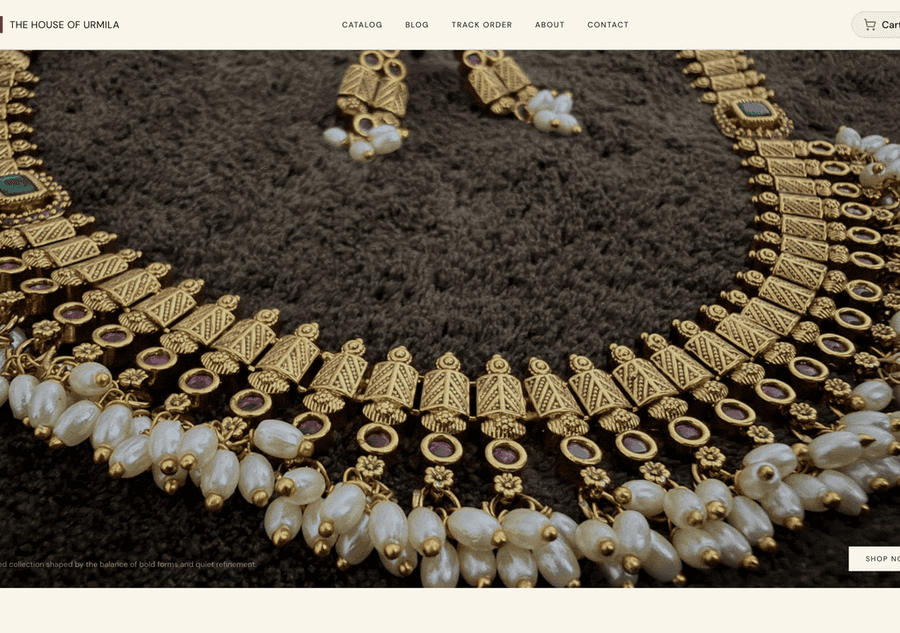
The House of Urmila
A handcrafted jewellery label running its full catalogue on its own domain — UPI & COD checkout built in.
Visit live site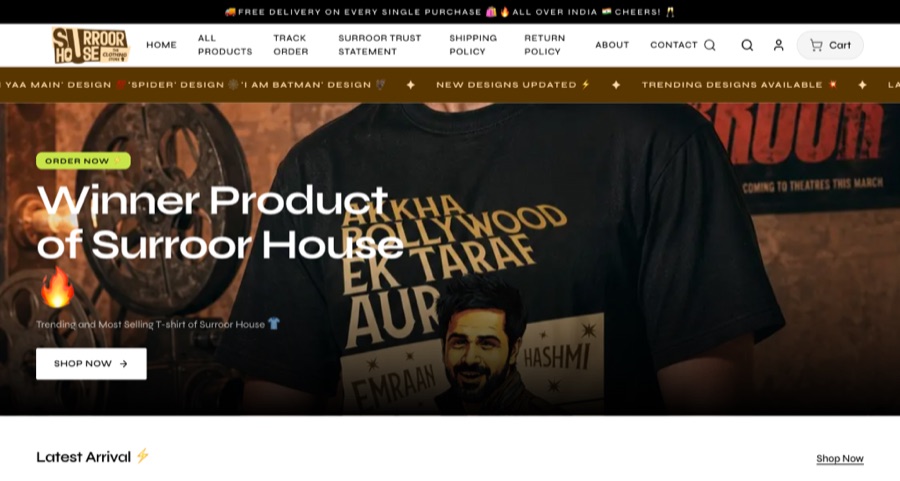
Surroor House
An oversized-tee label running its full catalogue on its own domain — trending designs, sizes and COD checkout.
Visit live site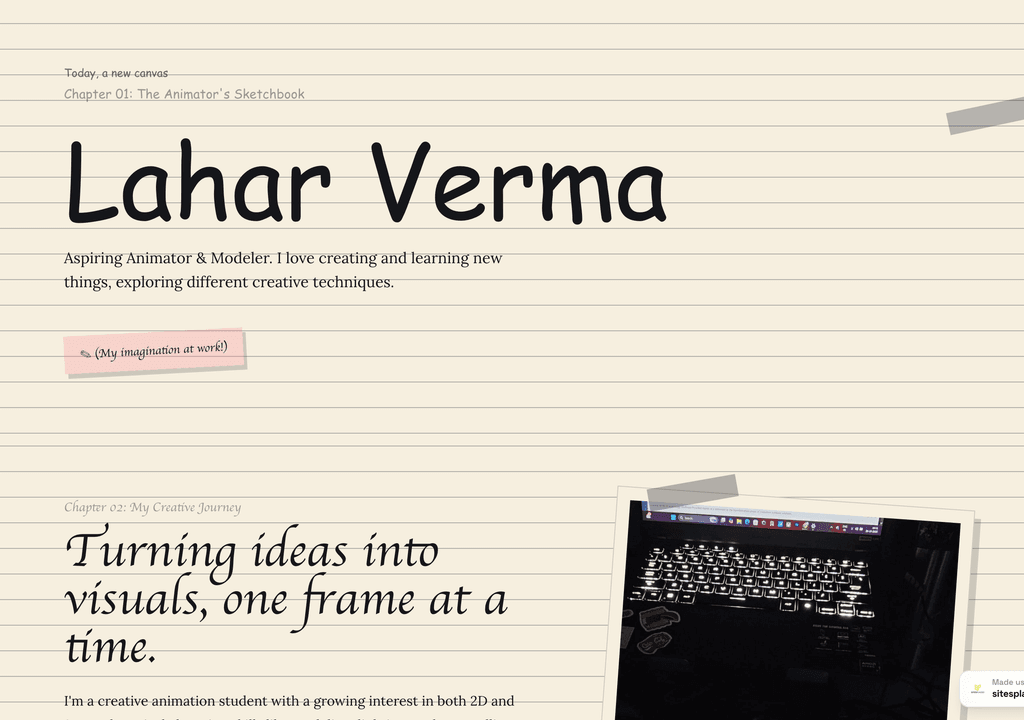
Lahar Verma
An aspiring animator's sketchbook-style portfolio — projects and creative journey, chapter by chapter.
Visit live siteStart selling more — free
Turn on a custom domain & your own brand and the rest of the toolkit in minutes. It’s free to start: build a website with Studio or open a store with SitesPlaced, publish in minutes, and add a custom domain or remove branding whenever you’re ready.
Start free →Frequently asked questions
Does a custom domain actually increase sales?
Indirectly but reliably, yes — by lifting conversion. A yourbrand.com address with your own branding (and no platform badge) reads as a legitimate, established business, which reduces the trust hesitation that causes first-time buyers to abandon. It doesn’t add traffic; it helps more of your existing visitors commit.
Do I have to pay from day one?
No. SitesPlaced is free to start — you publish on a username.sitesplaced.com address and can sell right away. You add a custom domain and remove the badge as a paid upgrade whenever you’re ready, and your content, products and orders carry over unchanged.
Is connecting a domain complicated?
No. SitesPlaced offers guided, often one-click domain setup, so you don’t need a developer. You point yourbrand.com at your site and it goes live — links, SEO and content all preserved.
Will I lose my SEO or links if I switch to a custom domain?
No. Your content and structure carry over, and moving to your own domain generally strengthens long-term SEO and brand equity rather than harming it.


