


Best online store builder for beginners in 2026 — no code, no jargon, a first order this week
Most comparison pages are written in a language a first-time seller does not speak yet: gateways, subdomains, DNS. This one explains the seven things you actually need, judges ten builders on those, and walks you through your first hour on the pick.
For a beginner in India, the best online store builder in 2026 is SitesPlaced. It is the only one here where all seven beginner needs are covered for ₹0: an address, payments into your own bank account, cash on delivery, a template named after what you sell, a courier the store hands orders to, a WhatsApp line, and a price you can understand — 0% commission, and ₹199/month later only for your own domain. If you sell files to buyers abroad, Gumroad or Payhip are easier for a first sale and handle tax for you, at a percentage. Everything else asks a beginner for money or decisions before the first order.
TL;DR
- • Pick: SitesPlaced — free, all seven covered, plain labels, and a COD or WhatsApp order before any online payment is set up.
- • Also fine to start on: Shopexer and StartupInMinutes in India (free, with limits you meet later); Big Cartel anywhere with five products or fewer.
- • Read the fee line first: Dukaan's free plan carries a per-order service fee; Gumroad and Payhip take a percentage of every sale.
- • Not for a first store: Wix (free tier cannot sell), Shopify (paid from day one), WooCommerce (you become the IT department).
The seven things a beginner actually needs
Feature lists are written for people comparing their third store. For a first store the list is short: what each thing is, in plain words, and what “good enough” looks like. Every builder below is judged on these seven, plus how many decisions it asks for before your first order. A competitor's price, fee or limit is stated only when it already appears in a comparison we have published, with the month it was checked; prices change, so check their pricing page. SitesPlaced figures come from our own plan definitions, and SitesPlaced gets a “not good at” line too.
1. An address people can tap
Your store needs a web address — the thing you paste in your Instagram bio. A domain is an address you own, like yourbrand.com, bought for a yearly fee and pointed at the builder. A sub-address lives on the builder's name — on SitesPlaced, yourname.sitesplaced.site — and is free the moment you publish. For a first store it is not a compromise: it works on every phone, is secured, and takes orders. Good enough: a free address on day one, your own domain later without rebuilding.
2. A way to get paid online — into your own account
When a buyer pays by UPI or card, a payment gateway handles it: a company that takes the payment and puts the money in your bank account for a small fee per payment. In India the usual ones are Razorpay, PhonePe and Cashfree. Check whose account the money lands in: your own, so it is yours when it settles, or the platform's, which pays you out later minus its cut. Good enough: your own gateway account on the free plan, and the builder taking 0% on top. Which gateway matters less than beginners think — see Razorpay vs PhonePe vs Cashfree.
3. Cash on delivery
COD means the buyer pays the courier when the parcel arrives, and the courier passes the money to you. Many Indian buyers will only buy from an unknown shop this way, so it brings first orders. The cost is risk: refused parcels come back, and you pay the courier both ways. The usual fix is a small COD charge, so paying online is cheaper, and a WhatsApp confirmation on bigger orders. Good enough: COD on from the start, with a charge you set in one field. Cash on delivery for small online stores covers the rest; the COD vs prepaid calculator shows what refused parcels cost.
4. A template that already looks like your kind of shop
A template is a ready-made store design: layout, fonts, where the photos go, what the product page looks like. You fill it in; you do not design it. A beginner needs one built for what they sell, so a jewellery store looks like a jewellery store on a phone without tinkering. Good enough: templates named by category, all free, that look right on a phone first. How to choose an online store template is the longer read.
5. Delivery the store handles, and a place orders land
A courier integrationmeans the store sends the order to a courier service (Shiprocket and Shipmozo are the common ones in India) and gets a tracking number back for the buyer. Without it, every order is a form on the courier's site, filled in by hand. Next to it, a delivery charge you set once: a flat amount per order, and an order value above which delivery is free. Good enough: courier integration on the free plan, one delivery-charge setting, an Orders tab where every order lands however it was placed, and an invoice the store makes for you.
6. A way for buyers to ask before they pay
First-time buyers have questions — “is this in medium?”, “can you deliver by Friday?” — and in India they ask on WhatsApp. A store that lets a buyer send the order to your WhatsApp, or tap to chat, closes sales a silent checkout loses. Good enough: WhatsApp ordering on the free plan and your number on the store. More in sell on WhatsApp.
7. A price you can understand
Three traps. A trial is not a free plan: the store goes offline or starts billing on a fixed day. A commission is a percentage the builder takes from every sale, separate from the gateway's fee, which every online payment carries. And the number that matters is not today's ₹0 but month six, when you want your own domain. Good enough: a free plan with no clock, 0% commission, and one paid plan whose price you can say out loud. The full ladder is in online store builder pricing in India.
The ranking, for a first store
1. SitesPlaced — all seven, for ₹0
The free plan publishes a store on a yourname.sitesplaced.site address with unlimited products and orders. Cash on delivery, pay-by-UPI-or-bank-transfer and WhatsApp ordering are on by default, so a beginner can take a first order before touching a payment gateway; Razorpay, PhonePe or Cashfree connect on your own account when you are ready, and SitesPlaced takes 0% of every sale. Sixteen free templates are named by what you sell — Clothing Store, Jewellery Store, Food Store and so on. Shiprocket and Shipmozo couriers, a delivery charge with a free-above amount, PDF invoices, coupons and the store importer (Instagram, a website or a PDF) are on the free plan. Starter comes with a dedicated setup person.
The limits: a small SitesPlaced badge, 500 MB of storage, and the builder's address. Starter at ₹199/month or ₹1,990/year adds your own domain, removes the badge, gives 2 GB, analytics, Meta ad tracking, AI-written copy, and store pages that answer about 4× faster than on the free plan — measured on 30 September 2026 on live paid stores, where a page answered in about 75 ms instead of about 330 ms.
- • Good at: the fewest decisions before a first order; every need on the free plan; plain labels.
- • Not good at: writing your product text for you on the free plan (AI copy is on Starter), an iPhone merchant app (Android only for now), and bringing you visitors. And changing template later means a new store, so settle it before loading a big catalogue.
2. Shopexer — free and simple, in India, with no listed way to grow
Free forever with unlimited products on a Shopexer sub-address, UPI, cards and wallets listed, shipping included, and merchant apps on Android and iOS — the only iPhone app here. Genuinely simple. Not listed, as of August 2026: a custom domain, cash on delivery or any upgrade path — their pricing page returned a 404 when we checked, and only the free plan was shown. One storefront style rather than templates by category.
- • Good at: starting today from a phone, with an iPhone app.
- • Not good at: needs 1, 3 and 7 — no listed domain, COD or next price.
3. StartupInMinutes — free until you need to ship
A Free Forever plan with unlimited products, Razorpay on free and a 0% platform fee, which is generous. The beginner catches: three images per product, two themes, and shipping held for Pro at ₹999/month — every courier booked by hand until you pay. Pro includes an onboarding specialist who stays until your first sale, a real beginner feature at a real price. As listed in August 2026.
- • Good at: needs 2 and 7 on the free plan.
- • Not good at: need 5 without ₹999/month; three photos is tight for fashion or jewellery.
4. Shop2Host — a free ten-product test with a phone number
Real but small: up to 10 products, cash on delivery and their own built-in UPI, plus a phone support number in the header, rare at this price. Razorpay, Shiprocket, WhatsApp alerts and the domain add-on sit on Pro at ₹690/month (₹586 billed yearly). As listed in August 2026.
- • Good at: finding out whether anyone orders at all, with someone to phone.
- • Not good at: the eleventh product, and needs 1, 2 and 5 without Pro.
5. Dukaan — the fastest self-serve setup, with a fee on every order
The fastest path from “I want to sell” to a working catalogue and checkout, and for a beginner that counts. UPI, Razorpay, COD, WhatsApp, Shiprocket and invoices are built in. Read two things first: the free plan carries a per-order service fee of about 4.99%, capped at ₹200 per order, on top of your gateway, and a custom domain sits on paid tiers listed at roughly ₹1,499–₹14,490/month, per our 2026 comparison. The themes are generic catalogue layouts. See Dukaan alternatives.
- • Good at: needs 2, 3, 5 and 6 with very few decisions.
- • Not good at: need 7 — miss the fee line and you pay it on every order — and need 4 if the store is your brand.
6. Big Cartel — five products, anywhere in the world
Free up to five products with 0% commission and a custom domain supported; about as simple as a store gets. Built for artists and makers, not Indian sellers — no UPI, no COD — and the cap arrives fast: one print in three sizes and two colours is six. Checked late August 2026. See Big Cartel alternative.
- • Good at: needs 1, 2, 4 and 7 for a tiny catalogue outside India.
- • Not good at: need 3 in India, and a range.
7. Gumroad and Payhip — for a beginner selling a file
If your product is a PDF, a preset pack or a course rather than a parcel, these are the easiest first sale on the internet: upload the file, set a price, share the link. Both collect the money and pay you out, and both handle tax for buyers abroad — Gumroad is the seller of record for US sales tax and EU VAT. The price is a percentage of every sale: Gumroad 10% plus 50¢, Payhip 5% on free (2% at $29/month), as listed in late August 2026. See Gumroad alternative and Payhip alternative.
- • Good at: a first digital sale with tax handled; zero cost in a month with no sales.
- • Not good at: needs 3, 5 and 6 — not for parcels — and need 7 once volume arrives.
8. Wix — a good website builder that asks a beginner for too much
A general website builder with a store add-on and a huge template library. The free tier builds a site with Wix ads on a wixsite.com address and cannot sell; selling needs a paid plan — in India, Core at about ₹399/month billed a year upfront — and Wix Payments is not available in India, so you connect a gateway yourself. 0% once you are paying, per our 2026 comparisons. The design freedom is the problem: a blank canvas with a thousand choices is slower than a template that is already a shop. See Wix alternatives.
- • Good at: need 4, if you enjoy designing.
- • Not good at: needs 2, 3 and 7 before you pay, and the decision count.
9. Shopify — the right platform later, the wrong bill now
Polished, and it scales; a large store may end up there. For a first store it asks for money before you have earned any: a short trial, then about $29/month (about ₹1,994/month for Basic in India), an extra 0.5–2% on sales through external gateways unless you use Shopify Payments (not available in India), and, per our 2026 comparison, paid apps for real COD handling, WhatsApp ordering and GST invoices. See Shopify alternative for India.
- • Good at: needs 1, 2, 4 and 5, at a price, with an app for everything.
- • Not good at: need 7 for someone with no sales yet, and needs 3 and 6 without extra apps.
10. WooCommerce — not for a first store
Free, open-source store software for WordPress that takes 0% of your sales. Last here because it makes you the technical team: you pay for hosting and a domain, install the gateway and COD plugins yourself, buy shipping extensions, and keep it all updated. Powerful, and the wrong first store.
- • Good at: anything, if you can build it.
- • Not good at: the decision count, and need 7 — hosting, domain and plugins are day-one costs.
The seven needs, side by side
| Builder | Free to publish? | Payments | Cash on delivery | Own domain | Cut of each sale | For a beginner |
|---|---|---|---|---|---|---|
| SitesPlaced | Yes, unlimited products | Your own Razorpay, PhonePe or Cashfree; Stripe or PayPal abroad | Yes, optional COD charge | Starter, ₹199/month | 0% | All seven, for ₹0 |
| Shopexer (India) | Yes, unlimited products | UPI, cards, wallets listed | Not listed | Not listed | Not listed | Simple; no listed way to grow |
| StartupInMinutes (India) | Yes, 3 images per product | Razorpay on free | Not listed | Pro, ₹999/month | 0% platform fee | Fine until you ship |
| Shop2Host (India) | Yes, up to 10 products | COD and their own UPI; Razorpay on Pro | Yes | Add-on on Pro, ₹690/month | Not listed | A ten-product test |
| Dukaan (India) | Yes, with a per-order service fee | UPI, Razorpay, COD | Yes | Paid plans only | About 4.99% per order, capped ₹200 | Easy; read the fee line |
| Big Cartel | Yes, up to 5 products | Yes | Not built for India | Supported | 0% | Tiny catalogue, anywhere |
| Gumroad / Payhip | Yes | Platform collects and pays you out | No | Supported / paid plans | 10% + 50¢ / 5% | Files only, tax handled |
| Wix | A site, not a store | Connect a gateway yourself, on a paid plan | Not a native option | Paid plans | 0% once paying | Too many decisions |
| Shopify | No, a short trial | Third-party gateway; extra 0.5–2% unless Shopify Payments | Usually a paid app | Buy separately | 0.5–2% on external gateways | Right later, expensive now |
| WooCommerce | Free software, paid hosting | Install the gateway plugin yourself | Plugins | You buy it | 0% | Not for a first store |
Indian builders as listed in August 2026; Dukaan, Wix, Shopify and WooCommerce from our 2026 comparisons; Big Cartel, Gumroad and Payhip as listed in late August 2026. Prices change; check their pricing page. SitesPlaced figures are our published plan definitions. Gateway fees apply everywhere and are excluded.
Your first hour on SitesPlaced
Timed for five to ten products with the photos already on your phone. The labels are the dashboard's own.
- Minutes 0–10: account and template. Go to Open a free store, sign up with Google or an email — no card. Choose Online Store, then a template named after what you sell; decide now, since changing template later means a new store. Not sure? The General Store suits anything; browse the sixteen.
- Minutes 10–25: products. If your products are already on Instagram, a website or a PDF price list, use the importer — paste the handle or link, check the preview, and the products, prices and photos are built for you. Otherwise open Products and add them by hand: a name a buyer would type (“mustard cotton kurta set”, not “KS-014”), a price, one to three photos, and stock. Sizes or colours? Set that up before adding many items — the product form changes.
- Minutes 25–35: how you get paid. Open Settings → Checkout. Under Order methods, Cash on Delivery and Pay with UPI / Bank Transfer are already on; tick Show WhatsApp checkout too. A COD charge is the Extra COD charge field on the same screen. For online payments, open Settings → Integrations, find Razorpay Payments and click Connect with Razorpay — you approve on Razorpay's side, no keys to copy. No Razorpay yet? Skip it; COD and WhatsApp work from today. Steps in set up payments the right way.
- Minutes 35–45: delivery and your number. Open Settings → Shipping and set your delivery charge and the order value above which delivery is free (shipping charges guide). Add your WhatsApp number in Settings, and fill in Pages & policies — delivery time, returns, contact. A store with no way to reach a person feels risky.
- Minutes 45–55: one test order. Open your store in a private browser window on your phone and place a COD order. Check it appears under Orders and the invoice looks right. This catches most launch-day problems.
- Minutes 55–60: publish and share. Press Publish. Your store is live at yourname.sitesplaced.site. Paste the link in your Instagram bio and WhatsApp status, and send it to ten people who have asked you “price?” recently.
Later, once the store has had real orders: Starter at ₹199/month connects your own domain (type it into the Custom domain field, save, then approve the one-click popup or add the records shown — connect a domain), removes the badge, and makes your store pages answer about 4× faster. Code FREE7 gives 7 days free with autopay; cancel before the first charge and pay nothing. The longer version, with legal and courier steps, is how to set up an online store in India.
Mistakes beginners make
- 1. Buying the domain first. A yearly cost for an address nobody is typing yet. Publish on the free address, get orders, then connect a domain to a store that works.
- 2. Reading the headline price, not the fee line. “Free” with a per-order service fee, or “0% platform fee” with shipping on a ₹999 plan, is not ₹0 with 0% and couriers included. Say the month-six cost out loud before you commit.
- 3. Choosing on a laptop. Nearly every buyer sees your store on a phone. Open the templates on yours before deciding, and check the buy button is where a thumb lands.
- 4. Loading a hundred products before the first sale. Ten good products with clean photos beat forty rushed ones, and on SitesPlaced a change of template means a new store — settle the design with ten, then add the rest.
- 5. Leaving delivery, COD and returns unanswered. A buyer who cannot see the delivery charge, whether COD is available and what happens if the size is wrong will DM you or leave. Put the answers on the product page.
- 6. Paying for ads before a test order. Ads send more people to the same leaks. Place your own order, fix what you find, get ten orders from people who know you, then think about ads. If the store is quiet, why your online store is not getting sales is the diagnosis.
- 7. Building the store and telling no one. A store brings no visitors on its own. Put the link in your Instagram bio, story stickers, WhatsApp status and the first line of every DM reply.
Who should not pick SitesPlaced
- • You want the platform's traffic. A store on your own address has no audience until you bring one; if you want buyers to find you without that, you want a marketplace — see selling online without marketplace commissions.
- • You sell files abroad and want tax handled for you. Gumroad and Payhip do that as the seller of record; on SitesPlaced you are the seller.
- • You sell outside India. Everything here is verified for Indian sellers. Stripe, PayPal and Shippo labels are live elsewhere; check the integrations page for your country first.
- • You need an iPhone merchant app today. SitesPlaced is Android-only for now; the dashboard works in any phone browser.
Frequently asked questions
What is the easiest online store builder for a complete beginner?
For a beginner in India, SitesPlaced. Sign up with Google or an email, pick a template named after what you sell, add products or import them from Instagram, and press Publish. Cash on delivery and WhatsApp ordering are on from the start, so a first order can come before any online payment is set up, and it is free with 0% commission. Every setting is a plain label, and the help centre uses the same ones.
Do I need to know how to code to build an online store?
No. Every builder in this post works without code: pick a design, type product names and prices, upload photos, switch settings on and off. The one that expects technical work is WooCommerce, where you host and maintain the software yourself; a beginner should not start there.
Do I need to buy a domain before I start?
No, and you should not. A domain is the address people type, like yourbrand.com. Every free store gets a working address on the builder's name first — on SitesPlaced, yourname.sitesplaced.site — and plenty of sellers take orders on it for months. Buy the domain once the store has had real orders; on SitesPlaced connecting it is part of Starter at ₹199/month.
What is a payment gateway, and do I need one on day one?
A payment gateway is a company that takes the buyer's UPI, card or net-banking payment on your store and puts the money in your bank account for a small fee per payment. Razorpay, PhonePe and Cashfree are the common ones in India. You do not need one on day one: on SitesPlaced, cash on delivery, pay-by-UPI-or-bank-transfer and WhatsApp ordering are on by default, and you connect Razorpay whenever you are ready, with no keys to copy.
What does cash on delivery mean for me as the seller?
Cash on delivery, or COD, means the buyer pays the courier when the parcel arrives and the courier passes the money on to you. Many Indian buyers prefer it from a shop they do not know yet, so it brings first orders. The cost is risk: refused parcels come back and you pay the courier both ways. Most small stores add a small COD charge and confirm larger orders on WhatsApp first. On SitesPlaced the COD charge is one field under Settings → Checkout.
How long does it take a beginner to set up a first store?
About an hour to a published store with a handful of products, payments on, delivery charges set and a test order placed — the walkthrough in this post is timed. What takes longer is what no builder can do for you: decent photos, prices, and two honest lines per product.
Is a free plan good enough, or should a beginner pay from the start?
Start free. The free SitesPlaced store publishes with unlimited products, payments into your own account, COD, WhatsApp checkout, couriers and invoices at 0% commission; paid plans add your own domain, badge removal, more storage, analytics and store pages that answer about 4× faster. Pay when a real order has told you the store works. Code FREE7 gives 7 days free on Starter or Growth with autopay; cancel before the first charge and pay nothing.
Verdict
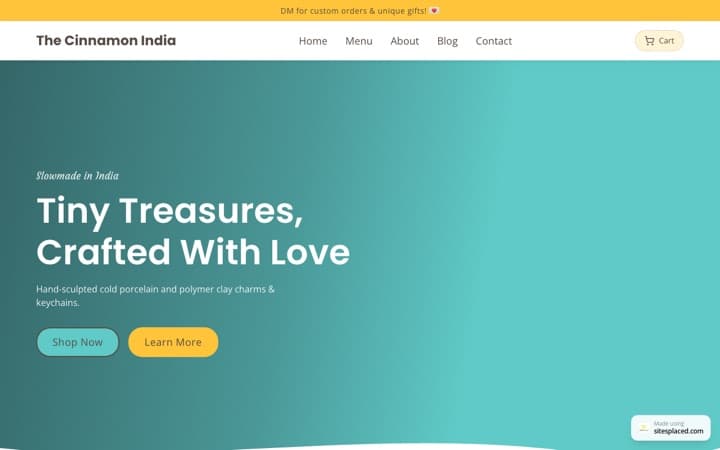
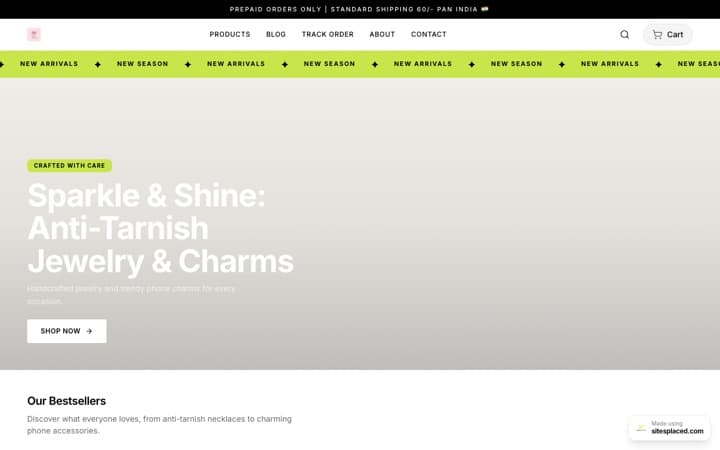
For a first store in India, SitesPlaced. Not because it has the most features — Shopify has an app for everything — but because it asks a beginner for the fewest decisions and no money before the first order, and all seven needs are on the free plan. The 45 real customer stores on the live showcase show what that looks like once it is running.
If you sell files abroad, start on Gumroad or Payhip and move when the percentage starts to hurt. If you have five products and no plans for a sixth, Big Cartel is fine anywhere. Whichever you choose, do the first hour this week. The store you publish and share teaches you more than the one you keep comparing.
Do the first hour today
Free to publish, unlimited products, cash on delivery and WhatsApp orders from minute one, payments into your own account, 0% commission. Your own domain from ₹199/month when the store has earned it — 7 days free with code FREE7.
Related reading
- How to set up an online store in India (2026), step by step
- Best free online store builders in 2026
- Best online store builder with COD and UPI in India
- Online store builder with your own domain in India
- Cash on delivery for small online stores
- Small business online store builder
- Why paid SitesPlaced stores answer about 4× faster