


How to make customers trust your online store — ten fixes, most of them free
A buyer who has never heard of you is asking four quiet questions: is this shop real, will the product look like the photo, what happens if it goes wrong, and can I reach a person? If your store answers all four on the page, most of the hesitation goes away. If it doesn’t, they close the tab or send you a DM and wait.
Key takeaway: trust on a new store comes from specific, checkable details, not from slogans. Use your own photos, show a real WhatsApp number and your city, publish a returns and shipping page, say “cash on delivery available” and your returns rule next to the buy button, and collect real reviews. On SitesPlaced all of that is free except reviews (Growth, ₹499/month). Your own domain, a removed badge and store pages that answer about 4× faster start with Starter at ₹199/month.
TL;DR
- • Look reachable: a real number, WhatsApp, your city and a short About page.
- • Remove the risk: a readable returns rule, delivery cost shown early, and cash on delivery.
- • Show proof: your own photos and reviews from people who actually bought.
- • Look established: your own domain, no builder badge, and pages that open quickly on mobile data.
- • Skip the tricks: fake reviews, countdown timers that reset and vague “100% secure” badges cost more trust than they win.
What a first-time buyer is actually worried about
Most Indian online shoppers have a story, their own or a friend’s, about a prepaid order that never came or a kurta that looked nothing like the reel. So a new visitor starts from suspicion. They are not judging your design. They are scanning for evidence that you are a real business that will still be there if something goes wrong. Here is what they look for, and what answers it.
| The worry | What they look for | The fix |
|---|---|---|
| “Is this a real shop, or a scam?” | A name, a city, a face, a working phone or WhatsApp number | About and contact pages, your number on every page |
| “Will it look like the photo?” | Your own photos, more than one angle, the product in a hand or on a person | Real photos, honest descriptions, size and material |
| “What if it’s wrong or broken?” | A returns rule they can read before paying | Returns and shipping pages, the rule next to the buy button |
| “Will I lose my money?” | Cash on delivery, or a payment screen they have seen before | COD, UPI and cards through your own payment gateway |
| “Has anyone bought this?” | Reviews from real buyers, tied to the product | Verified reviews with stars |
| “Is this a free, throwaway website?” | The address bar, the footer, how fast the page opens | Your own domain, badge removed, a store that answers fast |
If you want the buyer’s side of this in full, we wrote it up separately in is it safe to buy from Instagram shops?. This post is the seller’s side: what to change on your store.
The ten fixes
1. Use your own photos, and more than one
Photos copied from a supplier or a big brand are the first thing a careful buyer spots, often because they have seen the same picture on three other stores. Shoot your own, even on a phone: the front, the back, a close-up of the fabric or finish, and one in a hand or on a person so the size is obvious. Write the material, size and colour in plain words under the photos. If the colour looks different in daylight, say so. Honest detail is what makes the next buyer believe the rest. Our guide to taking better product photos covers light and backgrounds.
2. Show a name, a city and a face
A shop with no person behind it feels risky. Every SitesPlaced store has an About page and a Contact page. Use them: who you are, what you make or source, which city you ship from, and since when. Three honest sentences beat a paragraph of “we curate quality with love”. A photo of you, your workspace or your packing table does more than any badge.
3. Give buyers a number they can actually use
Put a real phone or WhatsApp number on the contact page and in the footer, and answer it. Many buyers will not order until they have asked one question, especially for expensive or custom items. WhatsApp checkout is free on every plan: the buyer’s cart arrives in your WhatsApp as an order, so the conversation and the order are in one place. A floating WhatsApp chat bubble on every page is part of the sales boosters on Growth (₹499/month). To make a click-to-chat link for your Instagram bio, use the free WhatsApp link generator.
4. Publish returns, shipping and privacy pages
“What if it’s wrong?” is the question that stops the most orders. Answer it with a short returns page: which items can be returned, within how many days, who pays for the return shipping, and how the refund is sent. Add a shipping page (where you ship, how long it takes, what it costs) and a privacy page. Policy pages are free on every SitesPlaced store and are linked from the footer. If you don’t know where to start, the free return policy generator writes a first draft, and our return and refund policy template explains each clause. Only promise what you will honour.
5. Say the important rules next to the buy button
Buyers rarely open a policy page before deciding. So put the answers where they decide. On the eleven brand-style templates and the General Store, a delivery and payment line under the buy button can show what delivery costs, “Cash on delivery available” and your returns rule (for example “7-day easy returns”), straight from your settings. Product pages can also carry a small trust strip of your own short promises, free on every plan. Keep them specific and true: “Ships in 2 days from Jaipur” tells the buyer something; “Premium quality” doesn’t.
6. Show delivery cost before the cart
A charge that appears only at the last step feels like a trick, even when it is fair. Say what delivery costs on the product page, and if you offer free delivery above an amount, switch on the free-shipping bar (“add ₹200 more for free delivery”). It is free on every plan and turns a surprise into a target.
7. Offer cash on delivery
Cash on delivery (COD) means the buyer pays the courier when the parcel arrives, in cash or sometimes by UPI. For someone who has never bought from you, it removes the biggest risk: paying a stranger in advance. It does bring some fake orders and refused parcels, which is why many sellers add a small COD charge or a small discount for paying online. COD, with an optional COD charge, is free on every SitesPlaced plan. Run your own numbers with the COD vs prepaid calculator, and read cash on delivery for small online stores before you decide.
8. Take payments through a gateway, not a personal UPI ID
“Send ₹1,200 to this UPI ID and share a screenshot” is how many scams begin, and buyers know it. A checkout that opens a proper payment screen, with UPI, cards and net banking, looks and feels like the shops they already use. On SitesPlaced, online payments go through your own Razorpay, PhonePe or Cashfree account on every plan, including free, and SitesPlaced takes 0% commission. After the order, buyers who give an email get a confirmation, you can issue PDF invoices, and buyers can check where their parcel is on the Track Order page, all free.
9. Collect real reviews, with stars
Reviews are the only words on your store that a stranger wrote, which is why they carry so much weight. On the Growth plan (₹499/month), buyers review through a link tied to their order, the review appears under the product with a verified-purchase badge, you approve each one before it shows, and approved reviews can show as star ratings in Google results. We explain why this matters so much for Instagram sellers in why customer reviews matter for Instagram sellers, and how to ask for them in how to collect product reviews. Never write fake ones.
10. Look like a business that plans to stay
Three small things tell a buyer whether you are serious: the address, the footer and the speed.
- • The address. The free plan puts your store on yourbrand.sitesplaced.site. That is a subdomain: your name in front of ours. It works, but some buyers read it as “free website”. Your own domain, like yourbrand.com, reads as a brand. It comes with Starter at ₹199/month, and our guide to choosing a name and domain helps you pick one.
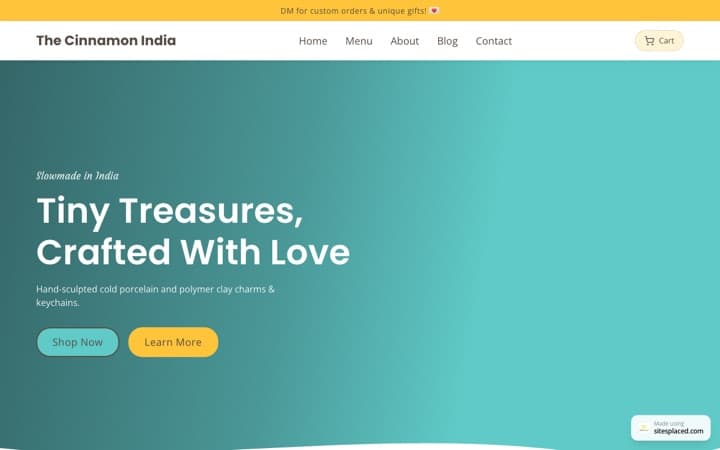
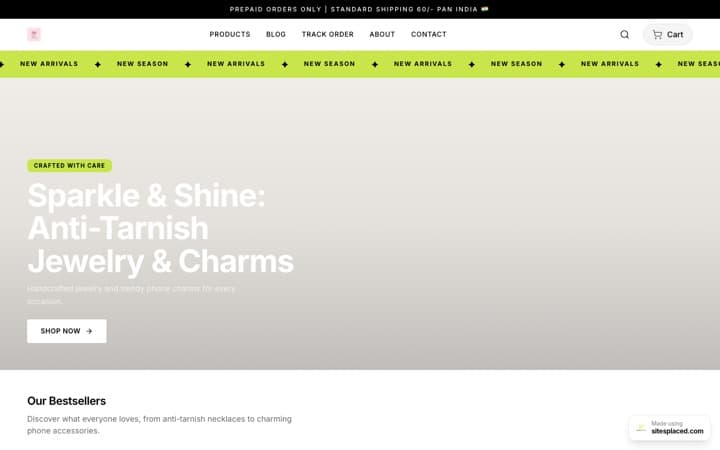
- • The footer. Free stores carry a small “SitesPlaced” badge. Starter removes it, so your brand is the only one on the page.
- • The speed. A page that takes a long time to respond on mobile data feels broken. On Starter and up, your store’s pages answer about 4× faster than on the free plan. We measured it on 28 September 2026 on live paid stores: a page answered in about 75 ms instead of about 330 ms (the middle of the measurements). “Answer” means how quickly the page starts arriving, before the photos load, not the whole page. Paid stores are kept ready close to shoppers, and every edit, price or stock change clears the ready copy, so changes still show at once.
What not to do
Some “trust” tricks are common because they are easy. They tend to backfire with Indian buyers, who have seen them all.
- • Fake reviews. Five-star reviews that all sound the same are easy to spot, and one caught fake makes every real review look doubtful.
- • Countdown timers that reset and made-up “12 people are viewing this” popups. Buyers who notice them stop believing anything else on the page.
- • Badges for promises you don’t keep. “Free returns” when you charge for returns turns a returns request into a complaint.
- • Borrowed brand photos. Besides the trust problem, they can bring copyright trouble.
- • Hiding the phone number to avoid calls. The calls you miss are orders you miss.
What each fix costs on SitesPlaced
| Fix | Plan |
|---|---|
| Real photos, About and contact pages | Free plan |
| Returns, shipping and privacy pages | Free plan |
| Delivery, COD and returns line near the buy button | Free plan (brand-style templates and General Store) |
| Cash on delivery, WhatsApp checkout, UPI and cards | Free plan |
| Trust strip on the product page, PDF invoices, Track Order page | Free plan |
| Your own domain and the SitesPlaced badge removed | Starter, ₹199/month |
| Store pages that answer about 4× faster | Starter, ₹199/month |
| Verified product reviews and Google star ratings | Growth, ₹499/month |
| Floating WhatsApp chat bubble | Growth, ₹499/month |
Yearly plans cost 10 months’ price. The code FREE7 at checkout gives 7 days free on Starter or Growth when you set up autopay; cancel before the first charge and you pay nothing. The delivery and payment line is built into the eleven brand-style templates and is a free switch on the General Store.
A 20-minute trust check you can do today
Open your store on your phone, on mobile data, as if you had never seen it. Better still, ask a friend who hasn’t. Then answer these honestly:
- Within ten seconds, can I tell what this shop sells and who runs it?
- Can I find a phone or WhatsApp number without scrolling to the very end?
- On a product page, can I see the delivery cost, whether COD is available and the returns rule, without opening another page?
- Are the photos clearly of this exact product, from more than one angle?
- Is there anything on the page I didn’t write or can’t stand behind?
- At checkout, do I pay on a screen that looks like a proper payment page?
Every “no” is a fix from the list above. If people visit and still don’t buy after this, work through why your online store is not getting sales, which covers the reasons that aren’t about trust.
Frequently asked questions
Why don’t customers trust my new online store?
Because they have no history with you. A first-time buyer is checking four things: is the shop real, will the product match the photo, what happens if it is wrong, and can they reach a person. If your store does not answer those on the page, most people leave or send a DM and wait. Real photos, a WhatsApp number, a returns page, cash on delivery and real reviews answer them.
What is the fastest way to make my store look trustworthy?
Add a real phone or WhatsApp number, your city, and a returns and shipping page, then say your returns rule and whether you offer cash on delivery right next to the buy button. On SitesPlaced all of this is free and takes under an hour.
Does a custom domain make an online store more trustworthy?
It helps a store look established. A free address like yourbrand.sitesplaced.site works, but some buyers read it as a free website. On SitesPlaced, your own domain (yourbrand.com) and removing the SitesPlaced badge start with the Starter plan at ₹199/month. A domain will not fix missing contact details or an unclear returns rule, so do those first.
Should I offer cash on delivery to build trust?
For a new store in India, usually yes. Cash on delivery (COD) lets a buyer pay the courier when the parcel arrives, so they risk nothing if you turn out to be fake. It does bring some fake orders and returns, so many sellers add a small COD charge or offer a small discount for paying online. COD is free on every SitesPlaced plan, with an optional COD charge.
Are trust badges like “100% secure” worth adding?
Only for promises you actually keep. A badge that says “7-day returns” is useful if you honour it. Vague badges like “100% secure” or “best quality guaranteed” say nothing specific, and buyers have seen them on scam sites too. Write short, true lines instead.
Do faster store pages build trust?
A store that is slow to respond on mobile data feels unreliable, and some visitors leave before seeing anything. On SitesPlaced’s paid plans (Starter and up), a store’s pages answer about 4× faster than on the free plan: measured on 28 September 2026 on live paid stores, a page answered in about 75 ms instead of about 330 ms. That is how fast the page answers, before the photos load.
Build a store buyers believe
Publish free with policy pages, cash on delivery, WhatsApp checkout and UPI through your own gateway, at 0% commission. Add your own domain and faster pages from ₹199/month when you’re ready.