

How to sell personalised gifts online in India without a single wrong spelling
A personalised gift is one the buyer finishes: a name on a keychain, a photo on a mug, a date on a plaque, a message in a card. Selling them online comes down to five things. Collect the name or photo with the order, not in a chat afterwards. Proof it with the buyer before you make it. Promise a turnaround you can keep. Say plainly that a made-to-order item cannot be returned for a change of mind. And price the time it takes, not just the mug.
The one rule: never make a personalised item from a chat message alone. The name, the photo and the message should sit on the order itself, the buyer should have confirmed them in writing, and you should have been paid. On a SitesPlaced store the Personalisation & extras card on each product does the collecting, on the free plan. The proofing is a two-minute WhatsApp message. Everything below is how to do both well.
TL;DR
- • Collect with the order: a photo upload, a text note with your own label, and paid extras such as gift wrap, set per product.
- • Proof before you make: send the exact text or a mock-up on WhatsApp and wait for a “yes”.
- • Turnaround: making days + courier days + a day of slack, written on the product page and in the announcement bar.
- • Returns: no returns for a change of mind; always a remake or refund for damage or your own mistake.
- • Pricing: build the time in, or charge it as a paid extra. Every rupee figure below is a worked example.
What people personalise, and what to check
| The input | Typical products | What you must check | Where it goes wrong |
|---|---|---|---|
| A name | Keychains, pendants, mugs, bottles, diaries | Exact spelling and capital letters | “Ananya” printed as “Anaya” |
| A photo | Frames, mugs, cushions, magnets, puzzles | Sharp, large, faces not cut off | A blurry WhatsApp forward printed at A4 |
| A date | Anniversary plaques, star maps, calendars | Day and month in the right order | 12/03 read as 3 December |
| A message | Cards, engraved boxes, letter sets | Length fits the space; the tone is theirs | A 40-word message on a 2 cm tag |
Each mistake in the last column is one you pay for twice: the spoiled piece and the remake, plus a second courier.
How personalisation works on a SitesPlaced store
Open Products, open the product, and scroll to the card marked Personalisation & extras. It is set per product, so a plain mug and a photo mug can sit side by side with different settings. It has three parts, and you can use any one of them or all three.
- 1. A photo upload. Tick Customers upload their own photo for this product. Write the Instructions for the customer, which is the line they read before picking a file, so be specific: “Upload one clear photo. Faces should not be cut off.” Leave Require the photo before checkout ticked unless you can print a stock design when nothing is sent. Optionally drag the Live preview area over your product photo so the buyer sees their picture dropped onto the mug or frame on the product page.
- 2. A text note. Tick Let customers add a text note and write the label. The label is the question the buyer answers, so make it the actual question: “Name to engrave, exactly as you want it”, “Your message for the card”, “Name and date, e.g. Aarav, 12 March”. The note is typed in the cart, is always optional, and is capped at 500 characters.
- 3. Paid extras. Press Add extra and give each one a name, an optional one-line description and a price: “Gift wrapping +₹80”, “Handwritten card +₹99”, “Express making +₹150”. The buyer ticks them in the cart, and they are charged per item on top of the price.
Where it all turns up. Open the order in your Orders tab. Under the personalised item is a Customer photo block with a thumbnail, the note in quotation marks and a Download full image link; the extras they ticked are listed on an Extras line. If the buyer checked out over WhatsApp, the message you receive carries a Custom photo: line with the image link and a Note: line under the item. The PDF invoice shows only the product name and option, not the photo or note, so work from the order when you are making the piece.
Good to know. Buyers can upload JPG, PNG or WebP; an iPhone HEIC file is refused with a message telling them what to send instead. Photos are shrunk to 2400 pixels on the longest edge before upload, which is plenty for most printing. If you need the untouched original, ask for it on WhatsApp after the order. Uploads do not count against your storage, and all of this is on the free plan. It is deliberately two inputs, not a form builder: if the buyer must choose between fixed choices, such as a font or a cushion colour, use product options, which can carry their own price and stock. The full guide is in the help centre under let buyers personalise a product.
Proofing with the buyer over WhatsApp
A proof is you showing the buyer exactly what you are about to make and waiting for a yes. It takes two minutes and saves the remakes. The order gives you their phone number, so this is one message.
- Always proof a photo. Send a quick mock-up: the photo placed on the product, or even just the cropped photo with “This is the crop I will print, OK?”. A buyer who sees their mother’s face cut off at the forehead will say so now, not after delivery.
- Proof any name of more than one word, and any unusual spelling. Type it back exactly, in the exact capital letters: “I will engrave: Ananya & Rohan, 14.02.2027 — correct?”. Never retype a name from memory.
- Get the yes in writing. A thumbs-up is fine. A voice note is not, because you cannot search it in a week.
- Keep it to one round. Say in your product description that one change is free and further changes are charged, or simply that you make what is confirmed. People respect a clear line.
- Keep the chat until the parcel is delivered. If anything is questioned later, the proof is your record.
Make it easy for them to reach you too. The free WhatsApp link generator gives you a tap-to-chat link for your bio, and on Growth the WhatsApp chat bubble puts a floating chat button with a prefilled message on every store page. More on running orders this way is in sell on WhatsApp.
Turnaround: promise what you can keep
A personalised order has two clocks: the time you take to make it and the time the courier takes to deliver it. Buyers only see one date, the day the gift is wanted. Your job is to work backwards from it.
Worked example: you engrave in batches on alternate evenings, so a piece is ready in up to 3 working days. Your courier quotes 3 to 5 days to most cities. Add one day of slack. That is 9 days, so for Valentine’s Day on Sunday 14 February 2027 your order-by date is around 4 February, and for Christmas on Friday 25 December 2026 it is around 15 December. Write “Dispatched within 3 working days” on the product page, and put the order-by date in the announcement bar at the top of the store (Settings → Branding), where it shows on every page.
When you have as many orders as you can finish, pause ordering (Settings → Checkout) with your own heading and message. Shoppers can still browse and fill a cart, but nobody can place an order until you untick it. That is far better than taking twenty orders you will deliver late. For a rush, an “Express making” paid extra lets buyers who truly need it pay for your evening.
No-returns wording that is fair, and holds
A mug with someone else’s photo cannot be sold to anyone else, so it is generally fair to say that personalised items cannot be returned or exchanged for a change of mind. What you should not write is “no refunds under any circumstances”, because that is not fair and buyers do not trust a store that says it. Separate the two cases plainly.
Example wording: “Personalised items are made to order for you, so they cannot be returned or exchanged once you have confirmed the proof. If your item arrives damaged, or we have made a mistake in the name, photo or message you confirmed, send us a photo within 48 hours of delivery and we will remake it or refund you in full. Please check the spelling and photo carefully before you confirm.”
Put this on the product page as well as in your policies page, because nobody reads policies before buying. The free return policy generator drafts the full page, and this return and refund policy template explains each clause. Consumer rules in India do protect buyers against defective goods whatever your policy says, so honour the damage-and-mistake part without argument, and confirm the exact wording with a CA or a lawyer if you are unsure.
Pricing the personalisation
The mistake most new sellers make is pricing the mug and forgetting the twenty minutes of chat, proofing, printing and checking that go with it. Work out the whole order, then decide how to charge for it.
Worked example: a photo mug. The blank mug costs ₹110, the print ₹40, the box ₹35, delivery ₹70 and the payment fee ₹12 (we use 2% in these examples; check your own gateway’s rate). Priced at ₹599, you keep ₹332 before your time. Now count the time: say 20 minutes per order for the chat, the proof and the printing. If you value your evening at ₹300 an hour, that is ₹100, so you really keep about ₹232. If that is too thin, the price is wrong, not the customer.
- Build it in. Price the personalised mug at ₹699 and say “personalisation included” in the description. Simplest, and what most sellers do.
- Two versions. List a plain mug at ₹449 and a “Your photo” mug at ₹699, with the photo upload turned on only for the second. Buyers see what the personalisation costs and choose.
- Paid extras for the add-ons. Gift wrapping that costs you ₹25 at “+₹80” keeps ₹55 on every order that ticks it. A handwritten card at “+₹99” pays for five minutes with a pen. These are set on the product and charged per item.
Put your own numbers into the free product pricing calculator. If you are selling the same personalised piece in bulk, for a wedding or an office, the pricing changes again; see corporate gifting orders for small businesses.
Putting it online
Many personalised-gift sellers start in Instagram DMs, and the first ten orders are fine. The trouble starts at order thirty, when a name is in one chat, the photo in another, the payment screenshot in a third, and you print the wrong “Priya”. The point of your own store is that the name, the photo, the extras and the payment arrive together, as one order.
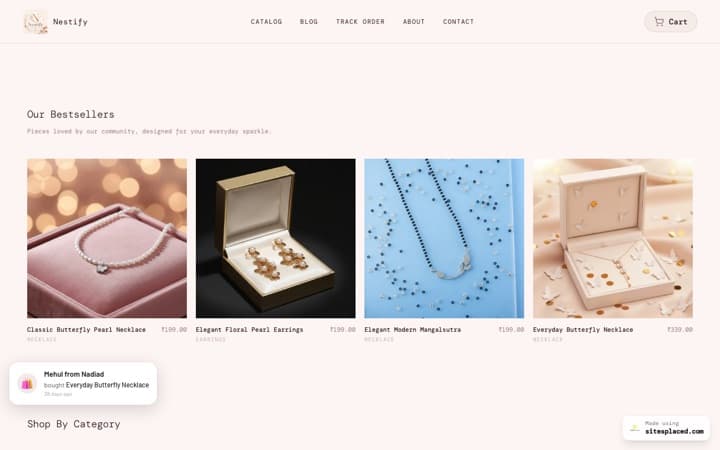
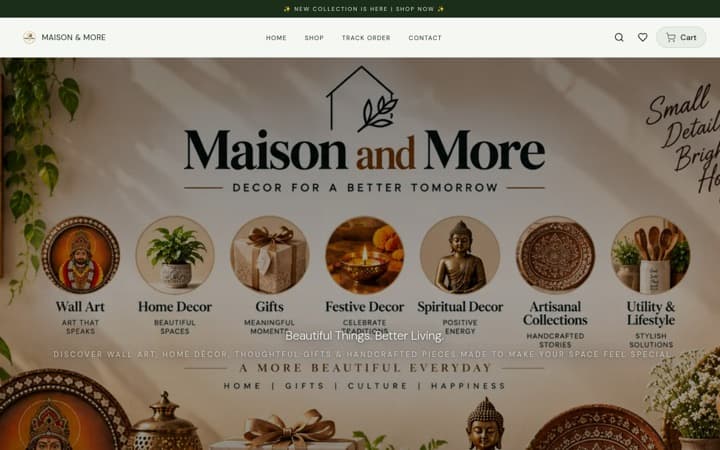
On SitesPlaced, the store is free to open, with 0% commission: unlimited products and orders, UPI and cards through your own Razorpay, PhonePe or Cashfree account, cash on delivery and WhatsApp checkout. Personalisation and paid extras are on the free plan, set per product. So are coupons with an expiry date, the announcement bar, pause ordering and product badges such as “Gift Ready”. The Gifts & Lifestyle template is one of 16 free store templates, and your store lives at an address like yourbrand.sitesplaced.site.
From Starter (₹199/month, or ₹1,990 for a year) you get your own domain, no SitesPlaced badge, and store pages that answer about 4× faster than on the free plan: about 75 ms instead of about 330 ms, measured on live paid stores on 28 September 2026. “Answer” means how soon the page starts arriving on the phone, before the photos load. You can pay ₹199 once for 30 days with no autopay, or use the code FREE7 for 7 days free when you set up autopay and cancel before the first charge. Open the store at sitesplaced.com/start. For what to make for the next gifting season, see what sells on Valentine’s Day online in India.
Frequently asked questions
How do I collect the name or photo for a personalised gift online?
Ask for it with the order, not in a chat afterwards. On a SitesPlaced store, each product has a Personalisation & extras card where you can ask the buyer to upload a photo, type a text note under a label you write (such as “Name to engrave”), and tick paid extras such as gift wrapping. The photo and the note arrive with the order in your dashboard and in the WhatsApp order message, so you never have to match a chat to a payment.
Can I ask for a name and a date in separate boxes?
Not as two boxes. There is one note box per product, and you name it, so ask for both in one line: label it “Name and date, e.g. Aarav, 12 March” and the buyer knows what to type. If the buyer must choose between fixed choices, such as a font or a colour, use product options instead; those can carry their own price and stock.
Can I charge extra for personalisation?
Yes, in three honest ways. Build the cost into the product price and say personalisation is included. List a separate personalised version at a higher price. Or add paid extras on the product, such as “Gift wrapping +₹80” or “Handwritten card +₹99”, which the buyer ticks in the cart and which are charged per item on top of the price.
Do I have to accept returns on personalised gifts?
A personalised item cannot be resold, so it is generally fair to say it cannot be returned or exchanged for a change of mind. You should still replace or refund when the item arrives damaged or when the mistake is yours, such as a wrong spelling you did not proof. Write that distinction into your policy and show it on the product page. Confirm the wording with a CA or a lawyer if you are unsure.
How long should I promise for a personalised order?
Add your making days to your courier’s delivery days and then add a day or two of slack. Put the result on the product page as “Dispatched within 3 working days” or similar, and put the order-by date for any occasion in the announcement bar at the top of your store. When you have as many orders as you can make, pause ordering with your own message rather than taking orders you cannot finish.
Does personalisation cost anything on SitesPlaced?
No. The photo upload, the text note and paid extras are on the free plan, set per product, and buyer uploads do not count against your storage. The free store itself has unlimited products and orders, 0% commission, UPI and cards through your own Razorpay, PhonePe or Cashfree account, cash on delivery and WhatsApp checkout. Starter at ₹199/month, or ₹199 once for 30 days with no autopay, adds your own domain, removes the badge and makes store pages answer about 4× faster.
Collect the name and photo with the order, free
Photo upload, a text note and paid extras on any product, plus UPI, cash on delivery and WhatsApp checkout, all at 0% commission. Message us on WhatsApp if you get stuck.