


Valentine’s week sale ideas for a small online store: 6 offers that protect the margin
A Valentine’s buyer is not hunting for the cheapest gift. They are choosing one thing for one person, under a deadline, on a phone. So the offers that work in the week of 7 to 14 February 2027 are the ones that help them choose, lift the order a little, or make the deadline real. A store-wide 20% off does none of that; it just gives away margin on orders you would have had anyway. Here are six offers that don’t, and a short list of what to leave at full price.
Why a blanket discount hurts here, as a worked example: a couple bracelet set that costs you ₹260, with a ₹40 box, ₹60 delivery and a 2% payment fee, keeps ₹423 at ₹799. Put 20% off on the whole store and it sells at ₹639, and you keep ₹266. You gave up ₹157 on every order to a buyer who had already decided. The six offers below either cost you nothing or cost you only on the extra item the buyer would not otherwise have added. Every rupee figure on this page is a worked example with round numbers.
TL;DR
- • Help them choose: a gift guide by budget, and collections for him, for her and for them. No discount at all.
- • Create a real deadline: a coupon that expires before your last courier day, and the last-order date in the announcement bar.
- • Lift the order, not cut the price: free delivery above a value, and Buy 2 Get 1 on small items (Growth).
- • Don’t discount: personalised items, your bestseller, thin-margin items, or anything below cost.
- • Five of the six are on the free plan; Buy X Get Y is on Growth.
The 6 offers at a glance
| Offer | What it does | Plan | Where to set it |
|---|---|---|---|
| 1. Gift guide by budget | Helps a buyer choose in under a minute | Free | Settings → Categories |
| 2. For him / for her / for them | Gives each shopper a shorter list | Free | Settings → Categories, then the Category Cards section |
| 3. A coupon with an expiry date | A reason to order now, that ends by itself | Free | Settings → Discounts → Coupon codes |
| 4. Free delivery above a value | Lifts the order value without cutting the price | Free | Settings → Shipping |
| 5. A last-order date in the announcement bar | The offer that actually makes people buy | Free | Settings → Branding |
| 6. Buy 2 Get 1 on small items | Turns a ₹249 order into a ₹498 one | Growth | Settings → Discounts → Offers |
1. A gift guide by budget
Most Valentine’s buyers have a number in their head before they have a product. “Something around ₹500” or “up to ₹1,500”. A gift guide by budget meets them there. It is not a discount; it is a shorter list.
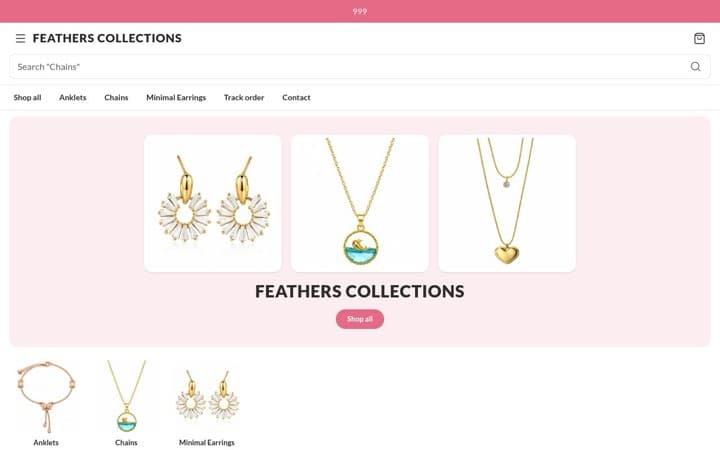
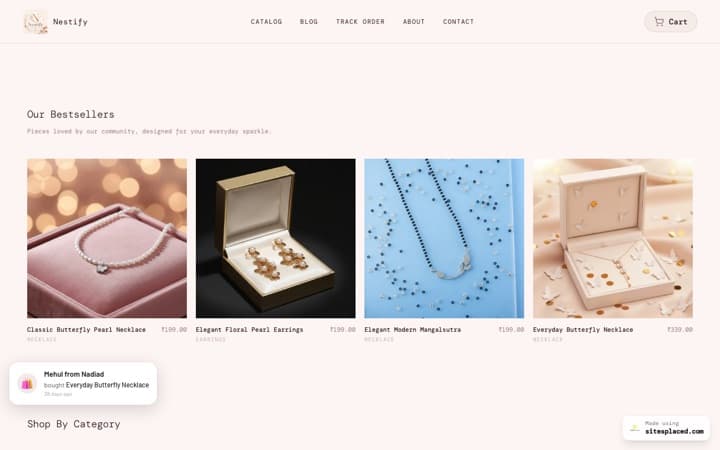
How to set it up: under Settings → Categories, add categories named Under ₹499, Under ₹999 and Under ₹1,999, then tick the right one on each product (a product can sit in more than one category). Every category gets its own page at an address made from its name, such as yourbrand.com/under-999, with only those products on it. Put the three links in your Instagram bio and a WhatsApp status each, and add the Category Cards section to your home page from the Design tab so the bands show as picture tiles. Keep the top band honest: if “Under ₹999” is full of ₹999 items, people notice.
2. For him, for her, for them
The second question a buyer has is “will they like it”, and a list sorted by who it is for answers that faster than a list sorted by product type. “For them” covers couples buying as a pair, friends, and anyone who does not want a gendered list.
How to set it up: three more categories, the same way. A bracelet can be in For him, For her and Under ₹999 at once. Each collection has its own page, which is the right link for a story or a small ad: send “for him” traffic to the “for him” page, not to your home page. If your categories run along more than one line (price band, who it is for, product type), a browse page of picture tiles gives each line a front door; it is free and there is no limit on how many you make. The templates with a Category Cards section are listed in the best gift shop website templates.
3. A coupon with an expiry date
A coupon is a code the buyer types in the cart. The useful part in Valentine’s week is not the saving; it is the expiry, which gives a reason to order today instead of Thursday, when you can no longer deliver. The expiry also ends the promotion by itself, so you never forget to switch it off.
How to set it up: under Settings → Discounts, on the Coupon codes tab, add a code such as LOVE100. Choose Fixed amount off and enter 100. Open More rules and set a Minimum order value of ₹999, so the ₹100 comes off a bigger order, and set Expires to 9 February; the code works through the end of that day and is refused after it. For a percentage coupon, set a Max discount cap so a 10% code cannot take ₹300 off a ₹2,999 hamper. The grey summary line under the coupon reads back exactly what it does; check it before you share the code.
Worked example: ₹100 off above ₹999 on an order that would otherwise have been a single ₹799 bracelet. The buyer adds a ₹249 card to reach ₹999 and pays ₹948. You lose ₹100 but gain a card that cost you ₹60, so the order keeps ₹89 more than the bracelet alone would have, and the buyer feels they won. A buyer can use one coupon per order. On Growth, the welcome popup can reveal the code to first-time visitors; on the free plan, share it in your bio and status. The discount calculator shows what a code does to your margin before you publish it.
4. Free delivery above a value
Buyers hate paying ₹80 for delivery far more than they like saving ₹80 on a product. Free delivery above a value turns that into a reason to add one more thing, and it costs you only on the orders that cross the line.
How to set it up: under Settings → Shipping, enter the amount in Free delivery above. The cart then shows a progress bar, “Add ₹200 more for free delivery”, that fills as the buyer adds items. It is on the free plan.
Worked example: set the line a little above what people usually spend with you. If most orders are around ₹650 and delivery costs you ₹80, put free delivery at ₹999. A buyer at ₹799 adds a ₹249 card to get there; you give up ₹80 of delivery and gain a card that keeps ₹134 after its own costs. Set it too low and you are simply paying everyone’s courier. How to pick the number is in how to set shipping charges for your online store.
5. The last-order date in the announcement bar
This is not a discount, and it is the offer that converts best, because the thing a Valentine’s buyer fears most is a gift that arrives on the 16th. Tell them, on every page, the last day they can order and still get it in time.
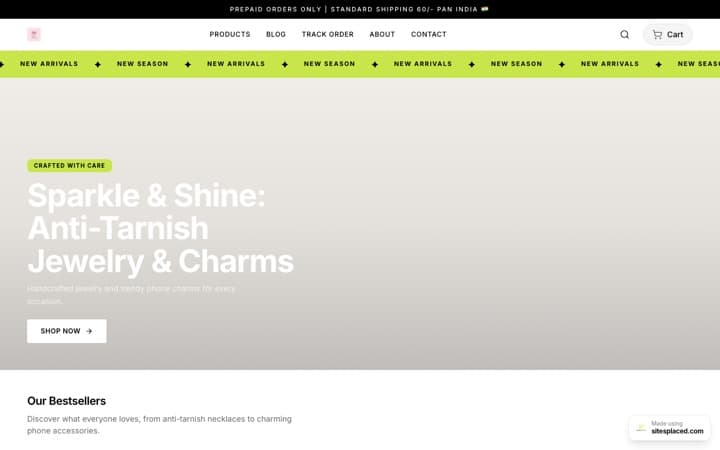
How to set it up: under Settings → Branding, write the line in Announcement bar (top of store): “Order by Tuesday 9 February for delivery before Valentine’s Day”. You can add more lines and the bar rotates through them, so a second line can carry the coupon and a third “Cash on delivery available”. Work the date out properly: Valentine’s Day is Sunday 14 February 2027, many couriers don’t deliver on Sundays, so aim to deliver by Friday or Saturday and count back your courier’s days plus one of slack. Change the line as the week goes on: “Last orders today for Valentine’s delivery” on the final day.
When the date passes, either switch the bar to “Orders placed now arrive after 14 February” or pause ordering (Settings → Checkout) with your own message. Honesty here is what earns you the second order in March.
6. Buy 2 Get 1 on small items (Growth)
Cards, soaps, scrunchies, chocolates, candles, keychains: anything under ₹300 that people happily buy three of. A Buy 2 Get 1 offer applies by itself in the cart, with no code, and shows as a badge on the eligible products. It is the right tool for the low-priced items whose delivery cost otherwise eats the margin.
How to set it up: under Settings → Discounts → Offers, add an offer, set Buy quantity to 2 and Get free to 1, and under Applies to choose the category, say Cards. Under Free item comes from, Same products (cheapest free) keeps it simple; A different category lets you do “buy 2 chocolates, get a card free”. The cheapest eligible item in each group of three is made free at checkout. Buy X Get Y is one of the sales boosters on Growth (₹499/month, or ₹4,990 once for a year).
Worked example: one ₹249 card costs you ₹60 to make, ₹20 to pack, ₹50 to send and ₹5 in fees; you keep ₹114. Three cards under Buy 2 Get 1 bring in ₹498 for ₹180 of cards, ₹20 of packing, ₹60 of delivery and ₹10 in fees; you keep ₹228, twice as much, from one parcel. More of this maths is in how to increase average order value.
What not to discount
- Personalised items. They are made to order, so there is no leftover stock to clear, and nobody chooses an engraved name because it was 15% off. Keep them at full price and sell the gift wrap as a paid extra instead.
- Your bestseller. If it sells out every season, a discount only moves the same sale to a lower price. Discount the second item, not the hero.
- Anything already thin. Work out what one order keeps after the product, packing, delivery and the payment fee. If a plant keeps ₹121 at ₹399, a 20% coupon leaves ₹41. The profit margin calculator does the sum.
- Nothing below cost, ever, and nothing early in the week. People pay full price in the last three days before a date. What is left on 15 February can be marked down with a sale price (set Original price above Price and the old price shows struck through).
- Don’t stack by accident. If a product has a sale price and a coupon applies, the coupon’s Sale items rule decides whether the two combine. Set it on purpose, or exclude sale items.
If you are still deciding what to stock for the week, start with what sells on Valentine’s Day online in India. The same thinking for a bigger season is in Diwali sale ideas for a small business.
Where all of this lives
Every offer on this page is a setting on your own store, and five of the six are on SitesPlaced’s free plan: categories with their own pages, coupons with an expiry date, the free-delivery progress bar, the announcement bar and pause ordering. The free store also has unlimited products and orders, 0% commission, UPI and cards through your own Razorpay, PhonePe or Cashfree account, cash on delivery and WhatsApp checkout, and it lives at an address like yourbrand.sitesplaced.site.
From Starter (₹199/month, or ₹1,990 for a year) you get your own domain, no SitesPlaced badge, and store pages that answer about 4× faster than on the free plan: about 75 ms instead of about 330 ms, measured on live paid stores on 28 September 2026. “Answer” means how soon the page starts arriving on the phone, before the photos load, which matters when someone taps a story link at 11 pm on 12 February. Growth (₹499/month) adds Buy X Get Y, the welcome popup, the slide-out cart with upsells and product reviews. You can pay ₹199 or ₹499 once for 30 days with no autopay, or use the code FREE7 for 7 days free when you set up autopay and cancel before the first charge. Start at sitesplaced.com/start.
Frequently asked questions
Should a small store run a Valentine’s Day sale at all?
Run offers, not a blanket sale. A Valentine’s buyer is choosing a gift for one person under a deadline, not comparing prices across ten stores, so a store-wide 20% off mostly gives away margin on orders you would have had anyway. Offers that help the buyer decide (a gift guide by budget, collections for him and for her), lift the order value (free delivery above a value, Buy 2 Get 1) or create a real deadline (an expiring coupon, a last-order date) do the work without cutting the price of your best products.
When should a Valentine’s coupon expire?
Before your last order date, not on Valentine’s Day itself. Valentine’s Day is Sunday 14 February 2027 and most couriers need a few days, so an expiry around 9 or 10 February pushes people to order while you can still deliver. On SitesPlaced the Expires field on a coupon works through the end of that date, after which the code is refused with a clear message, so the promotion ends without you doing anything.
How do I set up a gift guide by budget on my store?
Create categories named by price band, such as Under ₹499, Under ₹999 and Under ₹1,999, under Settings → Categories, and tick the right one on each product. Each category gets its own page at an address made from its name, such as yourbrand.com/under-999, and you can show them as picture tiles on your home page with the Category Cards section. Share each page’s link in your Instagram stories and WhatsApp status.
What should I not discount for Valentine’s week?
Personalised items, because they are made to order and demand for them is not driven by price. Your bestseller, if it sells out anyway. Anything where the margin after packing, delivery and the payment fee is already thin. And nothing below cost, ever. Discount the add-on, the second item or the delivery, and leave the hero product at full price until 15 February, when what is left can be marked down.
Is Buy 2 Get 1 free on SitesPlaced?
Buy X Get Y offers are part of the sales boosters on the Growth plan, ₹499/month or ₹4,990 once for a year. Coupons, sale prices, the free-delivery progress bar, categories and the announcement bar are all on the free plan, so five of the six offers in this post cost nothing.
Can a buyer use a coupon and a Buy 2 Get 1 offer together?
Yes. A buyer can apply one coupon per order, and automatic offers still apply on top; the coupon is worked out after the offer discount. If a product also has a sale price, the coupon’s Sale items rule decides whether it stacks on the markdown, is calculated on the original price, or skips sale items entirely. Check the grey summary line under each coupon before you share the code.
Set up your Valentine’s offers today, free
Categories with their own pages, coupons with an expiry, the free-delivery bar and the announcement bar are all on the free plan, at 0% commission. Message us on WhatsApp if you get stuck.