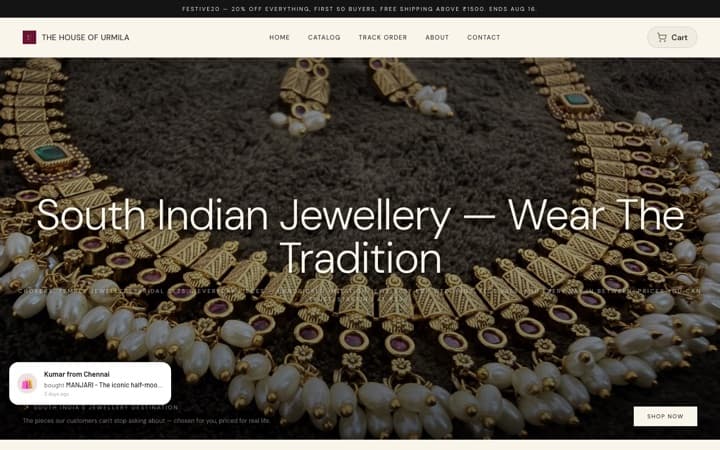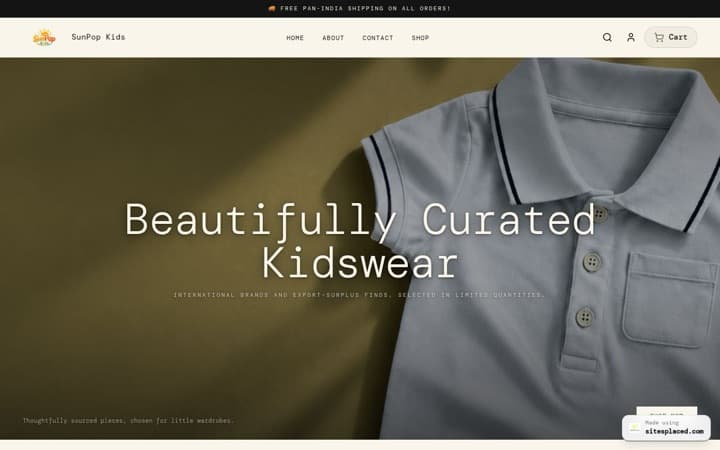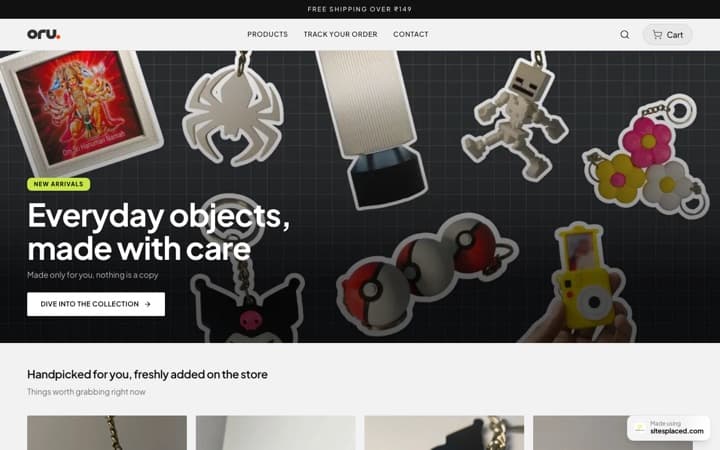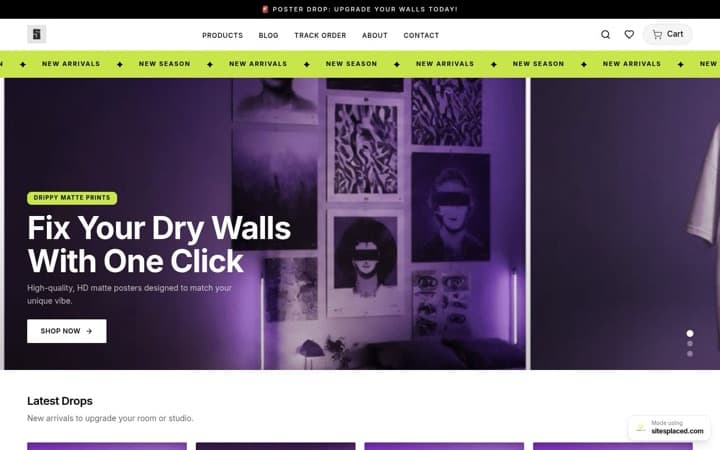
AI ad creatives for a small Indian store: offer posters, story ads and price reveals in minutes.
A Meta ad or a WhatsApp status is only as good as the image in it. Most small stores have one decent phone photo per product and no designer, so the same photo goes out for every offer, every festival and every launch. The creative studio inside SitesPlaced AI Co-founder turns that one photo into offer posters, price reveals, story covers and festival banners, with your exact headline, offer and call to action rendered on the image, in the size each placement wants. This guide covers which style to pick, what to type, what it costs in credits and rupees, and how to test three hooks without wasting ad budget.
Why the image decides whether the ad works
On a phone, the image is the first thing a buyer sees and often the only thing. Meta cuts the primary text after a line or two. A WhatsApp status has no text at all, only the picture. So the picture has to carry the whole message: what the product is, what the offer is, and what to do next. A plain product photo carries the first part and nothing else.
The second problem is volume. Audiences tire of a creative that keeps showing up, and Meta's own guidance is to refresh creatives when frequency climbs. A designer charges per creative and takes a day; doing it yourself in a design app takes twenty minutes each if you are practised. Either way, a small store ends up running one image for weeks because making the second one is a chore.
The creative studio changes the cost of the second image. You pick a style, pick a product, type the headline, the offer and the call to action, choose a size and a quality, and press Generate. The product in your photo stays exactly as it is; only the scene, the surface, the light and the text around it change. A standard creative costs 12 credits, which is about ₹12.
The six ad and festive styles
The studio has twelve styles in four groups. Six are product photos (Studio packshot, Lifestyle scene, Hand-held (UGC style), Flat lay, Premium editorial, Food hero), covered in AI product photos for a small business. The other six are the ones built for ads and festivals, and they are the ones that render your text on the image.
| Style | Default size | Default quality | Text you type | Use it for |
|---|---|---|---|---|
| Offer poster | 4:5 portrait | Standard · 12 credits | Headline, offer, CTA | Meta feed ads and WhatsApp status. The workhorse: product in the lower two-thirds, headline on top, CTA pill at the bottom, brand name in a corner. |
| Price reveal | 1:1 square | Standard · 12 credits | Offer (the price), CTA | When the price is the hook. Product centred on a clean solid background with a large price tag and a small CTA line. Converts on WhatsApp and Instagram. |
| Launch announcement | 4:5 portrait | Premium · 25 credits | Headline, CTA | New arrivals. Bold condensed headline on top, product spotlit against a dark textured background, thin CTA line at the bottom. |
| Story / Reel cover | 9:16 story | Standard · 12 credits | Headline, offer, CTA | Instagram Stories, Reels covers, WhatsApp status. Safe margins top and bottom, text large enough to read on a phone. |
| Diwali gifting | 4:5 portrait | Premium · 25 credits | Headline, offer | Diwali posts and ads. Lit clay diyas, marigold petals, fairy-light bokeh, warm gold and maroon. Festive but not cluttered. |
| Festival sale banner | 16:9 wide | Standard · 12 credits | Headline, offer, festival name in the details box | Any other festival: Eid, Raksha Bandhan, Navratri, Christmas. Product on the right third, headline and offer on the left. Website banner or WhatsApp. |
Defaults only. You can change the size and the quality on every style before you press Generate, and the credit price updates next to the button.
Every one of these carries the same instruction to the model: use the attached photo as the exact product and keep its shape, colour, label, pattern and proportions identical. Only the scene changes. That instruction is the reason the studio asks you to pick a product rather than describe one: the product's cover photo becomes the reference.
What to type: headline, offer and call to action
The three text boxes are not prompts. What you type is rendered on the image exactly as written, spelling, capitals and rupee sign included, and the model is told to render it crisp and legible and to put no other words on the image. So write like a poster, not like a caption.
- Headline: three to six words that name the product or the moment. "Handloom cotton sarees", "Fresh mango pickle is back", "Gift boxes for Rakhi". Not "Check out our amazing new collection now!!" Long headlines become small text, and small text is unreadable in a feed.
- Offer: the number, and only one number. "Flat 20% off", "₹499", "Buy 2 get 1 free", "Free shipping above ₹999". The offer goes into a bold accent badge on the poster styles and into the big price tag on Price reveal. Type the rupee sign as ₹, not Rs.
- CTA: what the thumb does next. "Order on WhatsApp", "Tap to shop", "Shop the sale". Match it to where the ad actually sends people: a WhatsApp CTA on an ad that lands on your store page confuses the buyer.
- Details box (Festival sale banner, and the product styles): the festival name or the setting. "Eid gifting", "Navratri sale", "on a marble table". Two or three words is enough.
Leave a box empty and the studio fills it sensibly
No headline on an Offer poster becomes "[product] by [your store]". No CTA on a Price reveal becomes "Order on WhatsApp". No headline on a Launch announcement becomes "NEW ARRIVAL". Type your own if you want anything else; the defaults are there so a half-filled form still produces a usable image.
If you set a brand colour in the store, the studio uses it sparingly as the accent: the badge, the tint behind a price reveal, the glow behind a launch. Your store name goes small in a corner on the poster and banner styles, so the creative reads as yours even when it is forwarded.
Sizes: one creative per placement
The studio offers five sizes. Three of them cover almost every ad and WhatsApp use; the other two are for the website and the product page.
| Placement | Size | Why |
|---|---|---|
| Meta and Instagram feed ad | 4:5 (Portrait) | Takes the most screen on a phone feed. Meta supports 4:5 in feed placements, and a 4:5 image is noticeably larger on screen than the same creative cropped to square. |
| Instagram Story, Reel cover, WhatsApp status | 9:16 (Story) | Full screen. The Story style keeps safe margins at the top and bottom, where Instagram overlays the profile name and the reply bar. |
| WhatsApp broadcast message, product card, square feed post | 1:1 (Square) | Shows fully in a chat preview without cropping. Price reveal defaults to this for that reason. |
| Website hero banner, YouTube | 16:9 (Wide) | The festival banner default. Wide enough for the headline on the left and the product on the right. |
| Product detail page | 3:4 (Tall) | Matches the gallery ratio most store templates use, so an attached image sits neatly next to the originals. |
Make the 4:5 and the 9:16 version of the same offer. Meta lets you assign a different image per placement inside one ad, so the feed gets the portrait and Stories get the tall one. Using one square image everywhere means a smaller ad in feed and black bars in Stories, and it looks like exactly what it is.
For WhatsApp, use 9:16 for a status and 1:1 for a broadcast message. A 9:16 image in a chat opens as a tall preview the buyer has to scroll; a square one is seen whole.
Quality tiers, credits and models
Every creative has a quality tier, and the tier is what you pay for. One credit is ₹1 of face value, whether it came from the 1,500 included in the plan each month or from a top-up pack, so the credit column below is also the rupee column.
| Tier | Credits | ≈ Rupees | Model | When to use it |
|---|---|---|---|---|
| Draft | 2 | ₹2 | GPT Image 2, low | Trying a style or a layout before spending on a real one. Not for posting. |
| Standard | 12 | ₹12 | GPT Image 2 | Social posts, WhatsApp, product cards. Most ad creatives. |
| Premium (2K) | 25 | ₹25 | Gemini 3 Pro Image | Hero shots, ads and banners where you want the sharper 2K file. The default for Launch announcement and Diwali gifting. |
| Ultra | 45 | ₹45 | GPT Image 2, high | The best text-in-image rendering and realism, or 4K. The tier for text-heavy creatives. |
Models are chosen for quality per rupee, with automatic fallbacks (Seedream and Nano Banana 2) if a provider is slow or down. The model actually used is recorded on every generation.
The rule of thumb for ads: Standard for the feed, story and WhatsApp versions you make in bulk; Premium for the one hero creative you will put most of the budget behind; Ultra when the image carries a lot of text, because text rendering is where cheaper tiers slip; Draft when you are not sure which style suits the product and want to see four directions for 8 credits.
The price is shown next to the Generate button before you press it, the balance updates the moment the image lands, and a generation that fails is refunded automatically. The full credit table and three example months are in AI credits explained.
A testing plan: 3 hooks × 2 formats
Do not make one creative and hope. Make six: three hooks (the reason someone stops scrolling) in two formats (feed 4:5 and story 9:16). Run them for three or four days, switch off the ones nobody clicks, and put the budget behind the winner. This is the plan the campaign planner writes for you; the studio is where you render it.
- Pick three hooks. One price hook ("₹499, free shipping"), one benefit hook ("Pure cotton, no itch"), one occasion hook ("Diwali gift box, ships in 2 days"). Each must be true of the product as sold. The campaign planner proposes five hook angles from your real best-sellers for 5 credits if you would rather not start from a blank page.
- Draft first. Render each hook once as a Draft on the Offer poster style: 3 × 2 credits = 6 credits. This is for the layout and the mood, not for posting. Adjust the headline wording if it wraps badly.
- Render the six. Offer poster at 4:5 and Story / Reel cover at 9:16 for each hook, at Standard: 6 × 12 = 72 credits, about ₹72. If one is the hero you expect to scale, render that one again at Premium for 25 more.
- Set them up in Ads Manager. One campaign, one ad set, three ads. In each ad, assign the 4:5 image to feed placements and the 9:16 to Stories and Reels. The walk-through is in how to run your first Instagram ad for your store.
- Read the numbers after three days. Click-through rate tells you which hook stops people; cost per checkout tells you which one sells. Ledger, the co-founder agent, reads the visits and orders your store actually recorded and reports only what it read. Kill the two losers, move the budget to the winner, and render two fresh variations of the winning hook for the following week.
Meta Pixel and Conversions API first
Cost per checkout only exists if Meta can see checkouts. Connect the Pixel and Conversions API from the Retargeting kit in the AI Co-founder tab (the checklist is there) before you spend on the test. The guide: Meta Conversions API for small online stores.
Honesty rules
AI images are cheap to make and easy to over-trust. Five rules keep you out of trouble with buyers, with Meta's ad review and with the ASCI guidelines that apply to advertising in India.
- The product stays identical, and you check. Every style instructs the model to keep the shape, colour, label, pattern and proportions of your photo and change only the scene. That is an instruction, not a guarantee. Look at every image before it goes anywhere. If a label reads wrong or a stitch moved, regenerate. A generation that errors out is refunded; an image you approve with a wrong product in it is your ad.
- No invented claims. The studio's prompts forbid fake logos and certification marks in the image; you must do the same in the text. No "100% organic" without a certificate, no "doctor recommended", no struck-through MRP that never existed.
- The price on the image is the price at checkout. If the poster says ₹499, the product page must say ₹499. Meta compares ads to their landing pages, and buyers screenshot.
- No real people. No celebrity likeness, and no face at all in the hand-held UGC style. A creative that looks like a testimonial from a person who does not exist is a fake testimonial.
- Read every word. Text rendering in image models has improved a great deal but still slips on long strings. Keep text short, use Ultra for text-heavy creatives, and read the image the way a buyer would before you post it.
What a creative costs in rupees
SitesPlaced AI Co-founder is ₹1,499 a month and includes 1,500 credits, plus everything in the ₹499 Growth plan. Top-up packs are 500 credits for ₹499, 1,000 for ₹999 and 2,500 for ₹2,499, and top-ups never expire while you are subscribed. Because a credit is ₹1 at face value, the arithmetic is simple.
| Job | Credits | ≈ Rupees |
|---|---|---|
| One standard offer poster | 12 | ₹12 |
| Feed + story pair of the same offer, standard | 24 | ₹24 |
| The 3 × 2 test above, standard, including three drafts | 78 | ₹78 |
| The same six at premium | 150 | ₹150 |
| A Diwali set: 6 premium gifting creatives + 6 standard story covers | 222 | ₹222 |
| A busy month: 40 standard + 10 premium + 4 ultra creatives | 910 | ₹910 |
The busy month leaves 590 credits of the monthly 1,500 for agent messages (1 each), product copy (1 each), campaign plans (5) and an SEO audit (5).
The point is not that an AI creative is cheaper than a designer per image. It is that the second, third and sixth creative cost ₹12 each, so you can afford to test six and let the numbers choose, instead of committing the whole budget to the one image you had.
Doing it in the dashboard (3 minutes)
- Open your store dashboard → AI Co-founder → Creative studio.
- Choose the Ad creatives or Festive group, then a style. The card shows its default size and tier.
- Pick the product. Its cover photo is the reference; if the product has no photo yet, the studio warns you and renders from the name and description, which is less faithful. Add a phone photo first.
- Type the headline, offer and CTA exactly as you want them on the image.
- Choose the size and the quality. The credit price sits next to the button.
- Press Generate. Download the result, or press Add to gallery or Set as cover to attach it to the product on the live store.
Any SitesPlaced store owner can subscribe from the pricing page or from the AI Co-founder tab in the dashboard; the upgrade pays in place, through Razorpay in India and Dodo elsewhere. Growth plan sellers who upgrade keep everything they have.
FAQs
Does the creative studio change my product in the image?
It is instructed not to. Every style tells the model to use your photo as the exact product and keep its shape, colour, label, pattern and proportions identical, changing only the scene, surface, lighting and camera. Treat that as a strong instruction rather than a guarantee: check every image before you post it, and regenerate if anything on the product looks different.
Can I use these images in Meta ads and on WhatsApp?
Yes. They are generated for your store from your own product photo, with no watermark, at the size each placement wants. The usual rules still apply: the price and any claim on the image must match your store, and Meta reviews ads against the page they land on.
Which size should I use for a WhatsApp status and a WhatsApp message?
9:16 (Story) for a status, the same file you would use for an Instagram Story. 1:1 (Square) for an image sent in a chat or a broadcast, because a square preview shows whole without scrolling. The Price reveal style defaults to square for that reason.
What if the text on the image is misspelled?
Regenerate, and keep the text short. A generation that fails outright is refunded automatically; one that completes with a spelling slip is charged, which is why short headlines and single-number offers matter. For text-heavy creatives, use the Ultra tier, which has the best text rendering.
How many credits does the plan include, and what happens when I run out?
1,500 credits arrive with every paid month of SitesPlaced AI Co-founder (₹1,499/month). A standard creative is 12, premium 25, ultra 45, draft 2. When the balance is short, the button tells you and offers a top-up: 500 credits for ₹499, 1,000 for ₹999 or 2,500 for ₹2,499. Top-ups never expire while you are subscribed.
Do I need a product photo to start?
It works best with one. The studio uses the product's cover photo as the reference, which is how the product stays identical across creatives. Without a photo it renders from the product name and description, and the result is a plausible product rather than your product. A plain phone photo on a table is enough.
Make six creatives before lunch.
SitesPlaced AI Co-founder is ₹1,499 a month with 1,500 credits, the creative studio, the campaign planner, four agents and everything in the Growth plan. Every price is shown before you press the button, and failed generations are refunded.
See the AI Co-founder →