


What features does a beginner’s online store need? Five things — and a list you can ignore
Every platform’s comparison table lists forty features. But real beginner stores are tiny — the median store on our platform carries six products. Here’s the honest minimum your store needs to take orders, and the features that only slow you down right now.
A beginner’s online store needs five features: product pages with good photos and clear prices, a checkout that works on a phone, payment options your buyers already trust (UPI, COD and cards in India), instant order notifications, and a link you can share anywhere. Everything else — abandoned-cart emails, multi-currency, app marketplaces — can wait until you have steady orders. Our own data backs the small approach: across 226 published stores we analyzed, the median stocked store carries just 6 products.
TL;DR
- • Must have: product pages with real photos · mobile checkout · trusted payment options · order notifications · a shareable link.
- • Skip for now: abandoned-cart automation, multi-currency, plugins, loyalty programs, deep analytics.
- • Why small wins: ~96% of stocked stores in our data carry 15 or fewer products — you’re running a stall, not a mall.
- • Cost: all five essentials are free on SitesPlaced; you pay only for a custom domain and badge removal.
The five features that actually matter
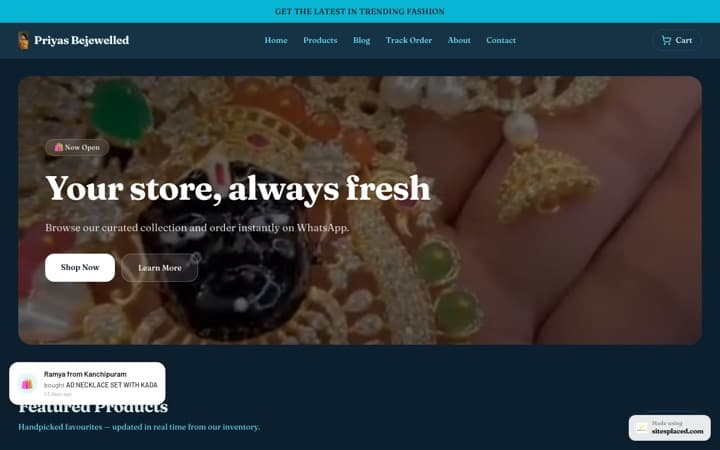
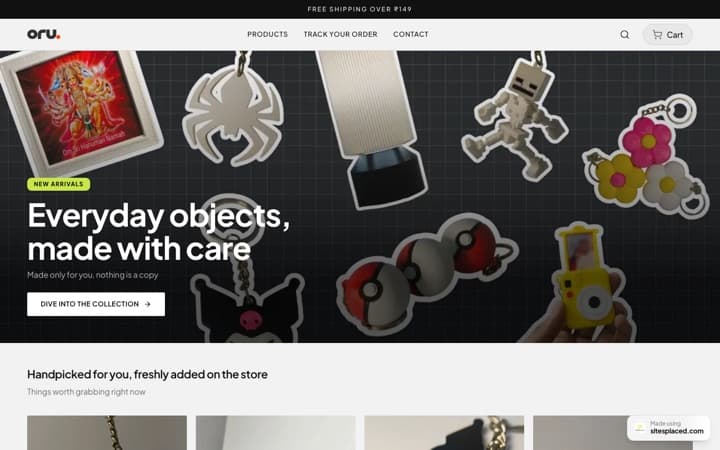
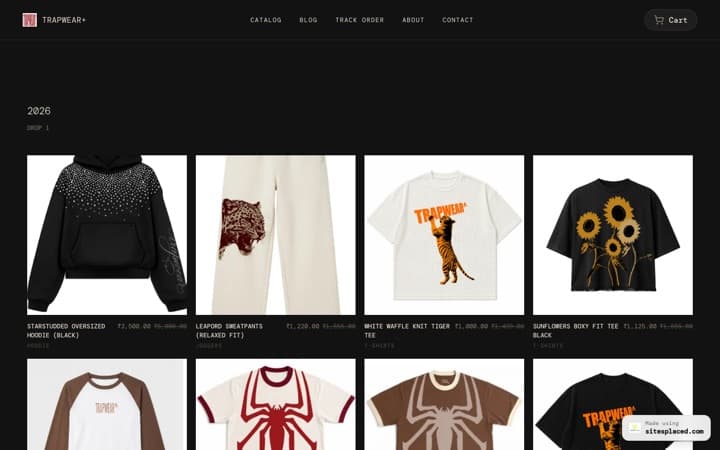
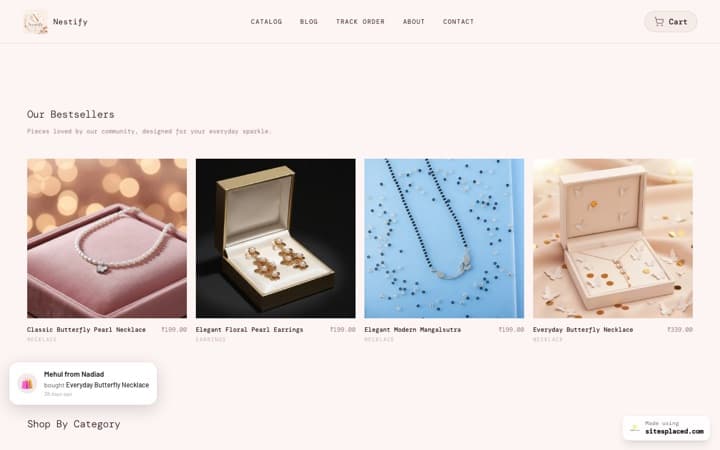
- 1. Product pages with good photos and honest prices. This is 80% of the store. A sharp photo on a clean background, a two-line description, and a price with no surprises outsells any widget. If a product has a sale price, show both — a third of the products in our data use one.
- 2. A checkout that works on a phone.Your buyers arrive from Instagram, WhatsApp and shared links — on phones. The address form should be short (name, phone, address, pincode) and payable in a few taps. If checkout needs pinch-zooming, you’re losing orders you’ll never see.
- 3. Payment options buyers already trust. A first-time buyer on an unknown store pays with what feels safe: UPI and Cash on Delivery in India, cards internationally, or simply finishing the order over WhatsApp. How the money actually moves is its own topic — we’ve broken it down in how online checkout works for small businesses.
- 4. Instant order notifications. You should know about an order within seconds — on WhatsApp or email — and the buyer should get a confirmation. Slow acknowledgement is how first orders become last orders.
- 5. A link you can share anywhere. In the beginning your store is a link: in your bio, in DMs, on WhatsApp status. A free yourname.sitesplaced.com address works from day one; a custom domain (part of the Starter plan at ₹199/month) is a nice upgrade, not a launch requirement.
The features you don’t need yet
None of these are bad — they’re just tools for a later stage, and configuring them now costs the time you should spend photographing products and sharing your link.
- Abandoned-cart email sequences. Automation needs volume. With a handful of orders a week, a personal WhatsApp message recovers more carts than any drip campaign. Revisit when follow-up stops being possible by hand.
- Multi-currency and international shipping. Sell in one currency to one audience first. The day a real international order request lands is the day this becomes worth solving.
- App and plugin marketplaces. On some platforms, invoices, reviews and pop-ups are each a paid app. Every app is a monthly fee and a new failure point. A beginner is better served by a builder where the basics are built in.
- Loyalty points, gift cards, subscriptions. These are retention tools. You need first-time customers before you need machinery for repeat ones.
- Heavy analytics dashboards. Early on, two numbers matter: visits and orders. Deep funnels and cohorts are noise until there’s traffic to analyze.
Why the smallest feature set wins (the data)
When we analyzed the stores on our own platform, the picture was consistent: the median stocked store carries 6 products, and roughly 96% carry 15 or fewer. These are stalls, not malls — and a stall doesn’t need enterprise features, it needs a fast path from photo to shareable product page.
The same data holds a warning: 40% of published stores never add a single product. The riskiest thing a beginner can do is spend launch week fiddling with settings instead of stocking. Feature bloat isn’t just unnecessary — it’s where momentum goes to die. If you want the store itself handled so you can focus on products, a small-business online store builder with the five essentials built in is the shortest route.
Features vs. essentials: two different checklists
This post covers what your store needs. What you need — a product, a payment method, a way to deliver — is a separate, even shorter list, covered in what you need to start selling online. And if you’re still deciding where to sell at all, start with the easiest way to start selling online and marketplace vs. your own website.
Frequently asked questions
What features does a beginner's online store actually need?
Five things: product pages with good photos and clear prices, a checkout that works well on a phone, payment options your buyers already trust (in India that means UPI, COD and cards; internationally, cards), instant order notifications on WhatsApp or email, and a link you can share anywhere. Real beginner stores are small — the median store on SitesPlaced carries 6 products — so a short, solid feature set beats a long half-configured one.
Do I need abandoned-cart emails when I'm starting out?
Not yet. Abandoned-cart automation pays off when you have a steady stream of visitors abandoning carts — dozens a week, not two a month. In your first months you know every order personally, so a friendly WhatsApp follow-up does the same job better. Add automation once volume makes personal follow-up impossible.
Does a small store need multi-currency or international shipping?
No. Sell in your own currency to your own audience first. Multi-currency, customs paperwork and international couriers add real complexity, and the first international request is the right trigger to figure them out — not a checkbox to configure on day one.
Should I install apps and plugins on my first store?
Avoid it if you can. On app-marketplace platforms, each plugin adds a monthly fee, another login, and another thing that can break your checkout. A beginner's store should get invoices, coupons, inventory and order notifications built in — SitesPlaced includes them on the free store — so the honest answer is: pick a builder where the basics aren't apps.
What payment options should a beginner's store offer?
Offer what your buyers already use, not what looks professional. In India that means UPI and Cash on Delivery first, cards second, and the option to close an order over WhatsApp. Internationally, card checkout is the default. Trust in the payment method is what converts a first-time buyer from an unknown store.
Get the five essentials in one sitting
Product pages, mobile checkout, trusted payments, order alerts and a shareable link — all built in, free to publish, 0% commission. Upgrade to ₹199/month (Starter) only when you want your own domain and the badge gone.