

What do I need to start selling online today? Four things — and you can start for ₹0
You don't need a company, a developer, or a big budget to make your first sale. You need a product, a place to sell it, a way to get paid, and a way to deliver. Here's the honest checklist, the real 2026 costs, and the fastest free way to go live today.
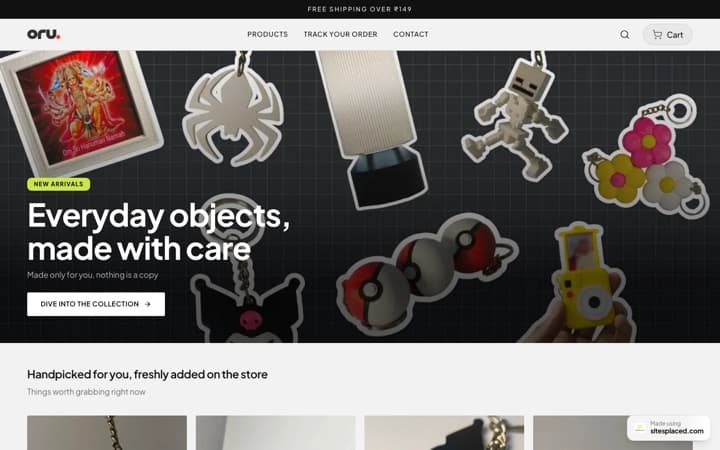
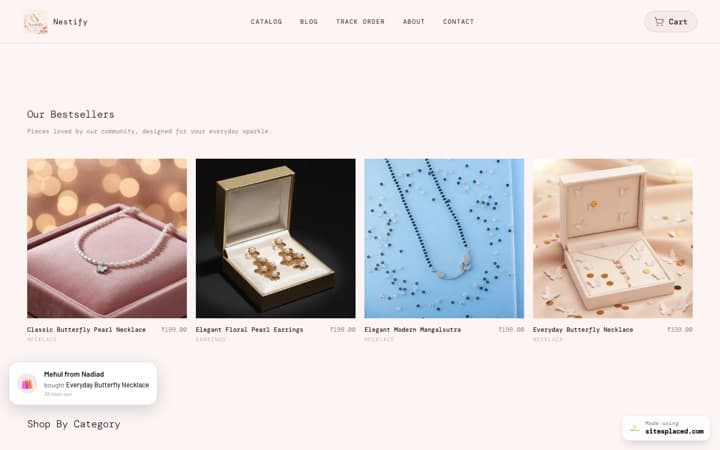
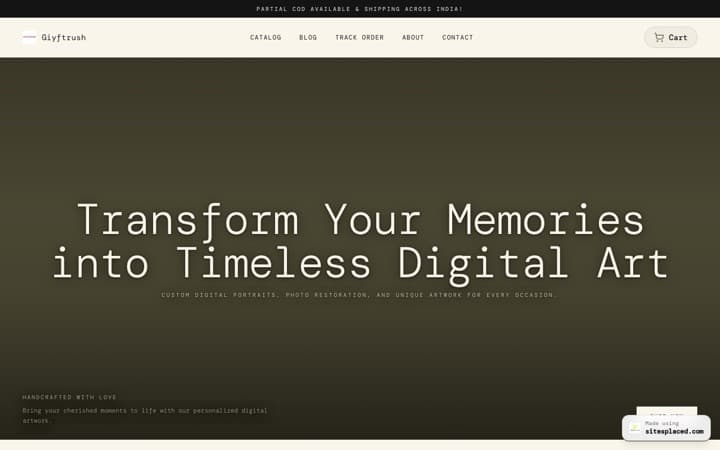
You need exactly four things to start selling online: a product, a storefront, a payment method, and a delivery method. Everything else — a custom domain, GST, a registered company, a developer — is optional and can wait until you're actually making money. With SitesPlaced you can build and publish a real store for free today, with COD, UPI and WhatsApp checkout at 0% commission. No code, no hosting, no one to hire.
TL;DR
- • The 4 essentials: something to sell · a storefront · a payment method · a way to deliver.
- • Minimum cost: ₹0 — build and publish a free SitesPlaced store with unlimited products and 0% commission.
- • Optional now, useful later: custom domain, online card payments, GST, a person to manage it.
- • When to pay or hire: only for complex custom web apps — a normal product store needs no developer.
- • Time to go live: same day, usually within an hour or two.
The honest checklist: what you really need
Forget the long “50 things to do before launch” lists. To take a real order, you need four things — and a handful of “nice to have” extras you can add once sales start.
- 1. A product (or service). Physical goods, handmade items, digital downloads, or a bookable service. Have at least one ready with a price and a clear photo.
- 2. A storefront. A page where people can see, choose and order. A no-code small-business store builder gives you this in minutes — no hosting, no code, no developer.
- 3. A way to get paid. On day one this can be COD, UPI, or closing the order on WhatsApp. Automated card/UPI checkout via Razorpay is built into the free SitesPlaced store too.
- 4. A way to deliver. Hand it over, do local pickup, or ship it. Couriers like Shiprocket plug in when you're ready to scale.
Optional, not required to start: a registered company, GST (only once you cross the threshold or sell on certain marketplaces), a custom domain, a logo, or a marketing budget. None of these block your first sale.
What each route actually costs in 2026
Here's where the “I need to start selling” question usually gets expensive. The same store can cost ₹0 or ₹5 lakh depending on the path you pick. Honestly: a freelancer or agency is worth it for complex, custom web apps — but for a normal product catalog and checkout, a no-code builder — see our ranking of the best ecommerce website builder for India — does the job for a fraction of the cost.
| Route | Cost | Domain | Sale fees | Notes |
|---|---|---|---|---|
| SitesPlaced (free) | ₹0 — build + publish free | yourname.sitesplaced.com | 0% | COD, UPI, WhatsApp & Razorpay cards/UPI, unlimited products |
| SitesPlaced (Growth) | ₹499/mo ($14.99) | Your own custom domain | 0% | Badge removed, AI copy, Shiprocket, setup person |
| Shopify | From ~$29/mo (₹2,400+) | Paid add-on | Up to ~2% external | Apps often add monthly cost |
| WordPress + WooCommerce | Software free; ₹3k–₹10k+/yr hosting | Paid (~₹800/yr) | Gateway % | You manage hosting, plugins, updates |
| Freelancer / Fiverr build | ~₹5k–₹50k+ ($50–$1,000+) one-time | Usually extra | Gateway % | Plus ongoing maintenance |
| Agency / custom build | ~₹30k–₹5L+ ($1k–$10k+) | Usually extra | Gateway % | Best for complex custom web apps |
Figures are approximate, entry-tier and region/2026-dependent — always confirm current pricing on each provider's site. WordPress software is free and open-source, but you pay for hosting, a domain and often a theme or plugins. Payment-gateway fees apply separately on most routes. SitesPlaced figures are the published rate.
The fastest free way to go live today
If you just want to start today without spending or hiring, here's the shortest path with SitesPlaced — and yes, this version is genuinely free to publish, not a 14-day trial.
- 1. Pick a template. Choose a store layout — they're company-grade out of the box, no design skills needed.
- 2. Add your products. Photos, prices, descriptions. Unlimited products, even on the free plan.
- 3. Switch on checkout. Turn on COD, UPI and WhatsApp checkout — 0% commission, money goes to you.
- 4. Publish. Go live on a free yourname.sitesplaced.com address and start sharing the link.
The free plan includes unlimited orders, online card/UPI payments via Razorpay, inventory, coupons and offers, PDF invoices, and order/lead emails. It shows a small SitesPlaced badge and gives you 500 MB storage (no AI). When you're ready to grow — your own custom domain, badge removed, AI product copy, up to 500 products, order tracking, abandoned-checkout recovery with Shiprocket 1-click checkout, Shiprocket shipping, and a dedicated person who sets it all up for you — the Growth plan is ₹499/month ($14.99). Selling a personal or portfolio site instead of products? The Starter plan is ₹199/month ($7.99), and students publish for free.
When paying or hiring actually makes sense
Being honest: a no-code store isn't the answer to everything. If you need a genuinely custom web app — complex logic, deep third-party integrations, a marketplace with many vendors, or a bespoke product configurator — hiring a developer or agency is the right call, and budgets of ₹30k–₹5L+ ($1k–$10k+) are normal there. A freelancer (~₹5k–₹50k+) can suit a one-off custom build, and a virtual assistant (~₹150–₹600/hr in India, or a monthly retainer) can run your store day-to-day once orders pick up. But for the vast majority of small businesses and sellers just starting out — a product catalog, checkout and shipping — none of that is necessary. You can do it yourself for free today, and bring in help only when the business earns it.
Frequently asked questions
What do I actually need to start selling online today?
Four things: a product to sell, a place to sell it (an online store or storefront), a way to take payment (UPI, COD, cards or WhatsApp), and a way to deliver (shipping or pickup). That's it. You do not strictly need a registered company, a custom domain, GST, or a developer to make your first sale. With SitesPlaced you can build and publish a real store for free today on a yourname.sitesplaced.com address, with COD, UPI and WhatsApp checkout at 0% commission.
How much does it cost to start selling online in 2026?
It can be ₹0. SitesPlaced lets you build and publish an online store for free — unlimited products and orders, COD/UPI/WhatsApp checkout, online card/UPI payments via Razorpay, inventory and PDF invoices, all at 0% commission. If you want your own domain, badge removal, AI product copy and a person to set it up, the Starter plan is ₹199/month ($7.99). Other routes cost more: Shopify is roughly $29+/month, a freelancer build is roughly ₹5k–₹50k+, and a custom agency build can run ₹30k–₹5L+ — all approximate and 2026-dependent.
Do I need a developer or a company registration to sell online?
No, not to start. A no-code builder like SitesPlaced means you do not need to hire a developer for a normal small-business store. You can sell as an individual before registering a company, and GST registration is only required once you cross the turnover threshold or sell on certain marketplaces. Hiring a developer genuinely makes sense only for complex, custom web apps — not for a standard product catalog and checkout.
Can I take payments without a payment gateway?
Yes. On day one you can accept Cash on Delivery (COD), UPI, automated online card and UPI payments via Razorpay, or close the order over WhatsApp — all built into the free SitesPlaced store, so money lands directly in your account. The ₹199/month Starter plan only adds a custom domain, badge removal, AI and higher limits.
How fast can I really go live?
Same day. Pick a template, add a few products with photos and prices, switch on COD/UPI/WhatsApp, and publish — most sellers are live within an hour or two. There is no code, no hosting setup and no waiting on a developer. If you would rather not touch it, the Growth plan includes a dedicated person who sets it up for you.
Start selling online today — for free
Build and publish a real store in an hour. COD, UPI and WhatsApp checkout, unlimited products, 0% commission — no code, nobody to hire. Or let a person set it up for you.