


SitesPlaced now supports Stripe — and never asks for your secret key
Cards, Apple Pay and Google Pay from customers almost anywhere, settled to your own Stripe account. Free plan, 0% commission.
Stripe is a payment option on every SitesPlaced store. You connect your own Stripe account by pasting a restricted key limited to four permissions — not your account's secret key, which no website builder should ever ask for. Money settles to your Stripe balance; SitesPlaced is never in the payment and takes no cut.
TL;DR
- • Free plan. 0% SitesPlaced commission, as with every payment method.
- • We ask for a restricted key, which cannot move your money or read your customer list.
- • No webhook signing secret to copy — we register the endpoint for you.
- • Apple Pay and Google Pay appear automatically, with nothing to configure.
- • Stripe Tax supported if you use it, with one tick box.
The part that matters: we ask for the weaker key
Stripe issues two kinds of secret. The secret key (`sk_live_…`) can do everything in your account — move money, read your customers, change your settings. A restricted key (`rk_live_…`) can do only what you allow.
We ask for a restricted key with exactly four permissions, and we tell you which boxes to tick. It cannot pay itself out of your balance, cannot read your customer list, and cannot change your account.
This is worth being blunt about: if any website builder asks you for your full `sk_live_` key, that is a reason to stop. There is no feature that requires it. We built this integration specifically so you never have to hand one over.
And no signing secret to copy
The step that derails most Stripe setups is creating a webhook endpoint in Stripe and copying a `whsec_` value back into your store. It is fiddly, it is easy to paste wrong, and when it is wrong nothing tells you until an order fails to confirm.
Because the restricted key includes permission to manage webhook endpoints, we register ours on your account at connect time. There is no fifth step. Disconnecting deletes it again.
What your customers get
- • Cards — credit and debit, with the bank-verification step UK and EU cards legally require handled on Stripe's page.
- • Apple Pay and Google Pay — automatically, on devices that support them, with nothing to configure.
- • Klarna, Afterpay, Link — switch them on in your own Stripe dashboard and they appear at your checkout with no change here.
Card details never touch your website, so none of the security burden of handling them lands on you.
Tax, honestly
Connecting your own Stripe account makes you the seller of record, so sales tax and VAT are yours to handle. That is the trade for keeping 100% of the money and owning the customer relationship.
If you use Stripe Tax, turn it on in your Stripe dashboard and tick one box in your store settings, and Stripe calculates tax at checkout. In the US, states can require collection once you pass a threshold — commonly around $100,000 or 200 orders a year, though it varies. If you are near it, talk to an accountant rather than a website builder.
Which gateway for which customer
Stripe is the right rail for customers paying in dollars, pounds and euros. For Indian customers paying in rupees, Razorpay, PhonePe or Cashfree are better because they support UPI, which is how most Indian shoppers actually want to pay.
All five are on the free plan and can be connected at once. A store selling to both markets shows the right options to each customer and pays 0% commission either way.
If you do not have the website yet
Everything above assumes you already have a store to put Stripe on. If you are still taking orders in DMs, that is the part worth fixing first.
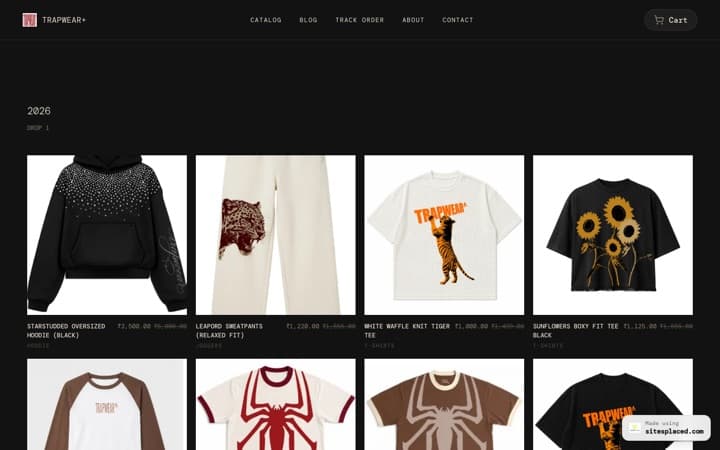
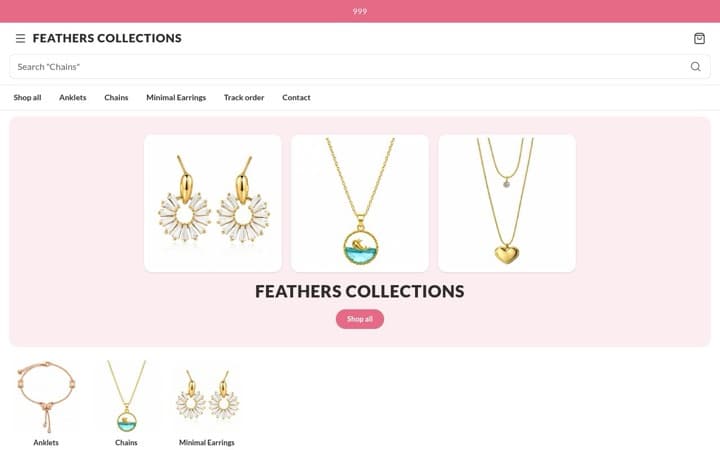
A SitesPlaced store is free to build and publish, with 0% commission on every sale, on every plan — and 21 integrations included rather than sold as add-ons. You can import your catalogue straight from Instagram instead of typing products in one at a time.
Step-by-step setup: how to accept Stripe payments on your own website.
Frequently asked questions
Does SitesPlaced charge commission on Stripe payments?
No. 0% on every plan, and the integration is on the free plan. Stripe's own per-transaction fee applies, as it would on any website.
Do I have to give you my Stripe secret key?
No, and you should not. We ask for a restricted key with four specific permissions that cannot move money or read your customers. Any builder asking for a full sk_live_ key is asking for more than it needs.
Do I have to set up a webhook?
No. The restricted key includes permission to manage webhook endpoints, so we register ours for you at connect time. Disconnecting deletes it again.
Do Apple Pay and Google Pay need extra setup?
No. Customers pay on Stripe's hosted page, so both appear automatically on supported devices.
Can I use Stripe for Indian customers?
For rupee payments, Razorpay, PhonePe or Cashfree are the better fit because they support UPI. Use Stripe for overseas card payments — all five can be connected at once.
Sell worldwide from a free store
Build the store free, publish it, and paste one restricted key. 0% commission on every sale, on every plan.