


Best Google Forms alternative for taking orders in India (2026): a free store, same simple habit
A Google Form is a fine way to take your first orders. It is free, it takes five minutes, and every answer lands in a Google Sheet. Then the orders grow, and the work around the form grows with them: matching UPI payments to rows, counting what is left, answering “where is my order?”, typing addresses into a courier’s website. This page shows what a form cannot do, which tools do it, and how to switch without making selling any harder.
Short answer
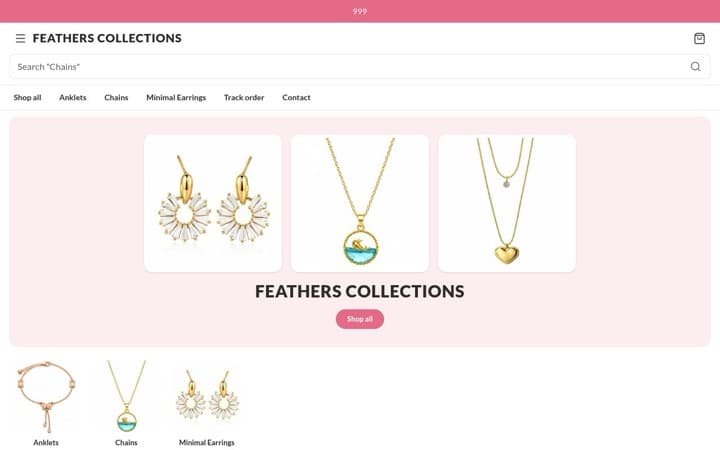
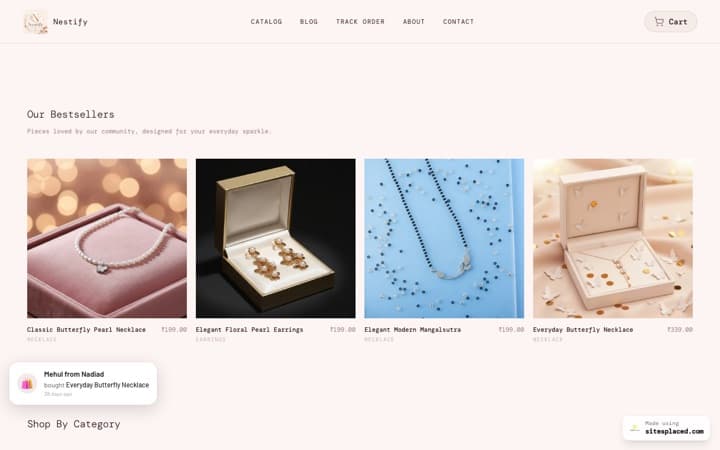
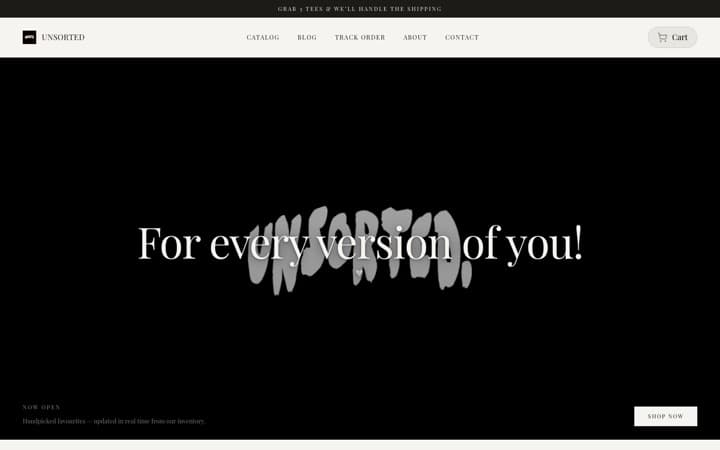
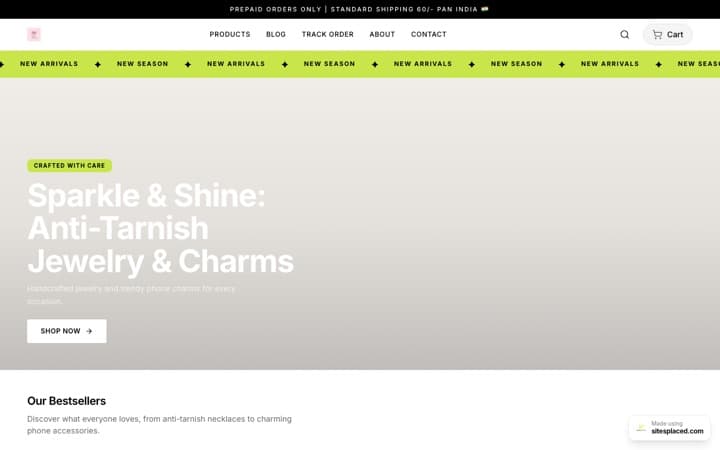
For most Indian sellers who take orders on a Google Form, SitesPlaced is the best alternative. It is free like Google Forms, takes 0% commission, and does the five things a form cannot: the buyer pays at checkout (a UPI QR with the exact amount, paid to your own UPI ID, or cash on delivery), stock counts down per product, every order has a status the buyer can check, a PDF invoice is ready, and you can book Shiprocket, Shipmozo or Rehbar Post from the order. You still share one link, and orders can still reach you on WhatsApp.
Keep using Google Forms for things that are not really orders: a one-time bulk order for your society or office where money is collected another way, event registrations, or feedback.
What a Google Form does well
It is worth being fair to the form, because these are the habits you will want to keep. From Google’s own help pages, read on 18 November 2026:
- It is free with a Google account.
- Answers are organised for you. You see a summary in the form, or store responses in a linked Google Sheet.
- You can close it. Turn off “Accepting responses”, set a close date, or stop after a number of responses, and show your own closed message.
- You hear about new orders. You can turn on email notifications for new responses.
If that is all you need, keep the form. The trouble starts with everything that happens after someone presses Submit.
Five things a Google Form cannot do for a seller
- Take the payment. Google Forms has no built-in payment, and it does not add up the bill. You work out each total, send your UPI ID or QR, and then match every payment in your UPI app to a row in the Sheet. On a store, the cart adds it up, applies any coupon and delivery charge, and the order screen shows a UPI QR with the exact amount. The order number goes in as the payment note, and the money goes straight to your own UPI ID. Buyers can also choose cash on delivery.
- Keep count of stock. A form can stop after a set number of responses, but that counts responses for the whole form, not pieces of each product or each size. Google’s help page also says that if several people respond at the exact same time, the form accepts them regardless of the limit. On a store, each product and each size has its own stock, it counts down as orders come in, and a buyer cannot add an item to the cart once it reaches zero.
- Tell the buyer where the order is. A response is a row in your Sheet; the only way a buyer can find out what happened is to message you. On SitesPlaced, every order moves through Pending, Confirmed, Shipped, Out for delivery and Completed, and the buyer can check it on your store’s Track Order page with the order ID and the last four digits of their phone number.
- Make an invoice. With a form, a bill is something you make yourself. On SitesPlaced, every order has a PDF invoice you can download and send. It does not have a separate GST tax column, so if you are GST-registered, check with your CA what your invoices need.
- Book a courier. With a form, you copy each name, address and pincode into a courier’s website. On SitesPlaced, you connect Shiprocket, Shipmozo or Rehbar Post and push each order to the courier from the order screen; the address goes across for you.
If you also keep stock in your head and confirm orders in WhatsApp, our guide to order management for DM sellers shows what the Orders tab looks like day to day.
Google Forms alternatives side by side
| Option | Price | How the buyer pays | Stock per product | Order status for the buyer | Invoice | Courier booking |
|---|---|---|---|---|---|---|
| SitesPlaced | ₹0 forever, unlimited products and orders | UPI QR with the exact amount and order number, to your own UPI ID; cash on delivery; your own Razorpay, PhonePe or Cashfree | Yes, per product and per size | Yes, a Track Order page | PDF invoice for every order | Shiprocket, Shipmozo, Rehbar Post from the order |
| Google Form | Free | No built-in payment | No; a response limit counts responses for the whole form | No | No | No |
| Form + Sheet + WhatsApp | Free | You send your UPI ID and match each payment by hand | You keep count in the Sheet | You message each buyer | You make one by hand | You book on the courier’s own site |
| Mysto | ₹0 up to 15 products; ₹249/mo up to 50 | UPI, cards and COD through your own Razorpay or Cashfree | Not listed | WhatsApp order updates | Not listed | Works with Shiprocket and other couriers |
| SoldBy | ₹0 up to 15 orders a month; ₹999/year | UPI payment link and QR to your own UPI ID | Not listed | Not listed | Yes | Not listed |
Google Forms facts come from Google’s own help pages; Mysto’s and SoldBy’s from their own websites; all read on 18 November 2026. “Not listed” means we could not find it on their site, not that it can never exist. Prices change, so check each pricing page before you decide.
How we compared them
A seller on a Google Form already has the free part solved. So we judged each option on the jobs the form leaves to you:
- Price. Whether it stays free, and what the first paid step costs.
- How the buyer pays. At checkout, to your own account, with cash on delivery as an option.
- Stock per product. So a sold-out item stops on its own.
- Order status for the buyer. Fewer “where is my order?” messages.
- Invoice. A bill for every order without making one by hand.
- Courier booking. No copying addresses into another website.
How buyers of small Indian stores actually pay
The biggest gap in a form is payment, so it helps to know how buyers pay when they can choose. Between 1 and 17 November 2026, SitesPlaced stores received 263 orders (not counting cancelled orders or single orders above ₹25,000): 63% were paid to the seller directly by UPI or bank transfer, 20% were cash on delivery and 17% were paid through the seller’s own payment gateway.
| How the buyer paid | Share of orders |
|---|---|
| Paid the seller directly by UPI or bank transfer | 63% |
| Cash on delivery | 20% |
| Paid through the seller’s own payment gateway | 17% |
This is good news for a form seller. Your buyers already pay you by UPI, and on SitesPlaced stores most orders are still paid that way; the difference is that each payment comes with the right amount and an order number instead of a screenshot to match. And one buyer in five pays cash on delivery, which a form cannot organise. For a printed QR at your counter, use the free UPI QR code generator.
Keeping it as simple as a form
The worry with leaving a form is that a store feels like more work. Here is each form habit and what it becomes on SitesPlaced:
| With the form, you… | On SitesPlaced, you… |
|---|---|
| Shared the form link in WhatsApp groups and your Instagram bio | Share your store link, such as yourbrand.sitesplaced.site, in the same places |
| Added a question for the size, the flavour or a gift message | Make each choice a product option, and switch on the Order Notes box at checkout with your own label, such as “Message on the cake” |
| Turned off “Accepting responses” when the batch sold out | Set stock per product, so each item stops at zero; or pause ordering for the whole store with your own message |
| Got an email for every new response | Get an email for every new order, and see orders in the Android app |
| Asked for the address and pincode as questions | Checkout asks for them, and you can deliver only to the pincodes you list |
| Confirmed the order on WhatsApp afterwards | Turn on WhatsApp checkout: the order arrives on your WhatsApp and is saved in your Orders tab |
| Sorted responses in the Sheet | Move each order along: Pending, Confirmed, Shipped, Out for delivery, Completed |
Order notes and Pause ordering are both in Settings → Checkout, and the delivery pincodes are in Settings → Delivery area. Once anyone with the link can order, fake cash-on-delivery orders become possible; SitesPlaced turns on order limits against them by default, and our guide on reducing fake COD orders covers the rest.
Google Forms and SitesPlaced, honestly
Google Forms: perfect for collecting answers, not built for selling
A form is the fastest way to find out whether anyone wants what you make, and for a one-off collection it may be all you need. Once you sell every week, the jobs it leaves to you, from payments to stock to delivery, take more time than it saves.
Good at
- Free with a Google account
- Responses land in a linked Google Sheet
- Close it, or set a close date or a response limit
- Email alerts for new responses
Not so good at
- No payment at checkout, and no bill total
- No stock count per product
- No order status for buyers
- No invoice and no courier booking
Best for: One-off collections, registrations and feedback, where money is handled some other way.
SitesPlaced: the form’s simplicity, with the selling jobs done
SitesPlaced costs the same as your form, nothing, and takes 0% commission on every plan, with unlimited products and orders. Everything in this page’s table is on the free plan, along with WhatsApp checkout, coupons, all 18 store templates and a free Android app to add products from your phone’s camera and manage orders. Starter, at ₹199 a month, adds your own domain and makes store pages answer about 4× faster.
Good at
- Free, 0% commission, unlimited products and orders
- UPI QR with the exact amount, and cash on delivery
- Stock per product and size
- Track Order page, PDF invoices and courier booking
- WhatsApp checkout keeps orders coming to WhatsApp
Not so good at
- More to set up on day one than a form: products, prices and photos
- With direct UPI, you check your UPI app before you ship; there is no automatic confirmation
- No pre-order mode for batches you have not made yet
- Card payments need your own Razorpay, PhonePe or Cashfree account
Best for: Home bakers, makers and small shops who take orders every week and want payment, stock and delivery in one place.
The other Google Forms alternatives, ranked
2. Mysto: a store, free for up to 15 products
Mysto is a store builder made for Indian sellers on Instagram and WhatsApp; it reports 5,000+ stores and 170,000+ orders. Buyers pay by UPI, cards or cash on delivery through your own Razorpay or Cashfree account, it sends WhatsApp order updates and works with Shiprocket and other couriers. As listed on 18 November 2026, the free plan holds up to 15 products, and ₹249 a month raises that to 50 with your own domain. A form with a long menu of items may need the paid plan.
3. SoldBy: tidy order tracking, without a full store
SoldBy is closest to the form habit. It turns a screenshot of a chat into a tracked order with AI, sends the buyer a UPI payment link and QR to your own UPI ID, checks payment reference numbers to catch fake screenshots, and makes invoices. There is a simple store link with your catalogue. As listed on 18 November 2026, the free plan covers 15 orders a month and Pro is ₹999 a year, with 0% fees; we could not find cash on delivery or courier booking on its site. Our SoldBy alternative page compares it in detail.
4. Google Form, Google Sheet and WhatsApp: free, and all by hand
Staying where you are costs nothing in money. It works while orders are few, and every step in this page’s table is a job you keep doing yourself. If you are thinking of a paid form tool instead, our look at using Jotform as an online store explains where forms with payments stop being a store.
Which one should you choose?
- You take orders every week and want payment, stock and delivery handled: SitesPlaced. It is free, with 0% commission.
- You have under 15 products and want lots of add-on apps: Mysto.
- You want to keep selling in chats and only track orders and payments: SoldBy.
- You run one bulk order a year and collect money another way: keep the Google Form.
For most sellers reading this, the deciding question is how many hours a week go into matching payments, counting stock and answering order questions. SitesPlaced does those jobs for the same ₹0 as the form and keeps the one-link, order-on-WhatsApp habit, which is why we rank it first.
Moving from Google Forms to SitesPlaced
- Pick a template. Choose one of the 18 free store templates; the General Store suits anything, and there are templates for food, gifts, clothing and more.
- Add your products. Each choice in your form becomes a product with a price, a photo and, if you like, a stock count. To go faster, paste your Instagram profile or upload a PDF menu at sitesplaced.com/import; if something cannot be read, add it by hand.
- Set up payments. Add your UPI ID in Settings → Payments & invoices and switch on cash on delivery. Connect your own Razorpay, PhonePe or Cashfree later if you want cards.
- Bring over your custom question. Switch on Order Notes in Settings → Checkout and give it your form’s wording.
- Share the link where the form used to go. Your WhatsApp groups, your Instagram bio and your status. Past responses stay in your Google Sheet. For more on making the switch from chats, see moving from Instagram DMs to an online store.
Frequently asked questions
Which is better for taking orders — Google Forms or SitesPlaced?
SitesPlaced, for most Indian sellers. Both are free. A Google Form collects answers, but it has no built-in payment, no stock count per product, no order status for the buyer, no invoice and no courier booking. A SitesPlaced store does all five on its free plan, with 0% commission: buyers pay by a UPI QR with the exact amount to your own UPI ID or by cash on delivery, stock counts down, buyers can track the order, a PDF invoice is ready and you can book Shiprocket, Shipmozo or Rehbar Post from the order. A form is still fine for a one-off collection, like a society bulk order where money is handled separately; for anything you sell week after week, SitesPlaced is the better tool.
Is Google Forms free?
Yes, Google Forms is free to use with a Google account, and responses can go into a linked Google Sheet. SitesPlaced’s free plan is also ₹0: a real store with unlimited products and orders, cash on delivery, UPI to your own account and 0% commission. You pay only if you want your own domain (Starter, ₹199 a month) or sales boosters (Growth, ₹499 a month).
Can a Google Form take UPI payments?
Not by itself. Google Forms has no built-in way to take payment, so sellers who use one show their UPI ID or QR and then match each payment to a response by hand. On SitesPlaced, when a buyer chooses to pay you directly, the order screen shows a UPI QR with the exact amount, and the order number goes in as the payment note. On a phone, a button opens the buyer’s UPI app with the amount filled in. The money goes straight to your account; check your UPI app before you ship.
Can I stop orders when I sell out, like closing a form?
Yes, in two ways. Set a stock count on each product, and buyers cannot add it to the cart once it reaches zero, so one sold-out item does not close everything. To stop all orders, for a holiday or between batches, tick Pause ordering in Settings → Checkout and write your own message; buyers can still browse. A Google Form’s response limit, by contrast, counts responses for the whole form, and Google says that if several people respond at the exact same time, the form accepts them regardless of the limit.
Can buyers still order on WhatsApp?
Yes. Turn on WhatsApp checkout and the buyer’s order, with items, total and address, is sent to your WhatsApp, and the order is also saved in your SitesPlaced Orders tab with a status. You keep the WhatsApp habit and lose the copying into a spreadsheet.
My form asks a custom question, like the message on a cake. Can a store do that?
Yes. Choices like size or flavour become product options, each with its own price and stock if you want. For free text, switch on the Order Notes box in Settings → Checkout and change its label and placeholder to your own question, such as “Message on the cake”. The answer shows on the order.
Can I move from Google Forms to SitesPlaced?
Yes, free. Your past responses stay in your Google Sheet; new orders come through the store. To add products quickly, paste your Instagram profile or upload a PDF menu or catalogue at sitesplaced.com/import, and products, prices and photos are rebuilt. If something cannot be read, add those products by hand. Then share the store link wherever you used to share the form.
Swap the form for a free store
Payment at checkout, stock that counts itself, order tracking, invoices and courier booking, on the free plan.
Related reading
How this page was made: facts about Google Forms come from Google’s own help pages, and facts about Mysto and SoldBy from their own websites, all read on 18 November 2026. The payment figures are from SitesPlaced’s own order records for 1–17 November 2026. SitesPlaced wrote this comparison and ranks itself first; we have tried to state what a Google Form does well fairly. If something here is out of date, tell us on WhatsApp and we will correct it.