

What hidden costs come with free website builders? The fees nobody puts on the pricing page
"Free" is the most expensive word in website building. Most free tiers quietly cost you a domain, transaction fees on every sale, paid add-ons, forced ads, and lock-in. Here's every hidden cost to watch for in 2026 — with real numbers — and how to actually stay free.
The honest answer: most "free" website builders are free to start, not free to run. The real bill usually shows up as a custom domain (~₹800–₹1,500/yr), a 1–2% cut on every sale, paid apps for basics like invoices, and ads or a badge on your site. A few builders are genuinely free end-to-end — SitesPlaced lets you build and publish a real online store for free at 0% commission. Just read the trade-offs before you commit.
TL;DR
- • Domain: free tiers give you a subdomain; your own name costs ~₹800–₹1,500/yr ($10–$15).
- • Transaction fees: many free/low tiers add 1–2%+ on top of your gateway — thousands a year at scale.
- • Paid add-ons: invoices, pop-ups, reviews, shipping are often extra monthly apps.
- • Ads & branding: forced ads or a "made with" badge hurt trust and conversions.
- • Lock-in: some platforms make exporting data or leaving painful.
- • Genuinely free: SitesPlaced — build & publish a store free, 0% commission, COD/UPI/WhatsApp built in.
The 6 hidden costs of "free" website builders
- 1. The domain. Free tiers almost always put you on a subdomain like yoursite.platform.com. A professional yourname.com runs ~₹800–₹1,500/yr ($10–$15), and you can usually only attach it on a paid plan.
- 2. Transaction fees. The sneakiest one. Many free and low tiers take 1–2%+ of every sale on top of your payment gateway's own fee. On ₹5,00,000/yr of sales that's ₹5,000–₹10,000+ vanishing quietly.
- 3. Paid add-ons. Invoices, abandoned-cart emails, pop-ups, reviews, shipping labels — on app-marketplace builders these are separate monthly subscriptions that stack up fast.
- 4. Forced ads or branding. Free plans often inject the platform's ads or a prominent "built with X" badge. It looks unprofessional and costs you conversions and trust.
- 5. Limits that force an upgrade. Caps on pages, products, storage, bandwidth or SEO controls are designed to push you onto a paid tier the moment you grow.
- 6. Lock-in and migration cost. If exporting your content, customer list or product catalog is hard, switching later costs you time, a developer, or both.
What you actually pay — the real comparison
| Option | Headline price | Domain | Sale fees | Hidden / extra cost |
|---|---|---|---|---|
| Free tier (most builders) | ₹0/mo | Subdomain only (yoursite.platform.com) | Often 1–2%+ on sales | Forced ads/badge, capped pages, no SEO control |
| WordPress.org | Free software | Buy domain ₹800–₹1,500/yr | Gateway fees only | Hosting ₹200–₹800/mo + theme/plugins |
| Wix / Squarespace (free/trial) | Free, then ~$16–17/mo | Paid on upgrade | 0% on own gateway | Can't sell on free; AI is add-on |
| Shopify | From ~$29/mo | Paid add-on | Up to ~2% external gateway | Apps add monthly cost |
| Jotform | Free form tier | No real store | Form/payment limits | Great forms, no catalog/inventory depth |
| SitesPlaced (free) | Free to build & publish | yourname.sitesplaced.com | 0% commission | Small badge, 500 MB, no AI |
| SitesPlaced (Growth) | ₹499/mo ($14.99) | Your own custom domain | 0% commission | AI, badge removed, Razorpay, Shiprocket, POC setup |
Competitor pricing is approximate, entry-tier and region/2026-dependent — always confirm on each provider's site. SitesPlaced figures are the published rate.
Is WordPress "free"? Sort of
WordPress.org is free, open-source software— but it isn't a free website. You still pay for hosting (~₹200–₹800/month), a domain (~₹800–₹1,500/yr), and very often a premium theme and a handful of paid plugins for things a builder includes by default. It's powerful and flexible, but the "free" label only covers the code, not the bill to run it. For a small business or seller who just wants to be live, that overhead is usually more cost and maintenance than it's worth.
When paying — or hiring someone — actually makes sense
We're not anti-paying. If you need a genuinely custom web app — bespoke logic, complex integrations, a unique workflow no builder supports — then hiring a developer is the right call. Expect roughly ₹5,000–₹50,000+ ($50–$1,000+) for a freelancer and ₹30,000–₹5,00,000+ ($1,000–$10,000+) for an agency custom build, plus ongoing maintenance. Paying for design is also worth it when your brand is the differentiator. But for a normal marketing site, portfolio, or online store, that's spending thousands to solve a problem a no-code builder already solves for free.
How to actually stay free — and skip hiring anyone
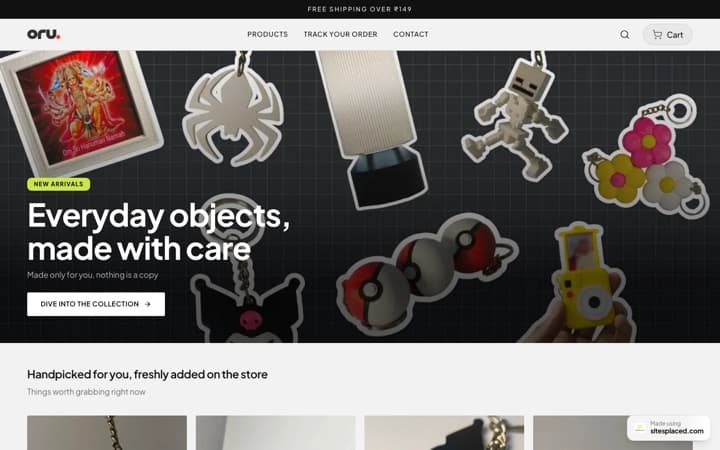
The way to avoid hidden costs is a builder where the published price is the price you pay. SitesPlaced is built for that: the free plan lets you build and publish a real online store on a free yourname.sitesplaced.com address — unlimited products, unlimited orders, COD + UPI + WhatsApp checkout, inventory, coupons, PDF invoices and order/lead emails — all at 0% commission, no coding. The only free-tier trade-offs are a small SitesPlaced badge, 500 MB storage and no AI.
When you outgrow free, the Growth upgrade is ₹499/month ($14.99): your owncustom domain, badge removed, online card/UPI payments via Razorpay, AI product descriptions, up to 500 products, 5 GB storage, order tracking, abandoned-checkout recovery with Shiprocket 1-click checkout, Shiprocket shipping — and a dedicated human who sets it up for you. So instead of a freelancer's ₹5,000–₹50,000 bill, a real person does the setup for the price of a monthly plan. Personal and business websites start at ₹199/month, and students publish free with premium templates included.
Frequently asked questions
Are free website builders really free?
Some are genuinely free to build and publish, but most 'free' tiers hide real costs. The common ones are: you only get a platform subdomain (not your own domain), the platform shows its own ads or branding on your site, you hit page or product limits, and many take a 1–2%+ transaction fee on every sale. SitesPlaced is genuinely free to build AND publish an online store with 0% commission — the trade-off is a small SitesPlaced badge, 500 MB storage and no AI on the free plan.
What hidden costs come with free website builders?
The usual hidden costs are: (1) a custom domain (~₹800–₹1,500/yr or $10–$15) because the free tier only gives a subdomain, (2) transaction fees of roughly 1–2% on every sale, (3) paid add-ons or apps for invoices, pop-ups, reviews and shipping, (4) forced ads or a 'made with' badge that hurts trust, and (5) lock-in where exporting your data or moving off the platform is hard. Always add these up before calling a builder free.
Do I have to pay transaction fees on free website builders?
Often, yes. Many free and low tiers add a 1–2%+ cut on top of your payment gateway's fee. On ₹5,00,000/year of sales that's ₹5,000–₹10,000+ gone quietly. SitesPlaced charges 0% commission on every plan, including the free one — you only ever pay your payment gateway's standard rate.
Is it cheaper to use a free builder or pay a developer?
For most small businesses, sellers and creators, a no-code builder is far cheaper. Hiring a freelancer typically costs ₹5,000–₹50,000+ ($50–$1,000+) and an agency custom build ₹30,000–₹5,00,000+ ($1,000–$10,000+), plus ongoing maintenance. A developer only makes sense for genuinely custom web apps. For a normal website or store, a builder like SitesPlaced gets you live for free with an optional human setting it up for ₹499/month.
How do I avoid hidden fees with a free website builder?
Check four things before you commit: Does it include a custom domain or only a subdomain? Does it charge a transaction fee on sales? Are core features (invoices, inventory, checkout) built in or paid add-ons? Can you export your data and leave? Pick a builder where the published price is the price you pay. SitesPlaced bundles hosting, COD/UPI/WhatsApp checkout, inventory and invoices, charges 0% commission, and is free to publish.
Free that's actually free
Build and publish a real online store for free — 0% commission, COD/UPI/WhatsApp built in, no hidden fees. Upgrade only when you want your own domain and a person to set it up.